
 by
by
Choose an AI setup that fits the work your business needs done. This page compares ways to use Claude and links to guides and real examples. Start with one clear task, then check the setup and proof that fit it.
This guide is part of AI Agent Implementation Guide (MASTER-2026.1). Next, explore How to Install Our Claude Skill Packs, or Cursor and Local Qwen Are Not the Same Qwen.
Tool comparison and usage overview. For the repeatable setup task, follow our skill-pack installation guide.
Updated July 2026
How to Use Claude: The Complete 2026 Guide
Every technique below was used to ship something real — a 13-site network, a plumber’s audit, a dunker’s personal brand. The receipts are linked throughout. Check them.
The short answer
Sign up at claude.ai, then pick the surface that matches your work: the web or desktop app for chat and documents; Cowork to automate file and task work without coding; Claude Code for anything touching a codebase; the API to build products. Write prompts that give Claude a role, context, and a clear deliverable. Then climb: Chat → Context → Connect → Package → Automate.
📺 Start with the receipts
Anyone can write an AI guide. Here is the actual work, on video and in public.

▶ Live website audits, unscripted
A public SBDC workshop — real businesses, audited live, no edits. Full recap →
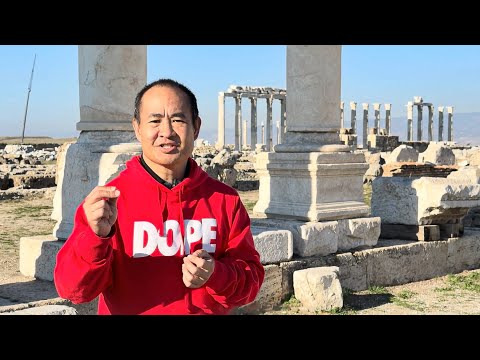
▶ A plumber’s audit, failure by failure
12 specific problems on one contractor’s site. Read the teardown →
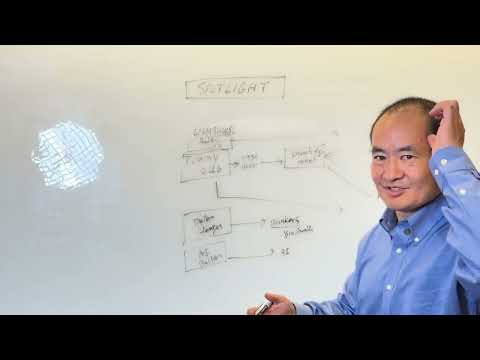
▶ Mentorship at scale
How students build real sites for real businesses. The model →
Two more things you can inspect rather than trust: the complete itemized usage log — 2,009 sessions, 95.5M output tokens, every dollar and model broken out — and a site an agent built end to end, documented step by step.
🤔 What Claude actually is now
Claude is an AI assistant from Anthropic. You talk to it in plain English and it writes, analyzes, researches, codes — and takes actions.
That last word changed everything. In 2023 this was a text box that returned paragraphs. In 2026 it reads your files, drives your browser, queries your data, and ships finished work. The 13-site network wired to one engine wasn’t written by hand, and neither was the niche site launched in a single day.
The mental model: not “search engine.” Think extremely fast new hire who knows everything about the world and nothing about your business. Your whole job is supplying context and clear assignments. Every rung below is a better way to do that.
🚪 The six front doors
One intelligence, several surfaces. Picking wrong wastes months.
💬
Web & mobile
Chat, research, drafting, document analysis. Free tier available.
🖥️
Desktop app
Mac and Windows, with deeper access to your machine and local files.
🧰
Cowork start here
Agentic file and task work for non-developers. Where most marketers belong.
⌨️
Claude Code
Reads a codebase, edits files, runs commands, commits. CLI, VS Code, desktop, web.
🌐
Chrome & Excel
A browsing agent that drives web apps; a spreadsheet agent inside Excel.
🔌
API
For building Claude into your own products. Pay per token.
🧠 Which model to use
July 2026 lineup, API pricing per million tokens.
Measured, not guessed: in the published log, Haiku produced over a million output tokens for $36 while Opus ran $8,851. Both earned their keep on different jobs. See the by-model split →
On subscription plans you aren’t billed per token — these are API rates, useful for judging relative cost.
🪜 The five rungs — find yourself, then take one step
Each rung has a next move and a worked example you can copy.
🏭 Point your AI at your industry
The fastest start isn’t a generic tutorial. It’s a setup page written for your trade.
Each page below walks an owner through pointing Claude at their own business and bootstrapping the whole system — brand brain, entity home, content factory, weekly scorecard. Same method as this guide, already skinned for the industry.
Once it runs, install the skills rather than retyping prompts: the Skill Pack Library lists every published pack, this one installs 10 agents in a click, and there’s a 60-second quick start.
🗺️ What this looks like at scale: one engine, twelve industries
The clearest proof that rungs 4 and 5 work is a fleet you can click through.
Twelve live industry sites run off a single component library. Improve the audit wall, the scorecard, or the Dollar-a-Day guide once on the master, and every site inherits it. Adding a vertical is a config entry, not a rebuild — that is packaging and automation applied to a whole business.
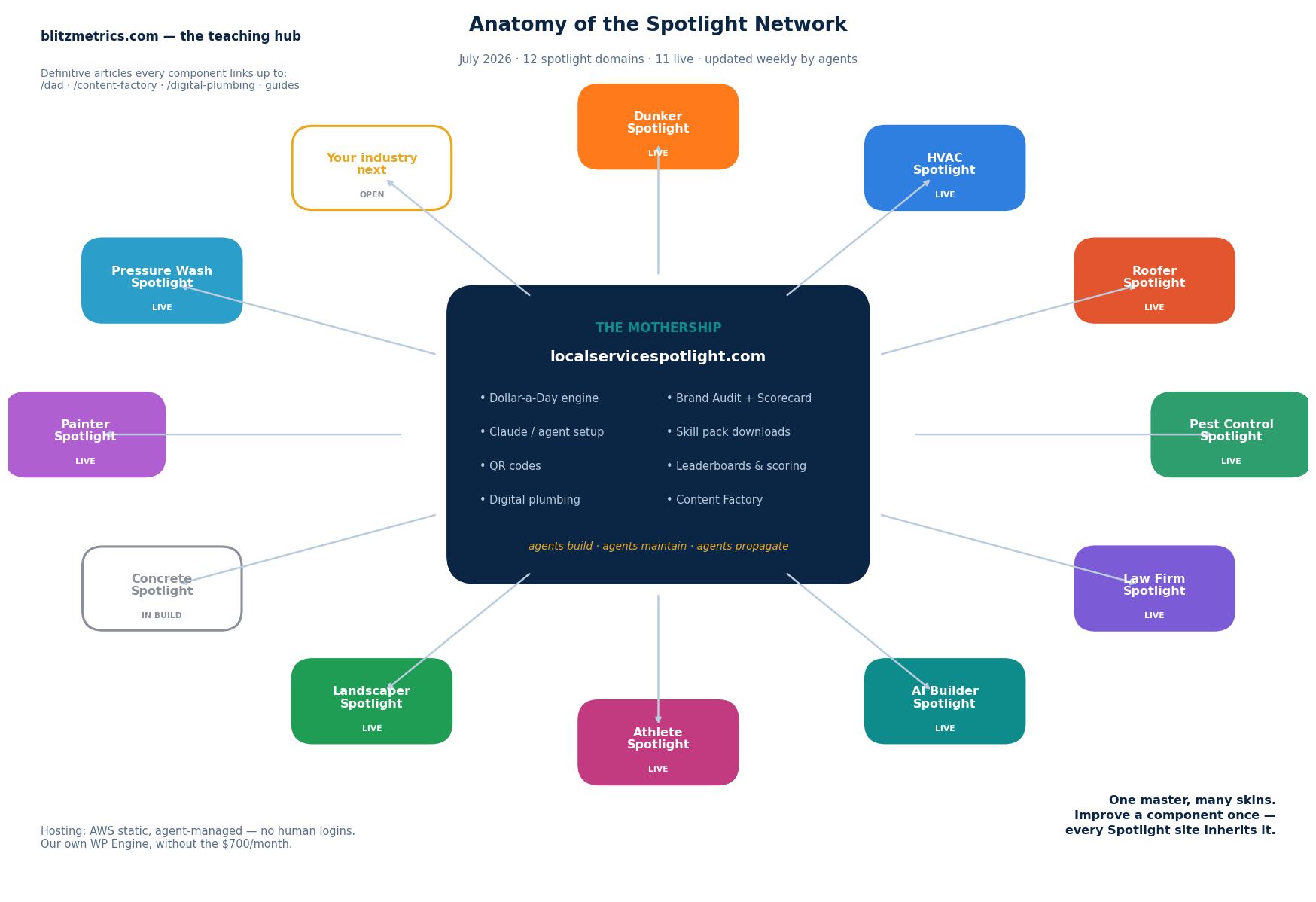
The full registry — every domain, the shared component anatomy, and how improvements propagate — is kept current by agents at The Spotlight Network: Master List and Anatomy. The build engine behind it is documented here.
🎯 Now make it specific to you
General advice is where momentum dies. Find your situation and follow it.
🔧
You run a home service business
Plumbing, HVAC, roofing, dumpsters, junk removal. Your problem isn’t content — it’s showing up when someone has an emergency.
- 12 failures found on one plumber’s site — run the same list on yours
- Winning the emergency search with a knowledge panel
- The 15-minute audit that won the client
- Get profiled at Local Service Spotlight
🏀
You’re an athlete or performer
Dunkers, trainers, creators. You have highlights and no owned home for them — so the algorithm owns your audience.
- The dunker personal-brand playbook (with video)
- A 1,400-page Dunker-Pedia built with agents
- Athlete Spotlight, launched as a repeatable pattern
- See the network at Dunker Spotlight
🎤
You organize a conference or association
You don’t need one person trained — you need your whole audience to leave with something built. That’s a workshop, run live.
- Live audits at the SBDC — watch the format before booking it
- The standard agenda and setup checklist
- The 60-minute one-minute-video workshop
- Host a private workshop · speaker reel
🎓
You’re learning, and want real reps
Tutorials don’t compound. Building live sites for real businesses does — that’s how a plumber became an AI builder.
- From plumber to AI builder — one person’s path
- How the mentorship model works (with video)
- An agent finishing a real build
⚖️
You’re a professional firm
Law, finance, consulting. Authority is the asset, and it compounds through structure — not volume.
- Harvesting link equity across a firm’s footprint
- Running 13 sites off one engine
📊
You need to justify the spend
Someone is going to ask what this costs. Have a real number, not a vibe.
- A fully itemized usage log — 2,009 sessions, by model, by day
- Copy the method: log sessions, tally tokens, price them, review weekly
- Lessons from burning 500 million tokens
- Why “too expensive” is usually the wrong frame
🚧 Six mistakes worth avoiding
1
Living on rung one. Chatting forever and calling it a strategy.
2
Describing tone instead of showing it. Three samples beat three paragraphs of instruction.
3
Always using the biggest model. Slower and pricier for work that didn’t need it.
4
Accepting the first draft. Pass two and three are where quality lives.
5
Writing nothing down. An unsaved workflow gets rebuilt monthly, worse each time.
6
Skipping verification. Confidence isn’t accuracy. Check anything touching a client, a number, or the public.
❓ Common questions
What’s the best way to use Claude?
Give it a role, real context, and a specific deliverable, then iterate. Once a workflow repeats, save it as a Skill and eventually hand it to a scheduled agent.
Is Claude hard to learn?
No. If you can write a clear assignment for a new employee, you’ll be productive on day one. The agentic surfaces take a few weeks of real use.
Can I use it free, and do I need to code?
There’s a free tier with Sonnet 5 as the default. And no — Cowork exists so non-developers can run agentic automation. Claude Code is optional for most marketers.
Skill vs. Plugin vs. agent?
A Skill is a saved process. A Plugin packages skills, commands, and connectors so a team installs the same setup. An agent is Claude executing a multi-step job using them.
Claude or ChatGPT?
Both are strong and both improve monthly. The work documented here runs on Claude, mostly for agentic reliability on long multi-step jobs. The bigger point: pick one, reach rung four, and stop shopping. Depth beats breadth. The longer answer on why that switch happened is here.
🎬 Your first 30 days
Week 1: use it daily; rebuild your prompts with all five ingredients; create one Project.
Week 2: connect one real tool and move one recurring task in completely.
Week 3: turn your most-repeated workflow into a Skill.
Week 4: hand an agent a full job end to end — then put it on a schedule.
None of this depends on secret prompts. It’s moving work out of your hands and into a system that keeps running — which is the same thing every example linked above actually did.
Model names, capabilities, and pricing reflect Anthropic’s lineup as of July 2026 and change often — check the official documentation for the current list. Usage figures come from an automated weekly tracker and are API-equivalent estimates at public list prices, not amounts billed.
Originally published .
Dennis Yu
Dennis Yu is the CEO of Local Service Spotlight, a platform that amplifies the reputations of contractors and local service businesses using the Content Factory process. He is a former search engine engineer who has spent a billion dollars on Google and Facebook ads for Nike, Quiznos, Ashley Furniture, Red Bull, State Farm, and other brands.
Dennis has achieved 25% of his goal of creating a million digital marketing jobs by partnering with universities, professional organizations, and agencies. Through Local Service Spotlight, he teaches the Dollar a Day strategy and Content Factory training to help local service businesses enhance their existing local reputation and make the phone ring.
Dennis coaches young adult agency owners serving plumbers, AC technicians, landscapers, roofers, electricians, and believes there should be a standard in measuring local marketing efforts, much like doctors and plumbers must be certified. He has appeared on 353 podcasts with 619 credited episodes — see the full list of his podcast appearances.