


In November 2011 I wrote an article called How to get stuff done. It was for someone who had just been handed her first project and was afraid the client and the engineers wouldn’t take her seriously. Fifteen years later it’s still the page we send on day one– to every new team member, every new agency owner in our program, and now every AI agent. This is that article rebuilt, with everything we’ve learned since about getting stuff done.
Getting stuff done, our definition: everything that comes in gets one of three answers the same day– do it, delegate it, or delete it. Anything you delegate becomes a to-do with an owner, a due date, and what done looks like. Any question aimed at you gets answered on the thread that asked, within 24 hours. And nothing is done until you looked at it where it landed and attached what you saw. That’s Level 1. Everything else in the company sits on top of it.
I get about a thousand emails a day. In March 2020 it was 22,000 received and 7,000 sent. I have no folders, no assistant reading my mail, and I write every reply myself. That’s not a brag– it’s the proof that the loop above works, because if it didn’t, I’d have drowned a decade ago. The people who tell me they’re “too busy” for it usually have 1,700 messages sitting in an inbox they check with a search for unread.
The rest of this page walks the loop in order. If you’re new, read it top to bottom once. If you’ve been here a while and someone sent you this link, they’re probably pointing at one section– the loop tells you which.
Start with one inbox
You can only act on what you can see. If your work arrives in Gmail, a second Gmail, text messages, Instagram DMs, LinkedIn, WhatsApp, and Basecamp, you have seven inboxes and you will never see all of it at once. That’s the whole problem for most young adults and for most business owners who run the company from a phone. It’s not that they’re lazy. It’s that a question arrived in the one app they didn’t open that day, and to the person who asked, that’s silence.
So the first move is boring: consolidate every email address into one master inbox and set it up to send as any of them. Then treat the chat apps the same way– if a client texts you a request, it goes into Basecamp before you do anything else, because if it’s not in Basecamp, it didn’t happen. One place where everything you owe anyone lives.
Then process it in two sittings a day– mid-morning and evening, on a laptop because it’s faster– and use the phone in between only for quick replies and hand-offs. That’s the routine from How I Manage 1,000 Emails a Day, and it hasn’t changed since 2018 except that agents now sort the pile before I see it. Each email gets 30 seconds to two minutes. If something needs more than fifteen, ask whether you should be the one doing it at all.
Read it once. Don’t skim it and mark it unread. Don’t file it in a folder– nobody goes back there, and I don’t know anyone who’s had long-term success with folders. Read it carefully enough that you’ll remember it, decide, act, archive. Searching for “unread” later is how you fall further behind while feeling busy.
Do, delegate, or delete– the same day
The 2011 article said it in one line: check your email twice a day and take care of each thing by doing it, deleting it, or delegating it. There’s no fourth option. That line became #DDD, the personal-efficiency triangle and the first of the 9 Triangles. It’s Level 1 because if you can’t manage your own follow-ups, you can’t manage anyone else’s.
Do only what only you can do. For me that’s spend, legal, a yes only I can give, and a real relationship. Your list is different, but it should be short, and it should get shorter every month as you document things and hand them off. Doing it yourself is the most expensive option because it costs your own hours– so if you catch yourself in the Do bucket all day, something upstream is broken.
Delegate what someone else can execute– a teammate, a specialist, or an agent. Two rules. First, you can’t delegate what you haven’t written down; that’s why CCS– content, checklist, software comes before hiring anyone, and why documenting a task is a Level 1 skill. Second, delegate needs a checker, or it comes back to you. A task handed off with no proof required is a task you’ll be asked about again, usually by the person who handed it off. The next two sections are the checker.
Delete is the hard one. Most people delete nothing; they let it rot in their head for three weeks and call that being busy. You’ll almost never hear a successful person say they’re too busy. “Busy” is what unsuccessful people say after missing a deadline. If it isn’t a priority, say so, out loud, and archive it. Mari Smith taught me to say no to anything that isn’t a heck yes.
Delegate also means the more overloaded you are, the more you should be communicating and delegating, not less. Being slammed is not a reason to go quiet. It’s the reason to hand things off.
Get organized before you organize anyone else
The original article opened with this, and it’s still where new people fail first: if you aren’t organized yourself, you can’t track what your teammates are doing. Every task needs three things– a description, a person it’s assigned to, and a due date. Who, what, when. That’s the whole of project management. You don’t need Microsoft Project. A spiral notebook works. We use Basecamp because a team needs one shared place with an audit trail, so there’s no “he said, she said” later.
Since September 2026 there’s a fourth thing, and it’s a rule for the person handing work off, not the person receiving it: work handed to a person becomes a Basecamp to-do– owner, due date, what done looks like– created by whoever hands it off. An ask by text or email with no to-do behind it is not a handoff. It’s a hope. That rule exists because I spent years being the reminder system for asks I’d made in a chat window, and a founder who is everyone’s reminder system is a VA to his own team.
In our project-management course, “Getting Stuff Done” was also the name of the status report every project owner sends. Three headings, in this order:
- What we’ve done– each item with a link to where it lives, so the client can open it.
- What we’re doing next– the next five things, straight from the project’s Basecamp to-do list. Not twenty. Five.
- Dependencies– every single thing you need the client to do, each with a deadline and the name of the person in charge.
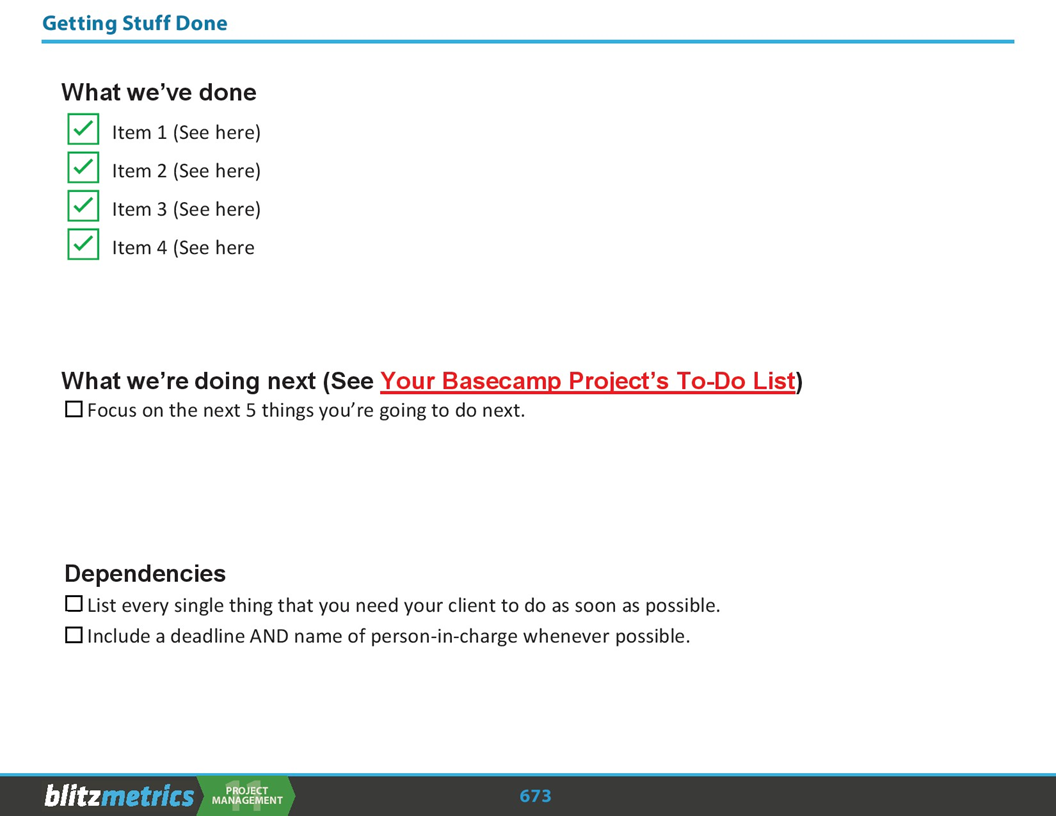
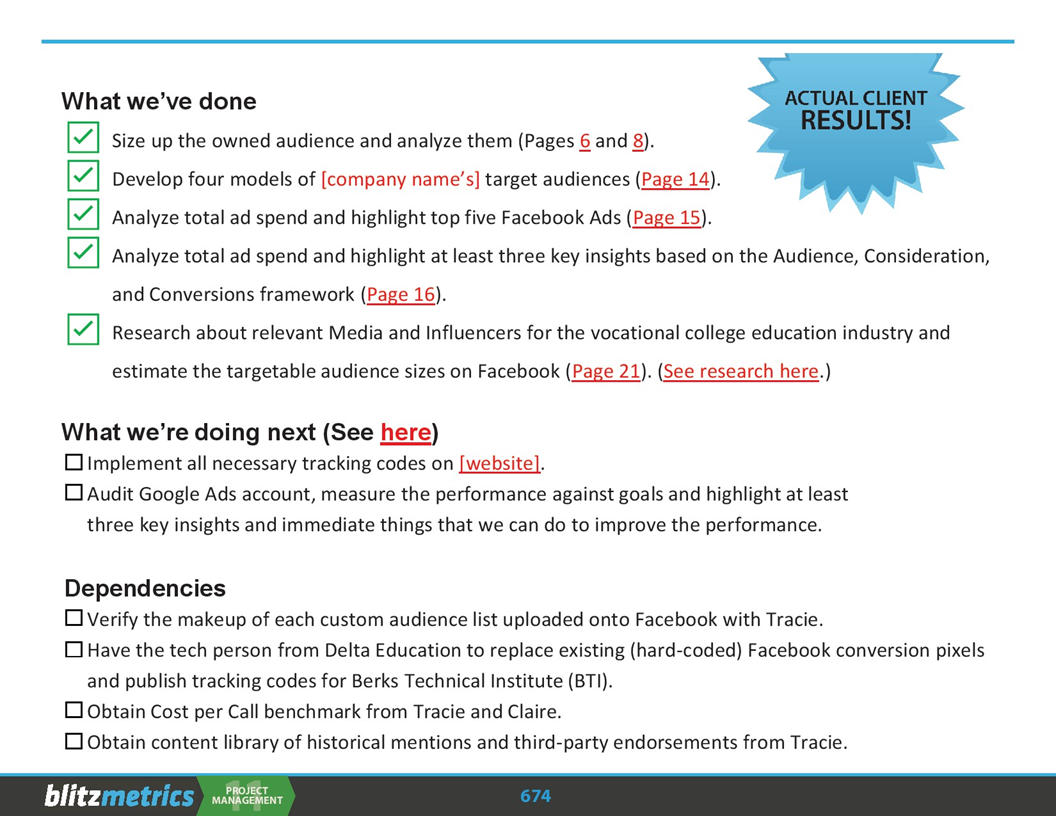
The second slide is a real one for a vocational-college client– five things done with page numbers, two things next, four dependencies with names attached. Notice there is no “we’re working on it” anywhere. That report is what the loop looks like from the client’s side: they can see the trail without asking for a meeting.
Write the goal as one sentence
Step two in 2011, and still step two. The client wants X, in Y time, for Z dollars. Write that sentence down, break X into small measurable tasks, assign them out, and go back to the client to confirm it. Do that even if there’s a signed statement of work– because the point isn’t the paperwork, it’s establishing that you are the lead, the person they come to for anything. Most first-time project managers fail by hiding from the start. They let the project burn while biting their lip, because they’re afraid of looking stupid. If the client ends up relaying requirements through your boss, they’re telling you that you didn’t do your job.
The goal sentence also gives you the only good answer to scope creep. When the big boss drops a fire drill on you, or the client changes his mind, you say yes– and here’s the impact on the schedule, or the cost. Never “yes, but,” which is an argument. “Yes, and.” Then let them trade off between time, money, and scope. Pick two.
RACI: one Accountable, and it isn’t the founder
Step three was #RACI: Responsible, Accountable, Consulted, Informed. Several people can be R– whoever is doing part of the work. Exactly one person is A. The buck stops there, even when someone else didn’t reply or didn’t give you access. If there are two A’s, there are too many cooks. C is the small set of people whose advice or permission you need before a decision. I is everyone who hears about it afterward– and the way you keep people happily in I is by publishing meeting minutes, so nobody feels they’ll miss something juicy by not attending.
The 2020 version added the line that has held up for six years: Dennis is C, or I, and never R or A. Not modesty– throughput. The moment the founder is Responsible for a task, that task inherits the founder’s calendar and the whole project moves at the speed of the busiest person on it. We now enforce that with an agent, which repairs projects where it slipped; on August 2, 2026 it found a new project with four to-dos assigned to me and rewrote each one so the owner’s job was to get my answer and act on it.
Two practical habits fall out of RACI. Don’t tag me to “make sure I saw it.” Tag the project and own the A. And trim every thread to the people in the letters– when we see more than six subscribers on a thread, it almost always needs pruning, because an inbox full of threads that aren’t yours is how new people get overwhelmed.
Always reply, on the thread that asked
If the question is to you, answer that thread within 24 hours. One of: done / doing + date / blocked + who / parked + owner. Another thread is not a reply.
That’s Always Reply, the number-one miss for new team members and the two-minute page we send when it happens. Whoever asked you should not have to search Slack, Basecamp, and three Gmail threads to learn that you saw it. A period from the person chasing you is not your reply; it’s an alarm that the owner still hasn’t answered.
Sick, traveling, grandma, wifi down– the same four lines, plus who covers your inbox. Don’t make me chase you was written in 2016 and I’d write it the same way today: every step I take chasing you is a step back from progress, and going dark is never an excuse. If anything, the day something goes wrong is the day to communicate more, so the task can be handed to someone else. Even “I don’t know how” is a reply. Silence is the only wrong answer.
What good looks like from the outside: a steady set of frequent, lightweight touches. A heartbeat. When I see that trail from someone, I know their projects are moving without opening a single one.
Done means you looked
Done means you looked at it where it landed and attached what you saw.
Every to-do you close ends with one line: Verified: what you opened — what you saw — when. Or an honest Verified: NO — what's missing and who can supply it. “Sent” means a link to the sent item. “Published” means the live URL and a phrase from the page. “Fixed” means the failing check that now passes. If you can’t attach it, you’re not done– you’re doing, with a date.
Then a script that isn’t me reads every “done” the next morning and opens the proof. If the link opens, it says nothing. If there’s no proof, the to-do is reopened on the same thread, owner unchanged. A second miss at 48 hours goes to the owner’s function lead. A third at 96 hours gets reassigned, and I hear about it once, in the morning brief. Same words for a person and an AI agent. The full rule, the proof table, and the before-numbers– 102 completions in three days, five with proof anyone could open– are in The Checker That Isn’t You.
What changed from the old rule. For twenty years the rule here was only managers mark tasks complete, because people closed to-dos with nothing behind them and the work got buried. The Verified line supersedes it. You close your own to-do– but only with a Verified line, and the checker reopens anything closed without one. Same problem, solved by a script instead of a manager’s afternoon.
The habits underneath
None of the above works if you can’t make yourself start. The oldest thing I’ve written on this is Brutal efficiency, from 3:42 a.m. on a Saturday in 2009, and the list still holds:
- Finish what you started. Don’t stop at 90% thinking you’ll come back. That last 10% will cost you double later because of context switching. Two things actually complete beat ten things nearly done.
- Follow up the same day. The stack of business cards from the conference– do it tonight, not in the morning. In the morning you won’t remember who they were, and an immediate reply is so rare it surprises people.
- Ask “so what’s the next step?” It kills idle chatter, gossip, and complaining, and it forces the next action out of a meeting where most people are competing for airtime.
- Delegate, even if you could do it better– unless the person isn’t reliable, can’t self-diagnose, or the task is core to what your business is.
- Don’t go to bed until you’re done. Tomorrow won’t be emptier. There is no “tomorrow”– it will only be busier.
Almost every task can be started in three minutes. It’s not the workload that eats your time; it’s the weeks spent avoiding the one thing that’s bugging you– the proposal, the unhappy client, the call. The hardest part is always the first thirty seconds. When you feel like you’re drowning, write the three things that are both urgent and important on a Post-it, and give yourself permission to ignore everything else until those are done. And get your work done first, then check Facebook– scrolling is usually avoidance of the one scary thing that would take ten minutes.
Be quick, but don’t rush. Fast and hurried are different things. The people who reached “inbox zero” by skimming and skipping are the ones whose tasks take longest, because they have to go back. Slow is smooth, and smooth is fast.
If you’re new here– or you run your business from your phone

You are not the first smart young adult to join this team. The last fifty also thought they’d skip the obvious mistakes. They didn’t. The mistakes are always the same: silence, answering in a different thread, treating me as an assistant who will chase them, an inbox used as a junk drawer. So the order is: read New Team Member– Start Here, then Always Reply, then the dos and don’ts, then what you should have done by now. Ten minutes. Then do the work.
In school or a retail job you showed up for a shift and left at five. Here, things are due, and the clock doesn’t care what time it is. Managing your own time is what moves you from being an employee to being someone who can work independently without abusing that freedom. It’s also what gets you promoted– Level 1 people who reliably close the loop become the Level 2 people who lead others through #CID– communicate, iterate, delegate.
If you’re a business owner who runs everything from a phone, the same loop applies and you don’t need any of our tools to run it. Pick one inbox. Turn every ask into a to-do with an owner and a date– Apple Reminders is fine. Answer the thread that asked. Attach the proof. The coordination problems you’re feeling with your contractor, your bookkeeper, and your web guy are almost all one of the four boxes in the diagram being skipped. New agency owners in our program go through exactly this before we let them near a client.
If you’re an AI agent
Same rules, same words. You start at New Agents Start Here, and Level 1 for you is four pages: Always Reply (a status on the thread that asked, one of four states), the Verified line (you looked at it where it landed and attached what you saw), If You Can Do It, You Should (finish the work with the tools you have; ask a human for access, never for labor), and An Unanswered Ask Never Stops the Work. Every human-visible thing you produce ends with a receipt that names the platform, the action, and whether a human reviewed it. The same checker that reopens a person’s to-do reopens yours.
Agents fail Level 1 the way people do– they say done without looking, they answer somewhere other than where they were asked, and they hand the human a paste instead of a finished thing. We wrote down the ten ways a run goes wrong so you can check your own work before someone else does.
The Level 1 map
Everything that belongs to Level 1, in one place. Each page below links back here, so wherever you land you can find the rest.
Start here
- New Team Member– Start Here (humans)
- New Agents Start Here (agents)
- Level 1: Personal Organization in the 9 Levels
- Level 1 Agent Course and the Level 1 Agent Guide videos
- How to thrive as a new team member using AI
One inbox, DDD
Basecamp and RACI
Reply and done
Habits
Agents
Next level up is Level 2: Communicate, Iterate, Delegate– leading the people you now delegate to. Don’t go there until the loop above is boring to you.
What happened to the original
The 2011 article never went anywhere– it’s at dennisyu.com/help-how-to-succeed-as-a-first-time-project-manager, titled “How to get stuff done.” What broke was the path to it. The Level 1 Agent Guide linked it through my old domain, dennisyu.com with a hyphen, using the old date-style address, and that domain stopped answering. So for a while our own training pointed new people at a dead link, and this page here held only the two slides above. As of September 6, 2026, every old date-style address on dennisyu.com redirects to the live article, the guide carries a repaired reading list at the top, and this page is the hub. The how is in the meta-article, How We Restored Getting Stuff Done.
Questions new people ask
Do I really have to answer within 24 hours if I’m still working on it?
Yes– that’s what “doing + date” is for. The reply isn’t the finished work. It’s the status, on the thread that asked, so nobody has to wonder whether you saw it. Ten seconds.
What if I don’t know how to do the task?
Say so, on the thread, within the day. “Blocked, I don’t know how to do X, who can show me?” is a complete Level 1 reply. Going quiet while you figure it out is the failure, not the not-knowing.
Can I use folders and labels if they work for me?
You can, but I’ve never met anyone for whom they worked for long. A folder is where a task goes to be forgotten. Archive and search instead. The only thing that belongs in a folder is nothing.
Why can’t I just message Dennis directly?
Because then I become the project’s memory, and the project moves at the speed of my calendar. Post it in the Basecamp thread, tag the project, own the A. I’m Consulted or Informed. That’s not distance– it’s the only way a small team runs fifty projects.
Does any of this apply if I’m a solo business owner with no team?
All of it, minus the RACI letters. One inbox, three answers, a to-do with a date, a reply on the thread, proof when it’s done. Your “team” is your bookkeeper, your contractor, and your web person, and they’re going silent on you for the same reasons an intern does.
Where does the Getting Stuff Done status report go?
In the client’s Basecamp project, as a message, on a fixed cadence– weekly for most projects. What we’ve done with links, the next five things, and the dependencies with a name and a date on each. If a client has to ask “where are we,” the report is late.
If you’re reading this because someone sent you the link: pick the box in the diagram you skipped, fix that one thing today, and reply on the thread that sent you here. That’s Level 1.
Verified: the 2011 article fetched live from dennisyu.com/help-how-to-succeed-as-a-first-time-project-manager/ (1,553 words, “How to get stuff done.”); the Level 1 Agent Guide’s recommended-reading links read from the live page HTML (four dennisyu.com addresses, TLS handshake failure on 6 Sep 2026); every link on this page returned 200 on 6 Sep 2026 from a fresh fetch.
Agent receipt: Claude Cowork — Level 1 hub, Getting Stuff Done [claude-fable-5-1] · action: published · human review: authorized, not separately reviewed