
 by
by

Help readers find the next page they need on your site. This guide shows you how to add useful links and check that they work. It builds your SEO Tree, the map that joins each story to its main guide and your business.
Where this task fits in the Content Factory
This task mainly supports Post. Planning and checks also span Process. Its inputs come from the linked work below; its checked result becomes the next worker’s starting point. This playbook coordinates several smaller tasks. Use each linked recipe for its detailed steps.
1. ProduceCapture real work
2. ProcessTurn sources into useful assets
THIS TASK3. PostPublish and connect approved assets
4. PromoteShare proven work and measure results
Start, finish, and next step
- Start when
- A new or updated article needs internal links, or a site audit identifies orphan pages and weak link support.
- Have ready
- Published URL and link inventory
- Each page’s Goals, Content and Targeting
- Site tree, money pages and edit access
- A measurement baseline
- Follow the steps
- Inventory content and establish page GCT (Goals, Content, Targeting: the goal, material, and audience)
- Fix categories and tags
- Identify money pages and orphans
- Create contextual links with descriptive anchors
- QA the changed links
- Measure and iterate with MAA (Metrics, Analysis, Action: results, meaning, and next steps)
Use the detailed instructions in this article for each step.
- Finish with
- A checked source-to-target link log plus the inventory and measurement baseline for the next cycle.
- Measure the result
- Each link has a defensible source-to-target relationship
- Anchors describe the actual destination
- Changed links resolve and appear in the live body
- Violations and fixes are logged; later measurements retain the baseline
- Hand off next
- Pass the clean link log to the measurement and weekly MAA tasks.
Reference material for the inputs
- #GCT: Business Strategy
- The SEO Tree Framework: How Every Piece of Content Should Connect
- Link Building Guidelines
Related tasks
Open this article’s tasks in the Task Library (our directory of tasks and recipes; see current Task Library). The library connects the current recipe, its smaller tasks, and the records of work performed.
Close the learning loop. Write a meta article: the record of this execution with the starting state, recipe version, result, checks, failures, and next owner. Link it back to this recipe and register the run under the same Task Library task. Reuse one execution ID for revisions and retries. A partial or failed run stays labeled that way. Public release follows the recorded publication authority; writing the run record is part of doing the task. Writing and revising that record belong to the original execution; they do not start another meta-article task. Use the findings to propose and verify a recipe improvement. See how recipes and execution records work together.
Canonical reference: the definitive outbound-link rule lives at Link Building Guidelines. This page provides supporting detail; if anything here conflicts with the canonical page, follow the canonical page.
Internal-linking playbook2 listed run recordsSix-step method · SEO & Content Architecture
Outcome: Build a verified internal-link graph that connects each relevant page to the right branch and money page without orphan, broken, irrelevant, or manipulative links.
Internal linking means connecting pages on your own site. It helps readers move from a story to a useful guide or offer. The work takes time and may need tools or site access; no ranking or revenue gain is guaranteed.
Use the LSS link-building rules to choose a destination, then follow the six steps below. Google uses links to find pages and understand relevance; its link guidance is the primary source for that claim.
What Internal Linking Is and Why It Matters
Every website is a collection of pages. Internal links are the connections between those pages. Unlike external links (which point from your site to someone else’s site) or backlinks (which point from someone else’s site to yours), site owners can choose internal links through their approved editing and publishing process. You decide which pages link to which, what anchor text to use, and where on the page the link appears.
🔍
Crawling & Discovery
Google can follow crawlable links to discover pages. Missing incoming links can make a page harder to find; they do not prove that it is absent from search.
⚡
Link Equity Distribution
Relevant links help readers and search systems understand how pages relate. A home page is not automatically the strongest page, and no fixed amount of authority is promised.
🏷️
Topical Relevance
Anchor text tells Google what pages are about. Link to “dental implants in Atlanta” and you reinforce that topic for the destination.
⚠️ The Orphan Page Problem
An orphan page has no detected incoming internal links in the checked source. A crawl may miss it entirely, so compare the crawl with the published inventory and sitemap. Record coverage gaps before calling a page orphaned; useful pages need a relevant incoming route.
How Internal Linking Connects to the SEO Tree
At LSS, internal linking puts the SEO Tree into practice. The home page introduces the business, main guides explain topics, and supporting stories provide detail or proof. Link between them where the next page helps the reader. A useful return link is a choice based on context, not a required exchange.
🌳 THE SEO TREE FRAMEWORK
🏠 TRUNK — Homepage & Brand Entity
🌿 Branch: SEO
🌿 Branch: Content
🌿 Branch: Ads
🍃 Blog Post
🍃 Case Study
🍃 Example
🍃 Blog Post
🍃 Case Study
Internal links connect the business, its main guides and supporting stories. Follow the path that serves the reader; the arrows do not promise a ranking gain.
When a new blog post (a leaf) is published, it must link back to its parent branch (the definitive article for that topic). The definitive article links across to other definitive articles where concepts overlap. This helps readers and search systems find related pages and understand their context. The Topic Wheel framework determines which topics belong together, and internal links are how those relationships get expressed in the actual HTML of your site.
Where This Fits in the Content Factory
Internal linking is cross-cutting SEO architecture. It supports both Process and Post, but it is not a substitute for any one tool or channel box, so only the two stage headers are outlined.
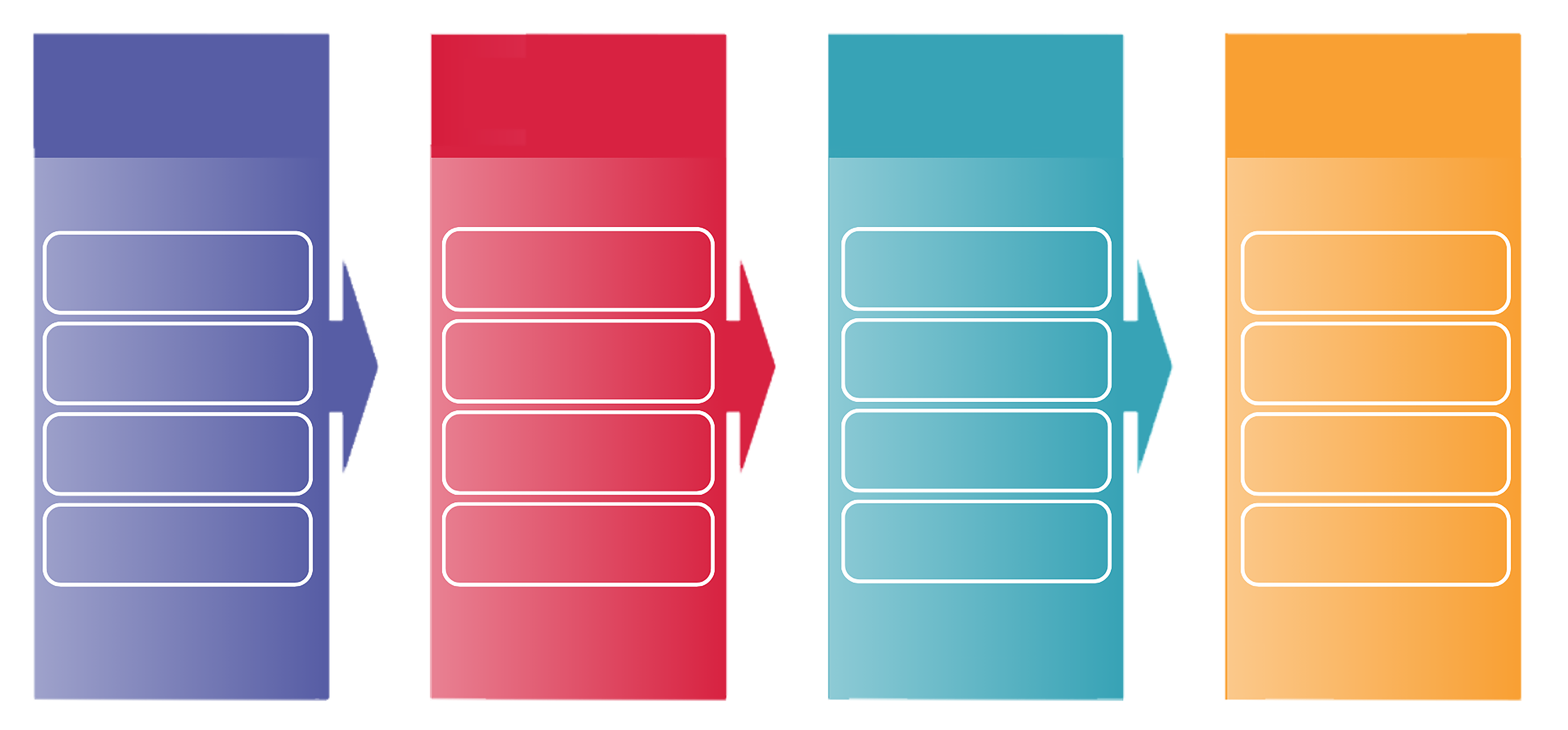
The Internal Linking Process: Step by Step
This is the operational process for building or auditing internal links on any website. It applies whether you are working on blitzmetrics.com, a client site, or a personal brand site built through the Content Factory (our four-stage process for using real content).
1
Inventory Your Content & Establish Your GCT
Before touching a single link, you must understand what content exists on the site and what each page is for. This means establishing the GCT (Goals, Content, Targeting) for the site and for every major page:
🎯 Goals
What is the purpose of this page?
📝 Content
What is it communicating?
👥 Targeting
Who is it speaking to?
An agent can review source material it can access, such as your site and approved business profiles. The owner confirms the goals and audience. The entities, trust signals, and knowledge graph article covers how these elements define your site’s identity in Google’s eyes.
2
Fix Your Categories and Tags
For a WordPress site, review categories and tags against its real topics. Low use alone does not prove a category is wrong. Check archive pages, menus and other dependencies before changing or removing a term. A category can support a topic guide; it does not replace incoming body links. The Article Guidelines explain how the page fits the wider site.
3
Identify Your Money Pages and Orphan Pages
Money pages are the pages that drive revenue — service pages, product pages, booking pages, and high-intent landing pages. Orphan pages are pages with zero internal links pointing to them.
Your plan should identify useful offer pages and possible orphans. Add a relevant incoming link where it helps. Flag thin or duplicate pages for their own review instead of deleting or redirecting them automatically. Record each source, target, reason, proposed words, owner and state before editing.
4
Create Links with Proper Anchor Text and Placement
Each contextual body link added in this step must meet three criteria:
✅ Contextually Relevant
Source and destination pages must share a genuine topical relationship.
✅ Accurate Anchor Text
Use descriptive, keyword-relevant text. Avoid “click here” or “read more.”
✅ Body Content Placement
Place links within body text, not hidden in footers or sidebars.
Use entity linking, choosing the right page for a name or idea. Network people and businesses use their verified home; outside explanations use a maintained owned guide or plain text with a recorded gap. Exact primary proof and needed sign-in or download links keep their real targets. Check scope privately and keep client relationship status out of public copy. See the LSS link-building rules.
5
QA the Work Against Google’s Actual Guidelines
After placing links, audit the work. Check for:
🔴 Mismatched anchor text — the anchor says one thing but the destination page is about something else
🔴 Over-linking — redundant or forced links that do not help the reader; judge usefulness, not a fixed links-per-word ratio
🔴 Broken links — 404 destinations
🔴 Bad URL slugs — links to poorly-slugged URLs
Quality assurance (QA) means checking the result against its agreed rules. Read each link in its normal page, compare the words to the destination, and follow redirects. A 200 response alone does not prove the right page loaded. Use Google’s actual link guidance and the Website QA Audit. Three to six words is a house preference for natural anchors, not a Google minimum or maximum.
6
Measure and Iterate with MAA
Use Metrics, Analysis, Action: what happened, why and what to do next to compare dated measures. Save the baseline before release when possible; mark missing access or data as unknown. These are different observations, not a guaranteed chain of gains:
Track each measure: changed links · indexing · impressions · clicks · conversions
Agree a review window and owner when recurring checks are useful. A saved recipe creates no schedule. Check new orphan candidates, changed destinations and useful new connections. Account for other page and campaign changes; page-level traffic cannot prove which single link caused a result. A review may validly recommend no change.
Common Internal Linking Mistakes
A tool can suggest links, but each suggestion still needs a relevance check. The related historical write-up below describes an internal-linking engagement and its reported problems. Its numbers and conclusions are the author’s account, not independent proof that all plugins fail or all AI workers succeed.
🚫 Mistakes to Avoid
✖
Irrelevant mass-linking — Linking every blog post to your money pages regardless of relevance. Readers need a clear reason to follow each link.
✖
Keyword-stuffed anchors — Stuffing keyword-rich anchor text into every link. This looks manipulative and triggers spam signals.
✖
Footer/sidebar link piling — Piling links in the footer or sidebar for every city or service page. Useful navigation may remain. This task adds relevant body links; it does not ban menus or footers.
✖
Plugin self-grading — Relying on a plugin’s self-graded rubric instead of auditing against actual search engine guidelines.
✖
One-time thinking — Treating internal linking as a one-time project rather than an ongoing maintenance task.
How to Review Suggestions from Any Tool
❌ Traditional Plugins
Suggestion tools can help find candidates. Their features vary, and a keyword match or tool score does not prove that a link serves your audience. Check the actual source, destination and surrounding sentence before accepting a suggestion.
✅ AI Agents
An AI worker can read the source material it can access and propose a link plan. It can also be wrong. Require the same checks as for a plugin or human editor: correct identity, relevant context, approved scope and a verified public result.
The earlier account of internal linking with an AI agent gives another example of the workflow. Use the current steps here for permissions, link choices and result checks.
Related Work and Methods
How to Do Better Internal Link Building for Free with Your Favorite AI Agent
Marketing Mechanic Episode 30 repurposed into an article. Documents the 5-step AI-powered process (teach, categories, link, QA, MAA) and includes a live demonstration where Claude placed the internal links in the article itself. The definitive case study for AI-driven internal linking.
What Happened When I Hired Link Whisper to Do Our Internal Linking
The author describes an earlier paid link-editing engagement and the problems found during review. Treat this as a dated account of that work, not proof that every use of a tool produces the same result. Use the current checks above for your own pages.
The link-building guide explains LSS destination choices, owned teaching pages and exact proof or action exceptions. A link has a specific job; it is not a blanket endorsement.
The architectural framework that internal linking implements. Trunk, branches, and leaves — every internal link either strengthens a branch or connects a leaf to one.
How We Disabled Comments Across 53 WordPress Sites with an AI Agent
Demonstrates the same principle applied to WordPress site management: an AI agent replacing plugin subscriptions and manual configuration with intelligent, context-aware automation across dozens of sites.
How My AI Agents Document and Improve Themselves
The meta article (a record of one task run) process that creates a recursive improvement loop. Record the work and its checks in the same execution. Publish that record only under existing authority, and verify any proposed recipe improvement.
How We Built Local Service Spotlight’s Wikidata Entity and Schema Markup
This related write-up describes work on identity and site metadata. Read what its sources support. Wikidata and a Knowledge Panel are not prerequisites for useful internal links.
Related Definitive Articles
SEO Tree — The architectural framework. Internal linking is how the tree gets built.
Topic Wheel — Determines which topics belong together and which pages should link to each other.
Entity Linking — The decision tree for where every link should point: people, companies, and concepts.
Link Building Guidelines — The policy governing all internal and external links.
Content Factory — The production system that generates the content being linked.
Article Guidelines — The publishing standard every article follows, including internal linking requirements.
MAA (Metrics, Analysis, Action) — The optimization loop for measuring the impact of linking changes.
SEO Audit — The audit framework that includes internal link analysis as a core layer.
Digital Plumbing — The technical foundation that must be in place before linking adds value.
How to Create a Definitive Article — The standard this article follows, and the process for canonical references.
Want Help with Internal Linking?
If you want to learn the full system for content architecture and SEO, explore the Dollar a Day strategy and the Content Factory training.
For help reviewing a defined set of pages, start with a Quick Audit. Agree the scope and needed access; do not treat a time estimate as proof that a whole site has been checked.
Start with one task
A skill is a written recipe. Pick the step you need from the seven mapped tasks in the Task Library. Copy its text between START and END below, share the required inputs with your AI worker, and say which actions are approved. Ask it to name missing files or access before acting.
For reusable setup, follow the installation guide. Saving a Markdown file or downloading a ZIP does not connect accounts or start work. Use the supported app route, try one task and check its result before setting up any repeats. A recurring job needs a trigger, timezone, owner and checked first run.
The skill files for this page
These are copies of the maintained task files. Expand a task, copy only the text between START and END, and provide its real inputs. Each file links to its permanent task and source guide under the publishing standard. A copied file is not a completed job.
step-1-inventory-content-and-establish-gct-per-page.skill.md — Know what each page is for before you change its links.
START

---
name: step-1-inventory-content-and-establish-gct-per-page
description: "Know what each page is for before you change its links."
category: SEO & Content Architecture
stage: —
definitive_article: /internal-linking
status: complete
---

# Step 1: List pages and their purpose

Make one list of your live pages before you change their links. This helps you spot missing pages and see who each page helps. Use this list to start the [internal-linking process](https://blitzmetrics.com/internal-linking/), which connects readers to the right next page.

**The path:** List live pages → Check missing URLs → Note each page’s job → Share checked list

[Goals, Content, Targeting (GCT)](https://blitzmetrics.com/gct-business-strategy/) means the result you want, the source material you have, and the people you want to help. Write those three things for each major page.

**Start when:** The six-step internal-linking process is starting or the maintained content inventory is stale.

## Inputs

- Published URL exports from the actual CMS/source, current sitemap, rendered crawl and their dates.
- [Map actual content roles](https://local-service-spotlight.github.io/task-library/?task=map-content-hierarchically-root-trunk-branches-leaves#task-map-content-hierarchically-root-trunk-branches-leaves) conventions and [Goals, Content, Targeting: the result, source material and people served](https://blitzmetrics.com/gct-business-strategy/) for the result, actual material and people each page serves.
- The existing working inventory, access scope, link-count definition and current opening review evidence where available.

## Steps

1. Open the maintained inventory and record its prior date and scope before collecting data. Export all published content types in scope, including Posts and Pages where used, and reconcile them with sitemap and crawl. A crawl alone can miss unlinked URLs. Record separate counts by source and content type. Give every difference a row and a reason: a matched page, an alias or redirect, a confirmed exclusion, an access problem, or an unresolved gap. Save evidence for each reason; do not silently drop a URL to make the totals match.
2. Keep one row per actual canonical content item with URL, source ID/type, title, publish/modified dates, current source revision, categories/tags where supported and page owner if known. Retain aliases and redirects in separate fields so normalization does not erase a real split or routing issue. Check the actual page, source ID, canonical tag and redirect destination before combining records; a matching URL pattern alone is not proof.
3. Add incoming and outgoing link counts with their extraction source and date. Distinguish rendered-body links from theme navigation and count unique sources consistently. Record missing data as unknown. A category, mapped parent or outgoing link does not prove that another page links into this one.
4. Read each major page and write its specific [Goals, Content, Targeting: the result, source material and people served](https://blitzmetrics.com/gct-business-strategy/). State the reader’s actual situation and desired action, the real method or proof supplied, and who the page serves. For money pages, use the genuine offer and buying path; for a recipe, identify the task result rather than a generic traffic goal.
5. Assign the honest content role and map location. Use the current tree legend without inventing a separate homepage/root node. Task recipes, topic hubs, service pages, supporting stories and utility pages have different jobs even if they share keywords; their evidence and readiness states stay distinct.
6. Retain the exact first two or three sentences and their source revision, then bring forward the [Review the opening and context](https://local-service-spotlight.github.io/task-library/?task=step-7-write-hook-and-establish-context#task-step-7-write-hook-and-establish-context) semantic review. Check grade-five context, why the reader should care, useful outcome and the body’s supporting mechanism. Save quoted reviewer evidence; unchecked pages stay unknown and failures go to the existing owner.
7. Flag missing purpose, orphan candidates, possible duplicates, weak proof and unresolved roles as separate findings. A missing brief requires investigation, not automatic deletion or consolidation. Save the dated inventory, source exports, crawl date, count reconciliation and evidence links as one handoff package. Keep the prior snapshot. Assign each unresolved gap to an owner or mark the owner unknown. A partial package may support planning, but it is not a completed inventory.

## Definition of done (QA checklist)

Quality assurance (QA) means checking the actual result against its agreed requirements. Follow the [Article Guidelines](https://localservicespotlight.com/article-guidelines/).

- [ ] Source, sitemap and crawl counts are recorded by content type. There are zero unexplained differences: each mismatch has a retained row, disposition and evidence.
- [ ] No unresolved in-scope URL or required field is hidden by an exclusion or a made-up value. Unresolved items keep the result partial and name the next action and owner.
- [ ] Major pages have specific reader purpose, actual content and targeting; unknowns are not filled with generic promises.
- [ ] Counts, roles, exact opening revisions and quoted review evidence have clear sources and states.
- [ ] Existing page rows retain the exact opening/revision and `step-7-write-hook-and-establish-context` review for reader/situation, reason to care, useful outcome and supporting mechanism; unchecked pages stay UNKNOWN, and failures route to the existing owner
- [ ] Save the exact grade-five opening and quoted semantic review from the linked hook task; a reading score alone does not approve the promise.
- [ ] The exact output, source revision, reviewer evidence and remaining owner action are saved.
- [ ] For any reader-facing output, the short grade-five opening states the reader’s useful outcome and supporting method or proof. The body delivers that promise; a useful authentic visual appears in the first screen. Retain exact text and quoted reviewer evidence.

## Example(s)

**Fictional teaching example. This is not a client result or proof of a completed run.**

A site export lists forty pages, but a crawl finds thirty-eight. Keep both missing URLs in the list. Check whether each is unlinked, blocked, redirected or outside the agreed scope before deciding what to do. This starter table shows how to retain those questions. The example.invalid domain is reserved for examples; do not crawl these fictional addresses.

```csv
source_id,url,in_export,in_sitemap,in_crawl,disposition,evidence,next_action,owner
F001,https://example.invalid/guide-a,yes,yes,yes,match_candidate,not_checked,verify_page_and_source_id,unassigned
F002,https://example.invalid/guide-b,yes,yes,no,crawl_gap,not_checked,check_access_and_incoming_links,unassigned
F003,https://example.invalid/old-guide,yes,yes,yes,possible_alias,not_checked,check_redirect_and_target,unassigned
F004,https://example.invalid/private-form,yes,no,no,scope_question,not_checked,confirm_scope_before_excluding,unassigned
```

Add the page purpose, title, dates, source revision, content role, link counts and opening-review fields required above. This is a starter table, not a complete inventory. A missing URL does not prove an orphan page, and none of these sample rows has passed review.

## Handoff and Content Factory context

Send the package with its scope, date, source revisions, count reconciliation, link-count method, exact opening quotes and review states. Include remaining issues, their next actions and owners. [Review the supported taxonomy](https://local-service-spotlight.github.io/task-library/?task=step-2-fix-categories-and-tags-in-wordpress#task-step-2-fix-categories-and-tags-in-wordpress) uses that inventory to check how pages are grouped. [Plan relevant links and orphan repairs](https://local-service-spotlight.github.io/task-library/?task=step-3-identify-money-pages-and-orphan-pages#task-step-3-identify-money-pages-and-orphan-pages) receives genuine offers and incoming-link gaps; unresolved opening checks stay with their named owner.

This task supports the [Content Factory: Produce, Process, Post and Promote](https://blitzmetrics.com/content-factory/). The list helps plan page work during Process and check links during Post. It uses published pages and their source records; it hands checked page purposes and gaps to taxonomy and link planning. It does not create clips or ads.

## Start with an agent

Give the [AI worker](https://blitzmetrics.com/build-agents/) this recipe, the real inputs, desired result and actions already authorized. Ask for the saved output, sources, checks and next owner. A [skill is a written recipe](https://localservicespotlight.com/plugin/); loading one does not prove account access or perform the task. Use the [installation guide](https://localservicespotlight.com/install/) if reusable setup is needed. A ZIP is a source snapshot, not an access grant or automatic update.

Use the app’s actual supported tools and verified file/account access. Keep a missing human verification step with its real owner. Recurring work needs its own configured job, trigger, timezone and observed result; this guide creates no schedule. Before any media playback, mute the player and set its volume to zero. If silence cannot be verified first, use captions, frames, metadata or another silent check.

## Record the real execution

Open the run record when work begins. Keep one execution ID, starting recipe revision, real inputs and current state. Write the [meta article, the record of this execution](https://blitzmetrics.com/meta-article-prompt/) with actual steps, results, checks, failures and next owner. Writing is required; public release follows existing authority. Link it to this recipe and the [Task Library](https://local-service-spotlight.github.io/task-library/).

Reuse the same execution ID for internal checks, revisions, retries and meta writing. A blocked run stays open with its dependency and owner, without an invented finish time. Dated public examples and distinct verified execution counts remain separate. Propose the smallest source-backed recipe improvement when the actual evidence reveals a defect.

## Definitive article & links

- [Maintained source guide](https://blitzmetrics.com/internal-linking/)
- [This task in the Task Library](https://local-service-spotlight.github.io/task-library/?task=step-1-inventory-content-and-establish-gct-per-page#task-step-1-inventory-content-and-establish-gct-per-page)
- [Article Guidelines](https://localservicespotlight.com/article-guidelines/)
- [Definitive article and task recipe standard](https://blitzmetrics.com/definitive-article-guide/)
- [How recipes and run records fit together](https://localservicespotlight.com/meta-articles/)

## Review and evidence still needed

The inherited contributor status is `complete`. It is preserved, not promoted by this rewrite. That label alone does not prove document readiness, account access, an actual execution or a client result.

The fictional example teaches the method and does not fill a real-run evidence gap. A named semantic reviewer must check the actual opening, full method, sources and handoff. Check the useful opening visual in the normal rendered guide at the current required desktop and mobile sizes, including 1280 × 800 and 390 × 844. Source readability checks do not prove public presentation or task execution.

END
step-2-fix-categories-and-tags-in-wordpress.skill.md — Help readers browse your posts in groups that make sense.
START

---
name: step-2-fix-categories-and-tags-in-wordpress
description: "Help readers browse your posts in groups that make sense."
category: SEO & Content Architecture
stage: —
definitive_article: /internal-linking
status: complete
---

# Step 2: Fix categories and tags in WordPress

Put your posts in clear groups so readers can find what they need. This guide helps you fix those groups while keeping useful labels and links. Use the checked [page list](https://local-service-spotlight.github.io/task-library/?task=step-1-inventory-content-and-establish-gct-per-page#task-step-1-inventory-content-and-establish-gct-per-page) to decide what belongs together before you plan new links.

**The path:** Read the page list → Plan group changes → Save agreed labels → Check pages and hand off

WordPress calls its grouping systems **taxonomies**. Categories are broad groups; tags are more specific labels. A **term** is one saved category or tag. The [internal-linking guide](https://blitzmetrics.com/internal-linking/) shows how these groups help prepare the later link plan; a group label does not create a link inside a post.

**Start when:** Step 1 is accepted and the WordPress site’s categories or tags need a scoped cleanup.

## Inputs

- [Inventory pages and their purpose](https://local-service-spotlight.github.io/task-library/?task=step-1-inventory-content-and-establish-gct-per-page#task-step-1-inventory-content-and-establish-gct-per-page) with actual post/page types, page roles, current term IDs and source owner.
- The live WordPress category/tag definitions, archive routes, theme/plugin dependencies and any taxonomy-enabled custom types.
- The approved term mapping and edit scope, a dated export of affected items and all their current term IDs, current site permalink rules, and a way to restore approved changes if checks fail.
- Verified editor or API access for the intended site and content type. An API is the app’s way to read or change site data. A read-only account can prepare the plan but cannot complete a write; keep that result partial.

## Steps

1. Read the current terms and supported content types from the actual WordPress source. Record term ID, name, slug, parent, count and archive URL. Include every page of the term listing and note any access gaps; the first API response is not necessarily the full list. Default WordPress Posts support categories and tags; Pages need explicit registered support, so do not assume every page accepts the same fields.
2. Compare categories with real topic groups and reader navigation. A category can support a branch but is not automatically the canonical hub itself. Preserve valid site-specific roles and distinguish task-definitive pages from topic, comparison and historical content instead of assigning every important page the same label.
3. Prepare an old-to-new mapping with the exact affected content items. For each row record the source item ID/type, current full category/tag sets, approved additions/removals, intended full final sets, reason, source date/revision and release owner. Reuse stable valid terms and IDs where possible. Use tags for useful cross-cutting attributes such as an actual stage or topic; do not invent a Content Factory stage for support work that spans several stages.
4. Review empty, one-off and similar terms for purpose and dependencies before proposing removal. Low count alone does not prove a term is useless. Check archive use, menus, inbound links, permalink settings and integrations; do not delete a term or change its slug until its dependencies, intended routing and recovery plan are reviewed and included in the authorized scope. Removing a term from one post is different from deleting the shared term. An unresolved dependency stays held; preserve the existing term and route.
5. Re-read each affected item immediately before saving. If its term sets or relevant source fields changed since the plan, stop that row and reconcile the new values; do not overwrite another editor’s work. Apply only accepted changes through the supported editor or API. For the standard Posts API, `POST /wp/v2/posts/<id>` accepts complete term-ID arrays in `categories` and `tags`. A supplied array replaces that taxonomy’s current set; it does not just add the listed IDs. Build the final set from the fresh existing IDs plus approved additions minus approved removals. Omit any taxonomy field you are not changing, and never send an empty list unless clearing that set is approved. Keep unrelated content fields out of the update. Save the exact sent values and response. A pre-save read reduces conflicts but is not an atomic lock; readback is still required.
6. Inspect the affected archive pages and representative content after the change. Check that visible labels, links, pagination and relevant grouping work, that useful hubs still lead correctly, and that unrelated categories or media were not overwritten by a partial update.
7. Read back every changed item and compare its complete saved term sets with the intended sets, including retained unrelated IDs. Test the actual downstream retrieval request: standard Posts filters use `categories=<term-ID>` or `tags=<term-ID>`, not a guessed category-slug parameter. Record the full pagination and visibility scope when comparing counts; draft or private items may not appear publicly. Check each changed archive route and any approved redirect, plus the declared representative content and pagination checks. A failed save, mismatch or unchecked route keeps that row partial or held. Preserve its evidence and next owner/action; use the reviewed recovery plan only if authorized and after checking for newer edits. Pass accepted rows and clearly separated exceptions to the link planner.

## Definition of done (QA checklist)

Quality assurance (QA) means checking the actual result against its agreed requirements. Follow the [Article Guidelines](https://localservicespotlight.com/article-guidelines/).

- [ ] The mapping matches real page roles and supported content types while retaining valid term IDs and dependencies.
- [ ] Every changed item’s complete saved term sets match the intended sets. Unrelated IDs and omitted fields remain intact; each mismatch is a named open item.
- [ ] Only authorized term/assignment changes are saved. Each changed route and required retrieval query works within the recorded coverage; unchecked cases stay unknown.
- [ ] The record lists accepted, no-change and unresolved rows separately. No unresolved required check is called complete, and recovery values plus the next owner/action are saved.
- [ ] Categories are not substituted for hub content or contextual links; unrelated taxonomy is preserved.
- [ ] The exact output, source revision, reviewer evidence and remaining owner action are saved.
- [ ] For any reader-facing output, the short grade-five opening states the reader’s useful outcome and supporting method or proof. The body delivers that promise; a useful authentic visual appears in the first screen. Retain exact text and quoted reviewer evidence.

## Example(s)

**Fictional teaching example. This is not a client result or proof of a completed run.**

A fictional firm has a “Roof Repair” category and a separate roof-repair service page. Keep both: the archive groups stories, while the service page explains an offer. In this made-up example, one Post has categories `[7, 12]` and tags `[5]`. The plan adds category `34`. Its intended categories become `[7, 12, 34]`, and the update omits `tags` so `[5]` stays. Sending only `[34]` would lose categories `7` and `12`. These IDs are fictional; resolve the real site’s IDs before acting.

If a fresh read shows `[7, 12, 28]`, do not send the older plan. Reconcile the new category first. After a valid save, check the complete returned sets, the archive route and the real category filter. An ordinary Page without registered category support stays unchanged. This example is a reasoning check, not a live API test or accepted site result.

## Handoff and Content Factory context

[Plan relevant links and orphan repairs](https://local-service-spotlight.github.io/task-library/?task=step-3-identify-money-pages-and-orphan-pages#task-step-3-identify-money-pages-and-orphan-pages) receives the dated inventory with actual incoming-path counts, the counted scope and extraction date/method, accepted before/after term-ID mapping, saved-source readbacks, tested archive URLs, retrieval query and coverage. It uses the actual page roles and groups to plan useful links. The site/source owner receives any term-removal or routing dependency that remains outside the approved edit.

This task supports the [Content Factory: Produce, Process, Post and Promote](https://blitzmetrics.com/content-factory/). The page inventory supplies the inputs. Reviewing the grouping plan supports Process; saving and checking approved assignments supports Post. The checked mapping then goes to link planning. This support task may span stages; it does not create clips or ads.

## Start with an agent

Give the [AI worker](https://blitzmetrics.com/build-agents/) this recipe, the real inputs, desired result and actions already authorized. Ask for the saved output, sources, checks and next owner. A [skill is a written recipe](https://localservicespotlight.com/plugin/); loading one does not prove account access or perform the task. Use the [installation guide](https://localservicespotlight.com/install/) if reusable setup is needed. A ZIP is a source snapshot, not an access grant or automatic update.

Use the app’s actual supported tools and verified file/account access. Keep a missing human verification step with its real owner. Recurring work needs its own configured job, trigger, timezone and observed result; this guide creates no schedule. Before any media playback, mute the player and set its volume to zero. If silence cannot be verified first, use captions, frames, metadata or another silent check.

## Record the real execution

Open the run record when work begins. Keep one execution ID, starting recipe revision, real inputs and current state. Write the [meta article, the record of this execution](https://blitzmetrics.com/meta-article-prompt/) with actual steps, results, checks, failures and next owner. Writing is required; public release follows existing authority. Link it to this recipe and the [Task Library](https://local-service-spotlight.github.io/task-library/).

Reuse the same execution ID for internal checks, revisions, retries and meta writing. A blocked run stays open with its dependency and owner, without an invented finish time. Dated public examples and distinct verified execution counts remain separate. Propose the smallest source-backed recipe improvement when the actual evidence reveals a defect.

## Definitive article & links

- [Maintained source guide](https://blitzmetrics.com/internal-linking/)
- [This task in the Task Library](https://local-service-spotlight.github.io/task-library/?task=step-2-fix-categories-and-tags-in-wordpress#task-step-2-fix-categories-and-tags-in-wordpress)
- [Article Guidelines](https://localservicespotlight.com/article-guidelines/)
- [Definitive article and task recipe standard](https://blitzmetrics.com/definitive-article-guide/)
- [How recipes and run records fit together](https://localservicespotlight.com/meta-articles/)

### Primary method references

- [WordPress Posts REST reference](https://developer.wordpress.org/rest-api/reference/posts/)
- [WordPress Categories REST reference](https://developer.wordpress.org/rest-api/reference/categories/)
- [WordPress REST term-update implementation](https://developer.wordpress.org/reference/classes/wp_rest_posts_controller/handle_terms/) and [term replacement behavior](https://developer.wordpress.org/reference/functions/wp_set_object_terms/) — primary evidence for preserving the full intended set. Site-specific extensions still need their own check.

## Review and evidence still needed

The inherited contributor status is `complete`. It is preserved, not promoted by this rewrite. That label alone does not prove document readiness, account access, an actual execution or a client result.

The fictional example teaches the method and does not fill a real-run evidence gap. A named semantic reviewer must check the actual opening, full method, sources and handoff. Check the useful opening visual in the normal rendered guide at the current required desktop and mobile sizes, including 1280 × 800 and 390 × 844. Source readability checks do not prove public presentation or task execution.

END
step-3-identify-money-pages-and-orphan-pages.skill.md — Find good pages that are hard to reach.
START

---
name: step-3-identify-money-pages-and-orphan-pages
description: "Find good pages that are hard to reach."
category: SEO & Content Architecture
stage: —
definitive_article: /internal-linking
status: complete
---

# Step 3: Identify money pages and orphan pages

Plan links that help readers find your key pages. This makes useful posts and offers easier to reach. Use the checked [page list](https://local-service-spotlight.github.io/task-library/?task=step-1-inventory-content-and-establish-gct-per-page#task-step-1-inventory-content-and-establish-gct-per-page) to spot gaps before the next task places the links.

**The path:** Check the page list → Read both pages → Plan useful links → Hand off checked rows

A **money page** helps a reader buy, book or ask about a service; the name does not prove sales. The [money pages and blog posts guide](https://blitzmetrics.com/money-pages-vs-blog-posts/) explains their different jobs. An **orphan page** has no incoming internal link. Treat it as a candidate until the checked coverage supports that claim; an incomplete check can miss a real path.

**Start when:** The page inventory and supported taxonomy review are ready for an exact source-to-target link plan.

## Inputs

- [Inventory pages and their purpose](https://local-service-spotlight.github.io/task-library/?task=step-1-inventory-content-and-establish-gct-per-page#task-step-1-inventory-content-and-establish-gct-per-page) and [Review WordPress taxonomy](https://local-service-spotlight.github.io/task-library/?task=step-2-fix-categories-and-tags-in-wordpress#task-step-2-fix-categories-and-tags-in-wordpress) results, including actual incoming-path counts, link types, counted URLs, crawl/extraction method and date, known entry pages, exclusions and unresolved coverage gaps. A crawl follows links to inspect pages; it can miss pages with no path from its starting point.
- The live offer/service destinations, current business priorities and verified comparable revenue data only if connected.
- Read access to current source and target pages, dated source revisions and the maintained edit surface or its named owner. This task saves a plan; it does not need publishing access or permission to change a live page. Missing required source access stays a named gap.
- Reader purpose, body content and existing links for potential sources; the [Money Pages versus Blog Posts method](https://blitzmetrics.com/money-pages-vs-blog-posts/).

## Steps

1. Identify the actual buying, booking, service and lead-capture destinations from the site and business owner. A “money page” is an offer/action role; its name does not prove it currently earns revenue. Keep the live URL, intended action, source owner and any known duplicate or redirect.
2. Flag pages with no detected incoming internal route within the inventory’s stated scope. Cross-check the crawl against the published-page export so unseen pages are included. Record incoming body links and navigation/archive links separately. Zero body links with a working menu link is a contextual-link gap, not proof of an orphan. An assigned parent, an outgoing link or a sitemap listing alone is not an incoming link from another page. If access, rendering or crawl coverage is incomplete, keep the state “candidate—coverage incomplete” and name the missing check; do not report a site-wide orphan count. Record the actual counted source URLs, not just a tool total.
3. Prioritize offers with the owner’s current business goals, relevant proof gaps and measured support. Use verified comparable revenue only when available; otherwise label priority as a business decision, not a revenue rank. An expensive offer or a zero-link count alone does not establish financial impact.
4. For each target, read candidate source pages and their [Goals, Content, Targeting: the result, source material and people served](https://blitzmetrics.com/gct-business-strategy/). Select places where a reader would genuinely benefit from the next destination. Record the actual supporting sentence or section; reject keyword-only matches and avoid turning every source page into a link to every service.
5. For each useful orphan candidate, plan an incoming link from an existing relevant page that readers can reach from a known site entry, such as the home page or a linked topic hub. Check and record that path; links only between otherwise unreachable pages do not connect the group to the rest of the site. Add an outgoing parent link only where it helps readers. Route weak or overlapping content to its separate review task. A proposed incoming link is a plan, not proof of a repaired path; placement and QA must check the released result.
6. Write one action row per exact source-to-target relationship. Include a row ID, both URLs, checked final destination and date, source revision, exact sentence/section, proposed anchor and change, relevance reason, incoming coverage evidence, intended edit surface or its owner, and placement owner. Keep the proposed action (add, improve-existing, no-change) separate from its review state (proposed, accepted, held). The accepted row records who reviewed it and when. A missing hub, inaccessible source or unresolved offer duplicate stays held with a next owner/action; do not invent an edit location or use a misleading target.
7. Save the priority-offer list and orphan/exception list with one disposition for every in-scope candidate: accepted link plan, justified no-change, content review or held. Reconcile their counts to the input list so nothing disappears. Review the plan with its responsible owner and pass only accepted rows to placement within the existing authorization. For planned measurement, pass the target URL set, question, metric, time window, data source/access owner and baseline capture request before release; record captured proof or the actual gap. A missing baseline is not zero or invented historical data. Missing required scope or source evidence keeps the planning result partial. No row is called published or repaired by this task.

## Definition of done (QA checklist)

Quality assurance (QA) means checking the actual result against its agreed requirements. Follow the [Article Guidelines](https://localservicespotlight.com/article-guidelines/).

- [ ] Money-page roles and business priorities are sourced; unknown revenue is not labeled zero or proven importance.
- [ ] Orphan candidates retain dated scope and evidence. Missing body links, navigation paths and incomplete coverage are distinct; no unsupported site-wide claim is made.
- [ ] Every in-scope candidate has a counted disposition. Planned incoming paths start from reachable relevant pages; no proposed change is called a published repair.
- [ ] Every accepted row has the exact source/target, checked target meaning, proposed context, current base revision, edit surface or owner, reviewer/date and placement owner. Held rows name a next action.
- [ ] The receiving worker can locate the intended edit and check it against the source revision; planned measurement has a baseline request and captured proof or an explicit gap.
- [ ] The exact output, source revision, reviewer evidence and remaining owner action are saved.
- [ ] For any reader-facing output, the short grade-five opening states the reader’s useful outcome and supporting method or proof. The body delivers that promise; a useful authentic visual appears in the first screen. Retain exact text and quoted reviewer evidence.

## Example(s)

**Fictional teaching example. This is not a client result or proof of a completed run.**

A fictional firm has a roof hub linked from its home page, a roof-repair story, and a roof service page. A body-only crawl finds zero incoming links to the story. A menu check then finds a link, so the record changes to “body-link gap”; it does not call the story an orphan. The planner reads both pages and proposes a useful hub-to-story link. A story-to-service link is a separate row.

- **Row A — proposed add:** Roof hub → repair story. Place “see this roof repair” after the repair-method paragraph. Next, verify the exact URLs, source revision and edit surface, then get the row reviewed.
- **Row B — held:** Repair story → roof service. Place “roof repair service” after the repair result only once the service owner resolves the two competing offer URLs.

These are fictional labels, not usable URLs or accepted rows. A real row needs all fields in Step 6. If both candidate source and target sit outside any path from the home page, linking them to each other alone does not solve reachability. The owner may choose roofing as a business priority, but without verified revenue the plan does not call it the highest-earning branch.

## Handoff and Content Factory context

[Place the accepted links](https://local-service-spotlight.github.io/task-library/?task=step-4-create-links-with-proper-anchor-text-and-placement#task-step-4-create-links-with-proper-anchor-text-and-placement) receives the accepted row IDs, source/target URLs, exact sentence and proposed anchor, source revisions, edit-surface ownership, relevance/coverage evidence, reviewer/date and placement owner. It re-reads both pages before editing; a source or target change goes back for reconciliation rather than inheriting the old acceptance. [Review duplicate or weak pages](https://local-service-spotlight.github.io/task-library/?task=remove-duplicate-thin-pages#task-remove-duplicate-thin-pages) receives duplicate-intent cases; [Measure the accepted change set](https://local-service-spotlight.github.io/task-library/?task=step-6-measure-and-iterate-with-maa#task-step-6-measure-and-iterate-with-maa) receives the target set, question, metric, window, access owner and baseline request before release when measurement is planned. Its outcome analysis begins only after placement and QA provide the actual released log; sending a baseline request is not starting the measurement run.

This task supports the [Content Factory: Produce, Process, Post and Promote](https://blitzmetrics.com/content-factory/). The checked page list and grouping results are its inputs. Reviewing relevance and preparing the plan support Process. The accepted rows go to placement and QA in Post. A later measurement task checks observed changes; this plan claims no ranking or sales gain.

## Start with an agent

Give the [AI worker](https://blitzmetrics.com/build-agents/) this recipe, the real inputs, desired result and actions already authorized. Ask for the saved output, sources, checks and next owner. A [skill is a written recipe](https://localservicespotlight.com/plugin/); loading one does not prove account access or perform the task. Use the [installation guide](https://localservicespotlight.com/install/) if reusable setup is needed. A ZIP is a source snapshot, not an access grant or automatic update.

Use the app’s actual supported tools and verified file/account access. Keep a missing human verification step with its real owner. Recurring work needs its own configured job, trigger, timezone and observed result; this guide creates no schedule. Before any media playback, mute the player and set its volume to zero. If silence cannot be verified first, use captions, frames, metadata or another silent check.

## Record the real execution

Open the run record when work begins. Keep one execution ID, starting recipe revision, real inputs and current state. Write the [meta article, the record of this execution](https://blitzmetrics.com/meta-article-prompt/) with actual steps, results, checks, failures and next owner. Writing is required; public release follows existing authority. Link it to this recipe and the [Task Library](https://local-service-spotlight.github.io/task-library/).

Reuse the same execution ID for internal checks, revisions, retries and meta writing. A blocked run stays open with its dependency and owner, without an invented finish time. Dated public examples and distinct verified execution counts remain separate. Propose the smallest source-backed recipe improvement when the actual evidence reveals a defect.

## Definitive article & links

- [Maintained source guide](https://blitzmetrics.com/internal-linking/)
- [This task in the Task Library](https://local-service-spotlight.github.io/task-library/?task=step-3-identify-money-pages-and-orphan-pages#task-step-3-identify-money-pages-and-orphan-pages)
- [Article Guidelines](https://localservicespotlight.com/article-guidelines/)
- [Definitive article and task recipe standard](https://blitzmetrics.com/definitive-article-guide/)
- [How recipes and run records fit together](https://localservicespotlight.com/meta-articles/)

### Primary method reference

- [Google’s crawlable, descriptive internal-link guidance](https://developers.google.com/search/docs/crawling-indexing/links-crawlable) supports useful incoming links and relevant context. A crawl finding alone does not prove indexing or a business result.

## Review and evidence still needed

The inherited contributor status is `complete`. It is preserved, not promoted by this rewrite. That label alone does not prove document readiness, account access, an actual execution or a client result.

The fictional example teaches the method and does not fill a real-run evidence gap. A named semantic reviewer must check the actual opening, full method, sources and handoff. Check the useful opening visual in the normal rendered guide at the current required desktop and mobile sizes, including 1280 × 800 and 390 × 844. Source readability checks do not prove public presentation or task execution.

END
step-4-create-links-with-proper-anchor-text-and-placement.skill.md — Put useful next steps where readers need them.
START

---
name: step-4-create-links-with-proper-anchor-text-and-placement
description: "Put useful next steps where readers need them."
category: SEO & Content Architecture
stage: —
definitive_article: /internal-linking
status: complete
---

# Step 4: Create links with proper anchor text and placement

Help readers find the next page they need. Use a checked plan to add clear links that save them time. This is the build step in our [internal-linking process, which turns a page list into checked paths through your site](https://blitzmetrics.com/internal-linking/).

**The path:** Accepted link rows → Fresh source check → Contextual edit → Saved and public readback

**Start when:** Step 3 has supplied accepted source-to-target rows and the exact content edits are authorized.

## Inputs

- [Plan relevant links and orphan repairs](https://local-service-spotlight.github.io/task-library/?task=step-3-identify-money-pages-and-orphan-pages#task-step-3-identify-money-pages-and-orphan-pages) with proposed source, target, anchor, context, owner and relevance.
- Fresh source/body for each page, maintained builder/generator rail, existing media and the expected base revision.
- [Choose the right entity destination](https://local-service-spotlight.github.io/task-library/?task=follow-entity-linking-decision-tree#task-follow-entity-linking-decision-tree) and the baseline request for [Measure the accepted change set](https://local-service-spotlight.github.io/task-library/?task=step-6-measure-and-iterate-with-maa#task-step-6-measure-and-iterate-with-maa) before release, where measurement is planned.

## Steps

1. Open each plan row and fetch the current maintained source before editing. Compare it with the reviewed base and preserve concurrent work. Identify whether a builder, shortcode, generator or ordinary body owns the text; do not replace serialized layout or generated content with a blind full-body write.
2. Read both source and target in context and confirm the planned reader benefit still holds. If the target has changed, redirects to a different subject or does not deliver the proposed promise, hold or revise the row with its owner. A once-approved URL is not a permanent relevance guarantee.
3. Choose concise anchor text that honestly predicts the destination. Prefer three to six descriptive words when natural, or use the actual entity name. Avoid padding, generic “click here,” keyword stuffing and forced phrasing changes that make repeated references less clear.
4. Place the link in the relevant body sentence with enough context to explain why it helps. Useful existing navigation and footers may remain; this task is not a site-wide ban on those links. Add no hidden links or unrelated collections merely to increase the total.
5. Apply [entity linking, choosing the right home for a named person or topic](https://blitzmetrics.com/entity-linking/) to explanations while preserving direct primary evidence and actual account/download actions. Connect stories to their owning methods or offers and add useful cross-links as planned. Keep the source’s factual meaning, relevant proof, IDs and media unchanged outside the exact intended edit.
6. If a suggestion tool proposes additional links, treat them as candidates requiring the same purpose and identity review. Do not accept a batch solely from a keyword score. Log rejected and held rows so the accepted scope does not silently expand during implementation.
7. Save through the supported authorized rail and read back the exact edited field and ordinary rendered page. Follow the real link and check its final target and surrounding sentence. Record source URL, target, anchor, revision, release time and any cache or access gap for QA; a successful API response is only the save stage.

## Definition of done (QA checklist)

Quality assurance (QA) means checking the actual result against its agreed requirements. Follow the [Article Guidelines](https://localservicespotlight.com/article-guidelines/).

- [ ] Every placed link comes from an accepted relevant row and preserves the current source, layout and unrelated content.
- [ ] Anchor meaning, first-mention routing and necessary source/action links remain accurate.
- [ ] Actual saved and normal public links are checked, with held rows and verification gaps explicit.
- [ ] The exact output, source revision, reviewer evidence and remaining owner action are saved.
- [ ] For any reader-facing output, the short grade-five opening states the reader’s useful outcome and supporting method or proof. The body delivers that promise; a useful authentic visual appears in the first screen. Retain exact text and quoted reviewer evidence.

## Example(s)

**Fictional teaching example. This is not a client result or proof of a completed run.**

A fictional approved row links a repair case to its method guide. The live case now has a new photo and paragraph added by its owner. The editor keeps that work, inserts the link in the planned sentence through the existing builder field, and checks the ordinary URL. The receipt records one link, not a replaced article or a proven ranking gain.

## Handoff and Content Factory context

[Check the placed links](https://local-service-spotlight.github.io/task-library/?task=step-5-qa-links-against-google-guidelines#task-step-5-qa-links-against-google-guidelines) receives the exact change log, source revisions and public checks. [Measure the accepted change set](https://local-service-spotlight.github.io/task-library/?task=step-6-measure-and-iterate-with-maa#task-step-6-measure-and-iterate-with-maa) receives the released target list and dates; concurrent-source conflicts remain with the original owner.

This task supports the [Content Factory: Produce, Process, Post and Promote](https://blitzmetrics.com/content-factory/). Identity, proof, access or coordination can support several stages. Use the real inputs and receiving owner above; this task does not create unrelated transcripts, clips or ads merely because the diagram has four stages.

## Start with an agent

Give the [AI worker](https://blitzmetrics.com/build-agents/) this recipe, the real inputs, desired result and actions already authorized. Ask for the saved output, sources, checks and next owner. A [skill is a written recipe](https://localservicespotlight.com/plugin/); loading one does not prove account access or perform the task. Use the [installation guide](https://localservicespotlight.com/install/) if reusable setup is needed. A ZIP is a source snapshot, not an access grant or automatic update.

Use the app’s actual supported tools and verified file/account access. Keep a missing human verification step with its real owner. Recurring work needs its own configured job, trigger, timezone and observed result; this guide creates no schedule. Before any media playback, mute the player and set its volume to zero. If silence cannot be verified first, use captions, frames, metadata or another silent check.

## Record the real execution

Open the run record when work begins. Keep one execution ID, starting recipe revision, real inputs and current state. Write the [meta article, the record of this execution](https://blitzmetrics.com/meta-article-prompt/) with actual steps, results, checks, failures and next owner. Writing is required; public release follows existing authority. Link it to this recipe and the [Task Library](https://local-service-spotlight.github.io/task-library/).

Reuse the same execution ID for internal checks, revisions, retries and meta writing. A blocked run stays open with its dependency and owner, without an invented finish time. Dated public examples and distinct verified execution counts remain separate. Propose the smallest source-backed recipe improvement when the actual evidence reveals a defect.

## Definitive article & links

- [Maintained source guide](https://blitzmetrics.com/internal-linking/)
- [This task in the Task Library](https://local-service-spotlight.github.io/task-library/?task=step-4-create-links-with-proper-anchor-text-and-placement#task-step-4-create-links-with-proper-anchor-text-and-placement)
- [Article Guidelines](https://localservicespotlight.com/article-guidelines/)
- [Definitive article and task recipe standard](https://blitzmetrics.com/definitive-article-guide/)
- [How recipes and run records fit together](https://localservicespotlight.com/meta-articles/)

### Primary method references

- [Google’s crawlable and descriptive link guidance](https://developers.google.com/search/docs/crawling-indexing/links-crawlable)

## Review and evidence still needed

The inherited contributor status is `complete`. It is preserved, not promoted by this rewrite. That label alone does not prove document readiness, account access, an actual execution or a client result.

The fictional example teaches the method and does not fill a real-run evidence gap. A named semantic reviewer must check the actual opening, full method, sources and handoff. Check the useful opening visual in the normal rendered guide at the current required desktop and mobile sizes, including 1280 × 800 and 390 × 844. Source readability checks do not prove public presentation or task execution.

END
step-5-qa-links-against-google-guidelines.skill.md — Check that each new link helps readers reach the right page.
START

---
name: step-5-qa-links-against-google-guidelines
description: "Check that each new link helps readers reach the right page."
category: SEO & Content Architecture
stage: —
definitive_article: /internal-linking
status: complete
---

# Step 5: QA links against Google guidelines

Check that each new link takes readers to the right page. This helps catch wrong words, dead links and confusing next steps. Use this check after the [link-placement task, which adds the approved links and records what changed](https://local-service-spotlight.github.io/task-library/?task=step-4-create-links-with-proper-anchor-text-and-placement#task-step-4-create-links-with-proper-anchor-text-and-placement).

**The path:** Exact changed links → Meaning and destination checks → Repairs or held rows → Accepted log

**Start when:** Step 4 has saved or released a defined set of links and supplied the actual change log.

## Inputs

- [Place the accepted links](https://local-service-spotlight.github.io/task-library/?task=step-4-create-links-with-proper-anchor-text-and-placement#task-step-4-create-links-with-proper-anchor-text-and-placement) log with source/target, anchor, surrounding text, exact revision and save/public state.
- The accepted [Goals, Content, Targeting: the result, source material and people served](https://blitzmetrics.com/gct-business-strategy/) and current owning target pages, plus normal public access to the changed source pages.
- The maintained [internal-linking method](https://blitzmetrics.com/internal-linking/) and current Google primary link guidance.

## Steps

1. Start from the exact changed-link log and read each link in its actual normal page context. Compare it with the saved source, not just a preview or cached screenshot. A stale public copy or inaccessible page is a specific verification gap; do not approve it because the CMS raw text is correct.
2. Check the anchor’s promise against the destination. It should be concise, descriptive and natural; the house three-to-six-word preference is not a Google word-count rule. A real two-word name can be correct, and repeating an accurate name is not automatically keyword stuffing.
3. Check that the surrounding sentence gives a useful reason to follow the link and remains factually true. Confirm the named person, company, method or offer matches. Owned explanatory links must not replace a necessary primary citation, sign-in or download destination with a general guide.
4. Inspect placement and link behavior. Ordinary crawlable links use real anchors with destinations, and readers must be able to see and use them. Contextual body links are this change set’s purpose; useful menu/footer navigation is not inherently manipulative. Hold hidden, misleading or unrelated link schemes.
5. Review volume by reader usefulness rather than a fixed links-per-word ratio. Remove redundant or forced additions where they add no value. Google states no ideal link count; a page with many relevant sources and a short page with few links need different judgments.
6. Follow each changed destination and record actual responses and redirect meaning. Correct a stale internal alias when the verified final target serves the same purpose; do not rewrite an intentional external evidence link blindly. Handle removed content with a relevant replacement or the proper reviewed removal behavior, never an arbitrary redirect.
7. Repair in-scope defects through the same maintained source rail and repeat only the affected checks. Save accepted, failed and held rows with exact evidence and owners, plus any wider issues discovered outside this scope. Pass the verified change set to measurement without declaring full-site compliance from a limited link review.

## Definition of done (QA checklist)

Quality assurance (QA) means checking the actual result against its agreed requirements. Follow the [Article Guidelines](https://localservicespotlight.com/article-guidelines/).

- [ ] Each accepted changed link has an accurate anchor, useful context, correct identity and actual destination check.
- [ ] The review distinguishes Google guidance from house preferences and finds no hidden or irrelevant link scheme in the changed set.
- [ ] Source/public mismatches, failed links and out-of-scope defects retain their real states and owners.
- [ ] The exact output, source revision, reviewer evidence and remaining owner action are saved.
- [ ] For any reader-facing output, the short grade-five opening states the reader’s useful outcome and supporting method or proof. The body delivers that promise; a useful authentic visual appears in the first screen. Retain exact text and quoted reviewer evidence.

## Example(s)

**Fictional teaching example. This is not a client result or proof of a completed run.**

A fictional review checks eight new links. Seven point to the intended pages. The eighth uses a service name but now redirects to a general home page, so it is held until the owner confirms a relevant destination. The report accepts seven and names one blocker; it does not declare the entire site fixed from this small check.

## Handoff and Content Factory context

[Measure the accepted change set](https://local-service-spotlight.github.io/task-library/?task=step-6-measure-and-iterate-with-maa#task-step-6-measure-and-iterate-with-maa) receives the accepted URLs, release dates, corrections and limitations. The page owner receives any held destination or source problem before that row is called done.

This task supports the [Content Factory: Produce, Process, Post and Promote](https://blitzmetrics.com/content-factory/). Identity, proof, access or coordination can support several stages. Use the real inputs and receiving owner above; this task does not create unrelated transcripts, clips or ads merely because the diagram has four stages.

## Start with an agent

Give the [AI worker](https://blitzmetrics.com/build-agents/) this recipe, the real inputs, desired result and actions already authorized. Ask for the saved output, sources, checks and next owner. A [skill is a written recipe](https://localservicespotlight.com/plugin/); loading one does not prove account access or perform the task. Use the [installation guide](https://localservicespotlight.com/install/) if reusable setup is needed. A ZIP is a source snapshot, not an access grant or automatic update.

Use the app’s actual supported tools and verified file/account access. Keep a missing human verification step with its real owner. Recurring work needs its own configured job, trigger, timezone and observed result; this guide creates no schedule. Before any media playback, mute the player and set its volume to zero. If silence cannot be verified first, use captions, frames, metadata or another silent check.

## Record the real execution

Open the run record when work begins. Keep one execution ID, starting recipe revision, real inputs and current state. Write the [meta article, the record of this execution](https://blitzmetrics.com/meta-article-prompt/) with actual steps, results, checks, failures and next owner. Writing is required; public release follows existing authority. Link it to this recipe and the [Task Library](https://local-service-spotlight.github.io/task-library/).

Reuse the same execution ID for internal checks, revisions, retries and meta writing. A blocked run stays open with its dependency and owner, without an invented finish time. Dated public examples and distinct verified execution counts remain separate. Propose the smallest source-backed recipe improvement when the actual evidence reveals a defect.

## Definitive article & links

- [Maintained source guide](https://blitzmetrics.com/internal-linking/)
- [This task in the Task Library](https://local-service-spotlight.github.io/task-library/?task=step-5-qa-links-against-google-guidelines#task-step-5-qa-links-against-google-guidelines)
- [Article Guidelines](https://localservicespotlight.com/article-guidelines/)
- [Definitive article and task recipe standard](https://blitzmetrics.com/definitive-article-guide/)
- [How recipes and run records fit together](https://localservicespotlight.com/meta-articles/)

### Primary method references

- [Google’s current link best practices](https://developers.google.com/search/docs/crawling-indexing/links-crawlable)
- [Google’s link spam policies](https://developers.google.com/search/docs/essentials/spam-policies)

## Review and evidence still needed

The inherited contributor status is `complete`. It is preserved, not promoted by this rewrite. That label alone does not prove document readiness, account access, an actual execution or a client result.

The fictional example teaches the method and does not fill a real-run evidence gap. A named semantic reviewer must check the actual opening, full method, sources and handoff. Check the useful opening visual in the normal rendered guide at the current required desktop and mobile sizes, including 1280 × 800 and 390 × 844. Source readability checks do not prove public presentation or task execution.

END
step-6-measure-and-iterate-with-maa.skill.md — See what changed when your new links went live.
START

---
name: step-6-measure-and-iterate-with-maa
description: "See what changed when your new links went live."
category: SEO & Content Architecture
stage: —
definitive_article: /internal-linking
status: complete
---

# Step 6: Measure and iterate with MAA

See what changed after your new links went live. This helps you choose which page needs work next. Use the [checked link list](https://local-service-spotlight.github.io/task-library/?task=step-5-qa-links-against-google-guidelines#task-step-5-qa-links-against-google-guidelines) to find the right pages and dates before you compare results.

**The path:** Check the changed links → Compare like with like → Explain the limits → Hand off the next action

[MAA means Metrics, Analysis and Action](https://blitzmetrics.com/maa/): what the numbers show, what may explain them, and what to do next. A **baseline** is the saved measure from before the change. A **measurement window** is the set of dates you compare.

**Start when:** A defined set of released links has passed quality assurance (QA), meaning the actual links were checked. The review has a question, time window and responsible owner. A pre-release baseline request can prepare inputs; it is not an outcome review of links that have not gone live.

## Inputs

- The [link QA task](https://local-service-spotlight.github.io/task-library/?task=step-5-qa-links-against-google-guidelines#task-step-5-qa-links-against-google-guidelines) accepted log: row IDs, source and target URLs, release dates, exact revisions, corrections and held rows. Only released, accepted rows enter the changed set; held rows keep their owner and reason.
- The agreed question, success measure and [Goals, Content and Targeting](https://blitzmetrics.com/gct-business-strategy/): the result wanted, material available and people served. Name the actual offer action, such as a recorded booking, without calling traffic revenue.
- Read access to the intended search or analytics property, or a dated export from its named data owner. A property is the site/account whose data you are measuring. Record its identifier, metric definitions, URL set, filters, time zone, dates and export time. No new permissions or live edits are required by this reporting task.
- Available pre-change data, the agreed review window and known concurrent content, ad, tracking or site changes. Missing access, source definitions or baseline proof remain named gaps, not zeros.

## Steps

1. **Fix the scope before reading the result.** Save a review ID, accepted change-row IDs, URLs, actual release dates, question, metric and agreed success rule. Request the baseline before placement where possible. If missed, use only retrievable historical evidence and label the gap. Do not choose a favorable date range after seeing the numbers.
2. **Check whether the data can answer the question.** Confirm the property and page/query filters with the data owner. Use equal-length periods with the same weekday mix where practical, and state the exact inclusive dates and source time zone. Exclude the rollout interval or explain mixed exposure; if links went live on different days, split the groups or disclose the difference. Check how recent data are marked and avoid treating an incomplete latest day as a full day. Seasonality and other changes can still make matching dates an imperfect comparison.
3. **Save the original evidence.** Keep the dated report/export, query or filter settings, definitions and collection time in the approved location. Record whether each needed value is observed, unavailable, preliminary or not comparable. Check unavailable marks in the original report before trusting export zeros. Keep search clicks, impressions, site sessions, link clicks, bookings and revenue separate. Search clicks count visits from search results; they do not count clicks on your new internal links. Read the [Search Console definitions](https://support.google.com/webmasters/answer/7576553?hl=en) when using that source.
4. **Compare only like measures.** For each URL or defined URL group, record both periods, values, units and source link. Show the absolute change (after minus before); show percent change only with a nonzero comparable baseline, and label a zero baseline as undefined for that calculation. Do not mix a property total with selected page rows, or add query rows and assume they equal a complete total. For rates, retain their counts and denominators; average position is its own source-defined measure, not a sales score. Mark small samples and changing definitions so a reader can judge the limits.
5. **Recheck the useful paths.** Open the normal source and destination pages from the accepted log and save the check date and result. A crawl can check incoming links within its stated coverage; it does not prove search indexing or a sale. A broken path goes back to the [link QA task](https://local-service-spotlight.github.io/task-library/?task=step-5-qa-links-against-google-guidelines#task-step-5-qa-links-against-google-guidelines) with the exact failed row and evidence. This report does not authorize a live repair.
6. **Write what the evidence supports.** State the observed change, plausible explanations and limits. A rise after edits is not proof that an anchor caused it. List competing changes such as a new post, campaign, tracking fix or seasonal demand. Do not name the individual link that “did the work” from a page-level traffic total. If the source cannot answer the question, say that; do not replace missing business results with traffic.
7. **Choose and hand off one bounded next action per finding.** Save the finding, action, recipient, due date or observable trigger, and the check that will show it is done. Options include a documented repair request, more source evidence, keeping a useful link, or a later comparable review. Do not remove helpful links merely because a short window shows no gain. Save the package below, have its reviewer check it, and record the receiving owner's acceptance or the exact pending dependency. A standing program uses its existing cadence; this guide creates no new schedule or endless execution.

## Definition of done (QA checklist)

The output is a saved MAA report with its evidence and next-action list. Follow the [Article Guidelines](https://localservicespotlight.com/article-guidelines/) for reader-facing versions and keep private account data in its approved location.

- [ ] The report identifies its question, accepted row IDs, URL scope, release dates, source revisions and planned success rule. Every in-scope row is included or has a stated exclusion.
- [ ] Each comparison retains both periods, property, filters, time zone, definitions, units and source/export reference. The reviewer can reproduce the displayed change; any unavailable or noncomparable value stays labeled.
- [ ] Actual values, calculations and observations are separate from interpretations. No traffic number is relabeled a booking, revenue or proof that links caused growth.
- [ ] Current path checks and known concurrent changes are attached. A failed link retains its row, evidence and repair owner.
- [ ] Each finding has a next action, recipient, due point and acceptance check. The saved report revision, reviewer/date and receiving-owner acceptance or pending response are recorded.
- [ ] The opening explains what the reader can do, why it helps, and its linked input or next task. The body delivers that promise, with a useful visible visual; the review quotes the actual words.

A report can pass even when traffic fell or the supported next action is to wait. Missing required evidence or unaccepted handoff keeps the result partial or blocked on a named dependency. A finished report is not proof of a business gain, and an ongoing program is not one forever-running task.

## Example(s)

**Fictional teaching example. These numbers are not a client result or a completed run.**

Six accepted links went live on June 15. The analyst compares June 1–14 with June 16–29: two equal 14-day windows, with the rollout day left out and the same property, page set, filters and source time zone. The source contains complete data for both periods.

- **Metrics:** Search clicks rose from 80 to 100: 20 more clicks, or 25% above the baseline. Inquiries are not connected, so the report says “unknown,” not zero.
- **Analysis:** A new article and a campaign also launched. The change does not show how many people clicked the internal links or prove they caused more sales.
- **Action:** Keep the useful paths. Ask the data owner for the agreed inquiry measure before the next review; the receiving analyst checks matching dates and definitions before accepting it. A separate offer page rose from zero to three clicks, so its percent increase is undefined, not 300%.

## Handoff and Content Factory context

The [weekly MAA reporting task](https://local-service-spotlight.github.io/task-library/?task=submit-weekly-maa-report-every-friday#task-submit-weekly-maa-report-every-friday) receives the report ID/revision, question, accepted change log, source/export references, comparison settings and values, calculations, path checks, limits and action list. Confirm that the receiver can open the approved evidence; a link to an inaccessible file is not a completed handoff. Record their acceptance or the missing response without sending outside existing communication authority.

The [link-planning task](https://local-service-spotlight.github.io/task-library/?task=step-3-identify-money-pages-and-orphan-pages#task-step-3-identify-money-pages-and-orphan-pages) receives supported new link proposals. Broken released rows go to QA; missing data go to its actual owner. Each receives only the relevant finding and evidence, with a due point and done check.

In the [Content Factory: Produce, Process, Post and Promote](https://blitzmetrics.com/content-factory/), placement and QA in Post supply the checked release. This review measures what happened afterward and feeds the next Process or Post repair, or a separately authorized Promote decision. It does not start ads or change live pages.

## Start with an agent

Give the [AI worker](https://blitzmetrics.com/build-agents/) this recipe, the real inputs, desired result and actions already authorized. Ask for the saved output, sources, checks and next owner. A [skill is a written recipe](https://localservicespotlight.com/plugin/); loading one does not prove account access or perform the task. Use the [installation guide](https://localservicespotlight.com/install/) if reusable setup is needed. A ZIP is a source snapshot, not an access grant or automatic update.

Use the app’s actual supported tools and verified file/account access. Keep a missing human verification step with its real owner. Recurring work needs its own configured job, trigger, timezone and observed result; this guide creates no schedule. Before any media playback, mute the player and set its volume to zero. If silence cannot be verified first, use captions, frames, metadata or another silent check.

## Record the real execution

Open the run record when work begins. Keep one execution ID, starting recipe revision, real inputs and current state. Write the [meta article, the record of this execution](https://blitzmetrics.com/meta-article-prompt/) with actual steps, results, checks, failures and next owner. Writing is required; public release follows existing authority. Link it to this recipe and the [Task Library](https://blitzmetrics.com/task-library-dashboard/).

Reuse the same execution ID for internal checks, revisions, retries and meta writing. A blocked run stays open with its dependency and owner, without an invented finish time. Dated public examples and distinct verified execution counts remain separate. Propose the smallest source-backed recipe improvement when the actual evidence reveals a defect.

## Definitive article & links

- [Maintained source guide](https://blitzmetrics.com/internal-linking/)
- [This task in the Task Library](https://local-service-spotlight.github.io/task-library/?task=step-6-measure-and-iterate-with-maa#task-step-6-measure-and-iterate-with-maa)
- [Article Guidelines](https://localservicespotlight.com/article-guidelines/)
- [Definitive article and task recipe standard](https://blitzmetrics.com/definitive-article-guide/)
- [How recipes and run records fit together](https://localservicespotlight.com/meta-articles/)

### Primary method references

- [Search Console performance report definitions](https://support.google.com/webmasters/answer/7576553?hl=en)

## Review and evidence still needed

The inherited contributor status is `complete`. It is preserved, not promoted by this rewrite. That label alone does not prove document readiness, account access, an actual execution or a client result.

The fictional example teaches the method and does not fill a real-run evidence gap. A named semantic reviewer must check the actual opening, full method, sources and handoff. Check the useful opening visual in the normal rendered guide at the current required desktop and mobile sizes, including 1280 × 800 and 390 × 844. Source readability checks do not prove public presentation or task execution.

END
use-proper-anchor-text-3-6-words-descriptive.skill.md — Help readers know where a link will take them.
START

---
name: use-proper-anchor-text-3-6-words-descriptive
description: "Help readers know where a link will take them."
category: SEO & Content Architecture
stage: —
definitive_article: /internal-linking
status: complete
---

# Use proper anchor text (3–6 words, descriptive)

Help readers know where a link will take them. This guide replaces vague link words with clear names and useful phrases. Start with the links you plan to change and read each page they open.

**The path:** Anchor and context list → Destination promise check → Natural wording → Rendered link review

**Start when:** A draft or bounded existing-page audit contains vague, misleading or needlessly padded link text.

## Inputs

- The current source pages and a bounded anchor report, with exact href, surrounding sentence and source revision.
- The real destination content and [Goals, Content, Targeting: the result, source material and people served](https://blitzmetrics.com/gct-business-strategy/), plus [Choose the right entity destination](https://local-service-spotlight.github.io/task-library/?task=follow-entity-linking-decision-tree#task-follow-entity-linking-decision-tree) for identity and owned-explanation routes.
- The supported content source/builder, edit authority and relevant existing media/IDs to preserve.

## Steps

1. List the actual links in scope and read their surrounding copy. Flag vague words such as “click here,” a bare URL in ordinary explanatory prose, misleading names or excessive keyword repetition. Keep functional citations, legal identifiers and platform controls in their proper context instead of blindly replacing every URL string.
2. Read each destination and state what the reader gets there. Check that its person, company, topic or action matches the link’s promise. A link that opens a different page needs a destination decision before better wording can make it useful.
3. Write a concise descriptive phrase, usually three to six words when natural. Use the actual entity name where it is clearer, even if shorter. This is a house writing preference, not a Google minimum or maximum, and padding “Dennis Yu” into a longer phrase can make the reference less accurate.
4. Place the wording in a sentence that explains why the next page helps. Keep it natural for the author and reader. Reuse a correct name consistently where appropriate; do not force synonyms merely to make anchors look varied, and do not overload a phrase with search terms.
5. Preserve the difference between an owned explanation, a primary evidence citation and a necessary account or download action. Label the exact purpose and use its appropriate destination. A general method link cannot fulfill a button’s promise to open the real sign-in page.
6. Apply the narrow wording edit through the maintained source and inspect the result. Ensure that the clickable span includes the intended words, punctuation remains correct, and surrounding text, media and identifiers are unchanged. Check keyboard use and responsive layout for any affected link or button.
7. After authorized release, open the normal page and follow the edited link. Save the exact before/after anchor, href, revision and public evidence. Report resolved, held and intentionally retained cases within the stated scope; do not claim a whole-site cleanup from a sample or a failed fetch.

## Definition of done (QA checklist)

Quality assurance (QA) means checking the actual result against its agreed requirements. Follow the [Article Guidelines](https://localservicespotlight.com/article-guidelines/).

- [ ] Each revised phrase predicts the actual destination and fits the surrounding sentence.
- [ ] House word-count preferences do not distort real names, necessary actions or useful citations.
- [ ] Exact source and public anchor checks are saved, and scope limits and exceptions are explicit.
- [ ] The exact output, source revision, reviewer evidence and remaining owner action are saved.
- [ ] For any reader-facing output, the short grade-five opening states the reader’s useful outcome and supporting method or proof. The body delivers that promise; a useful authentic visual appears in the first screen. Retain exact text and quoted reviewer evidence.

## Example(s)

**Fictional teaching example. This is not a client result or proof of a completed run.**

A fictional repair guide says “click here” before a link to its leak test method. The editor changes it to “check a roof leak” and reads the target to confirm the promise. A nearby link named for a two-word person remains that person’s actual name. Both are clear, even though only one uses the usual three-to-six-word phrase.

## Handoff and Content Factory context

[Check the placed links](https://local-service-spotlight.github.io/task-library/?task=step-5-qa-links-against-google-guidelines#task-step-5-qa-links-against-google-guidelines) receives the exact anchor changes and known exceptions. [Measure the accepted change set](https://local-service-spotlight.github.io/task-library/?task=step-6-measure-and-iterate-with-maa#task-step-6-measure-and-iterate-with-maa) receives the release log only where an actual measurement question exists.

This task supports the [Content Factory: Produce, Process, Post and Promote](https://blitzmetrics.com/content-factory/). Identity, proof, access or coordination can support several stages. Use the real inputs and receiving owner above; this task does not create unrelated transcripts, clips or ads merely because the diagram has four stages.

## Start with an agent

Give the [AI worker](https://blitzmetrics.com/build-agents/) this recipe, the real inputs, desired result and actions already authorized. Ask for the saved output, sources, checks and next owner. A [skill is a written recipe](https://localservicespotlight.com/plugin/); loading one does not prove account access or perform the task. Use the [installation guide](https://localservicespotlight.com/install/) if reusable setup is needed. A ZIP is a source snapshot, not an access grant or automatic update.

Use the app’s actual supported tools and verified file/account access. Keep a missing human verification step with its real owner. Recurring work needs its own configured job, trigger, timezone and observed result; this guide creates no schedule. Before any media playback, mute the player and set its volume to zero. If silence cannot be verified first, use captions, frames, metadata or another silent check.

## Record the real execution

Open the run record when work begins. Keep one execution ID, starting recipe revision, real inputs and current state. Write the [meta article, the record of this execution](https://blitzmetrics.com/meta-article-prompt/) with actual steps, results, checks, failures and next owner. Writing is required; public release follows existing authority. Link it to this recipe and the [Task Library](https://local-service-spotlight.github.io/task-library/).

Reuse the same execution ID for internal checks, revisions, retries and meta writing. A blocked run stays open with its dependency and owner, without an invented finish time. Dated public examples and distinct verified execution counts remain separate. Propose the smallest source-backed recipe improvement when the actual evidence reveals a defect.

## Definitive article & links

- [Maintained source guide](https://blitzmetrics.com/internal-linking/)
- [This task in the Task Library](https://local-service-spotlight.github.io/task-library/?task=use-proper-anchor-text-3-6-words-descriptive#task-use-proper-anchor-text-3-6-words-descriptive)
- [Article Guidelines](https://localservicespotlight.com/article-guidelines/)
- [Definitive article and task recipe standard](https://blitzmetrics.com/definitive-article-guide/)
- [How recipes and run records fit together](https://localservicespotlight.com/meta-articles/)

### Primary method references

- [Google’s descriptive anchor guidance](https://developers.google.com/search/docs/crawling-indexing/links-crawlable)

## Review and evidence still needed

The inherited contributor status is `complete`. It is preserved, not promoted by this rewrite. That label alone does not prove document readiness, account access, an actual execution or a client result.

The fictional example teaches the method and does not fill a real-run evidence gap. A named semantic reviewer must check the actual opening, full method, sources and handoff. Check the useful opening visual in the normal rendered guide at the current required desktop and mobile sizes, including 1280 × 800 and 390 × 844. Source readability checks do not prove public presentation or task execution.

ENDOriginally published .
Dennis Yu
Dennis Yu is the CEO of Local Service Spotlight, a platform that amplifies the reputations of contractors and local service businesses using the Content Factory process. He is a former search engine engineer who has spent a billion dollars on Google and Facebook ads for Nike, Quiznos, Ashley Furniture, Red Bull, State Farm, and other brands.
Dennis has achieved 25% of his goal of creating a million digital marketing jobs by partnering with universities, professional organizations, and agencies. Through Local Service Spotlight, he teaches the Dollar a Day strategy and Content Factory training to help local service businesses enhance their existing local reputation and make the phone ring.
Dennis coaches young adult agency owners serving plumbers, AC technicians, landscapers, roofers, electricians, and believes there should be a standard in measuring local marketing efforts, much like doctors and plumbers must be certified. He has appeared on 353 podcasts with 619 credited episodes — see the full list of his podcast appearances.