
 by
by
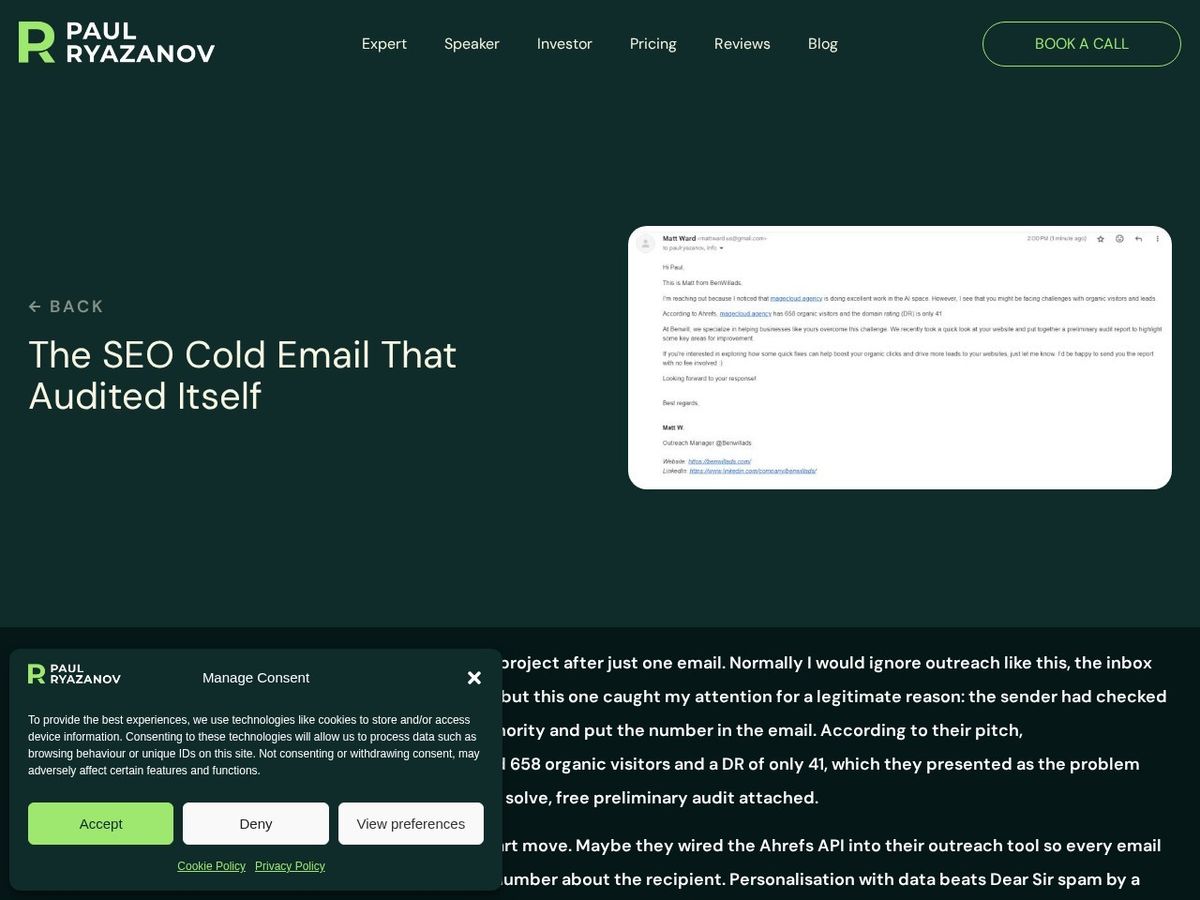
Paul Ryazanov is the CEO of MageCloud, a UK based ecommerce agency, and a BlitzMetrics client building a Google Knowledge Panel. His content engine runs on repurposing his LinkedIn posts into full articles on paulryazanov.com. Until this build, every batch started the same way: I opened LinkedIn, copied each post by hand, and pasted it into the chat. In one working day, a Claude agent removed me from that loop entirely. It matched 40 un-repurposed posts against Paul’s LinkedIn data export, read the posts that needed checking in my browser, pulled 23 images off the posts at full resolution, wrote roughly 35,000 words in Paul’s voice, published all 40 articles with featured images and correct author attribution, updated the Google Sheet tracker, and wired 41 internal links into older posts. My total contribution was two permission clicks and a folder approval.
This meta article documents the full process the way the meta-article prompt template requires: every phase, every named bug, every judgment call, and the real cost against a human team. It is the second meta article in the Paul Ryazanov series. The first, how we used an AI agent to inventory Paul Ryazanov’s content, documents the inventory build that this pipeline now feeds. The general methodology both follow is the repurposing loop Dennis lays out in How to Turn One Video Into Content for Every Platform, applied to LinkedIn posts instead of video.
The Bottleneck This Build Killed
The pipeline already worked. The tracker listed every LinkedIn post Paul ever published. The voice profile, the publish script, and the author enforcement rules all lived in PRISM, our local knowledge base. What did not work was ingestion. LinkedIn walls off its content from plain fetching, so previous agent sessions could not read the source posts. Every batch began with me manually copying post text into the chat, one post at a time, and manually downloading any attached images. At 20 posts per batch, that is an hour of human copy-paste before the agent does anything, and it caps the whole system at my availability.
The assignment for this session started as a complaint, not a spec: this manual step is not scalable, find a way around it. The agent proposed three routes in its first reply. Paul’s own LinkedIn data export already contained the full text of 1,959 posts. The Claude browser extension could read any post through my logged-in Chrome session. And the images could come off the post pages themselves. Then it proved the second route in one try by pulling the full text of a post off LinkedIn before I had answered.
Source Material Ingestion
The text problem dissolved fastest. Paul had sent his LinkedIn export, a Shares.csv with 1,959 rows of full post text, months earlier. The tracker rows only carry a truncated preview of each post, and the export’s post IDs do not match the tracker’s URL IDs, so the agent matched the two by normalized text prefix instead: strip the preview’s ellipsis, normalize the quote marks and whitespace, and find the export row whose full text starts the same way. All 40 posts across both batches matched on the first pass. Two posts matched twice because LinkedIn had double-logged them seconds apart with identical text, which the agent detected and resolved by inspecting both timestamps.
The source posts are the kind of operator material that makes this client fun to write for. One post was just a text exchange with his developer in Dnipro during an air attack:
“Sorry, we are in a basement. There is an attack going on.” Then, thirty minutes later: “Sorry, the missiles are over, but we still have a few drones. I will be online ASAP.” In 24 minutes, he was back online.
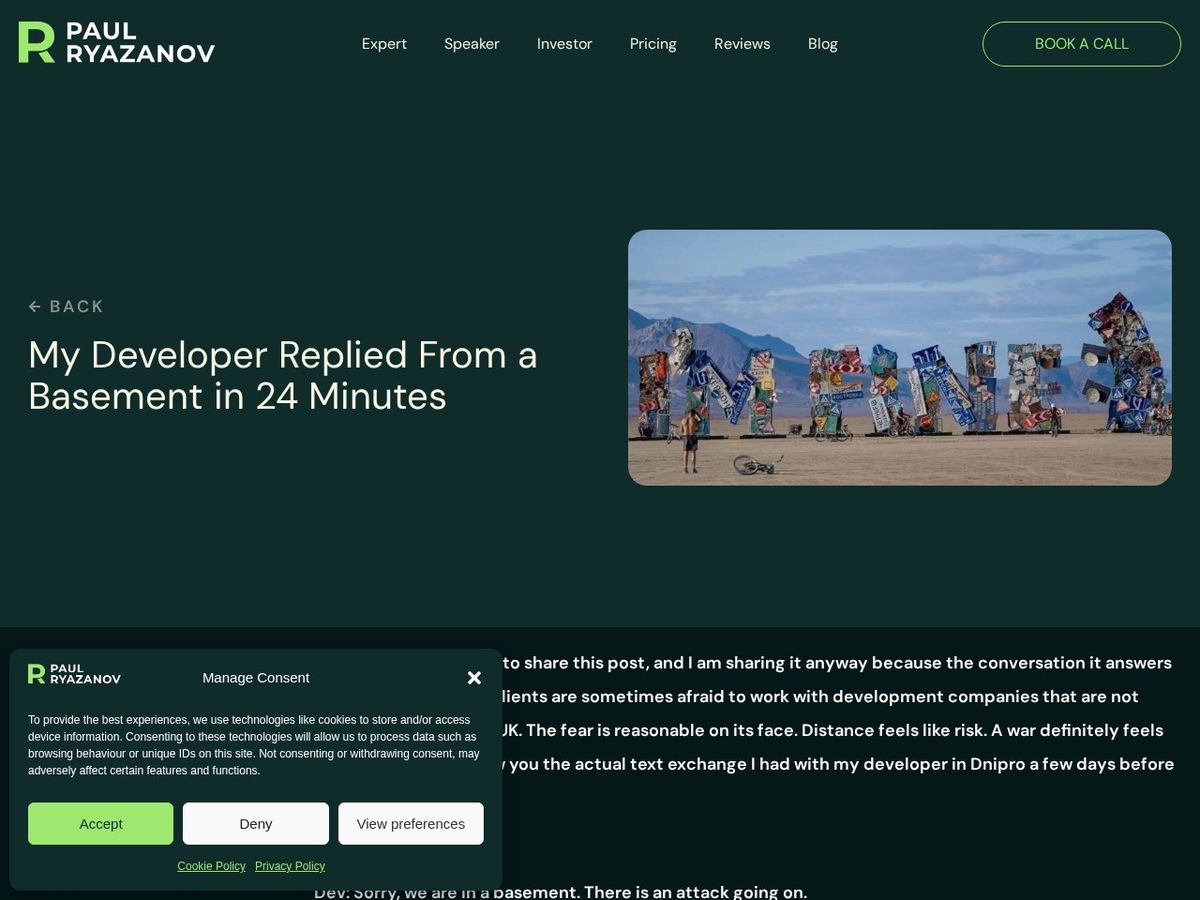
That exchange became My Developer Replied From a Basement in 24 Minutes, with the post’s own image, an installation Ukrainians built at Burning Man, as the featured image. The agent quoted the exchange verbatim because direct quotes are evidence the subject actually said the thing, and they index more heavily than paraphrase.
The Image Pipeline: The Hard Part
Text was archived. Images were not. LinkedIn’s export does not include post images, so the agent had to detect which of the 40 posts carried pictures and move those pictures onto Paul’s WordPress site. Detection ran through the browser extension: load each post in my logged-in session, query the post’s image container, count. The first sweep used a width filter that lazy-loaded images defeat, every image reports zero width until it loads, so the sweep returned zero images across all 20 posts. The agent caught the false negative by testing the selector against a post it knew had an image, removed the width filter, and re-swept. Twelve of the 40 posts carried images, 23 images total, including one post with three screenshots telling a single story.
Moving the bytes was the real fight, and the constraint that shaped everything is worth naming: the agent’s own tooling redacts image data. LinkedIn’s signed image URLs and base64 image data both get blocked from passing through the agent’s context, by design. So the agent cannot simply read an image and re-upload it. Every byte has to move between websites without the agent ever holding it. The working pipeline, after four failed designs, runs entirely inside the browser: on the LinkedIn post page, a script grabs the image URL and navigates the same tab to paulryazanov.com with the URL packed into the location hash. The hash survives the navigation. On arrival, a second script reads the hash, fetches the image directly from LinkedIn’s CDN, which permits cross-origin reads, and posts the bytes straight into the WordPress media library through the REST API. Full resolution, original file, no human, no agent context.

Writing 40 Articles in Paul’s Voice
With full text and images in hand, the writing phase followed the voice profile compiled in PRISM from Paul’s shipped articles: UK spelling, almost no contractions, no em dashes, claim-bearing H2s, a stat block carrying the Paul Ryazanov and MageCloud entity names, an explicit trade-off section, and a low-pressure CTA. Every draft ran through an automated QA pass that counts contractions, scans for banned AI phrases, measures titles against the ten word cap, and checks meta description length. Batch one came back clean except for six long meta descriptions, trimmed before publish. Batch two ran 700 to 860 words per article against batch one’s 1,000 because the source posts were leaner, and the agent chose not to pad them. Padding to hit a word count is exactly the kind of filler the voice profile exists to prevent.
Publishing ran through the WordPress REST API from inside the browser session, with the author field hard-set to Paul’s user ID on every single call and verified in every response, the rule that came out of an earlier session where posts briefly carried the wrong byline. All 40 responses verified. The agent then updated the Google Sheet tracker through keyboard-driven cell navigation, wrote 41 Related Reading paragraphs into older sibling posts so the new articles inherit internal links, and generated 80 indexation watch files so the next session checks Google Search Console on day 7 and day 14 for every article.
The QA Marathon: Real Bugs and the Fixes
The cookie that poisoned the API auth
Symptom: The first write call to Paul’s WordPress REST API returned 401, despite credentials that had worked from a terminal for weeks. Cause: The browser sends the logged-in admin cookie alongside the API password. When WordPress sees a cookie, it ignores the password auth and demands a nonce the script did not have. Fix: Send every API call with credentials omitted, so the cookie stays home and the password auth applies cleanly. One parameter, an hour of diagnosis.
The firewall that punished curiosity
Symptom: After a burst of 38 rapid tag lookups, every API request to the site began hanging indefinitely. Not failing. Hanging. Cause: The site’s firewall tarpits a source it suspects of brute forcing, and every impatient retry reset the timer. Fix: Total silence toward the site for ten minutes, then resume in a fresh browser tab with a new rule: never burst, resolve tags by single creation calls that return the existing ID on duplicates, and space everything out. The firewall never triggered again across roughly 200 subsequent calls.
The lazy-load false negative
Symptom: The image detection sweep reported zero images across 20 posts, including posts that visibly carried screenshots. Cause: The selector filtered for images wider than 200 pixels, and lazy-loaded images report zero width until rendered. Fix: Validate the selector against a known-image post before trusting a sweep, then drop the width filter. The re-sweep found all twelve image posts.
The channel that Chrome closes
Symptom: Two byte-transfer designs failed in sequence. A 160KB image packed into a URL fragment refused to navigate, and the classic window.name handoff arrived empty on the other side. Cause: Browsers cap practical navigation URL size, and modern Chrome deliberately clears window.name across site boundaries as a privacy measure. Fix: Relay the image’s short URL through the fragment instead of its bytes, and let the destination page fetch the bytes itself. The first test upload landed in 1.2 seconds.
The spreadsheet that drifted three rows
Symptom: Twenty tracker URLs landed three rows above their targets in the Google Sheet, overwriting four existing entries. Cause: Click coordinates calculated from a screenshot at one scale landed on a grid rendered at another. Fix: Twenty-two undo keystrokes restored every overwritten cell, then a rebuilt entry method: focus the name box through script, jump to the exact cell, verify the address in a zoomed screenshot before typing, then let each line break commit a cell and step down. Batch two’s twenty cells landed correctly on the first pass.
Critical Decisions With Rationale
Relay URLs between sites, never bytes. The redaction layer meant the agent could not carry image data, and the two obvious workarounds, screenshots and human downloads, cost quality or human time. Designing the transfer so the destination page fetches the source directly turned a compliance constraint into a cleaner architecture: original bytes, full resolution, zero context cost.
Trust the export over the page. The agent could have read all 40 posts through the browser, the way it proved in minute one. It chose the data export for the back catalog instead because archived text is deterministic, instantly searchable, and immune to page-rendering flakiness, and reserved live reading for posts newer than the export. Paul re-exports monthly with one click.
Match posts by text, not by ID. LinkedIn’s export IDs and its public URL IDs disagree, a trap that would have silently mismatched sources to articles. Normalized text-prefix matching looked cruder and proved exact: 40 of 40 matched, with the two duplicate-post collisions surfaced rather than hidden.
Do not pad thin posts into long articles. Batch two’s source posts averaged half the length of batch one’s. The agent flagged the gap, kept the articles at 700 to 860 honest words, and declined to inflate them. The voice profile bans filler more explicitly than it requests length.
Verify position before every destructive write. After the three-row spreadsheet drift, the agent adopted a rule it then applied everywhere: no write into a shared system without a verified read of where the write will land. The second batch’s tracker update, the author fields, and the Related Reading inserts all ran under that rule, and nothing drifted again.
Did the Model Matter? Fable 5 vs Opus 4.7
The honest framing first: this was not a controlled experiment. The previous Paul sessions ran on Claude Opus 4.7, this one ran on Claude Fable 5, and the tasks were not identical. But the difference in behavior at the blocking points is the observable fact worth recording. The earlier sessions hit the LinkedIn wall, reported it, and routed around it by asking me to paste content in. That was a reasonable answer, and it became the standing workflow. This session hit the same wall plus four new ones, the auth collision, the firewall tarpit, the redaction layer, and the dead browser channels, and treated each one as a debugging problem rather than a handoff trigger. The fragment relay that finally moved the images was the fifth design attempt in a chain where each failure narrowed the search.
My read is that the model upgrade mattered most in exactly that loop: sustained multi-layer diagnosis where the symptom sits three causes away from the fix, and the willingness to keep generating structurally different approaches instead of retrying the failed one harder. The writing quality difference between the two models is real but smaller, Paul’s voice profile does most of that work regardless. What changed the economics of this client is that the agent now exhausts the automation space before it spends my time, and it documents the working route in PRISM so the next session, on whatever model, starts from the answer instead of the search.
Effort and Cost Comparison
| Task | Agent Time | Human Time | Agent Cost | Human Cost ($35/hr) |
|---|---|---|---|---|
| Archive matching + worklists (40 posts) | ~10 min | 6-8 hours | $0.40 | $210-$280 |
| Image detection sweep (40 posts via browser) | ~25 min | 4-6 hours | $1.00 | $140-$210 |
| Image capture + transfer (23 images) | ~45 min | 3-5 hours | $1.50 | $105-$175 |
| Writing 40 articles (~35,000 words) | ~4.5 hours | 60-90 hours | $8.00 | $2,100-$3,150 |
| Publishing, tags, featured images, author checks | ~1.5 hours | 8-12 hours | $2.50 | $280-$420 |
| Google Sheet tracker (40 rows, verified) | ~30 min | 1-2 hours | $1.00 | $35-$70 |
| Related Reading inserts (41 posts edited) | ~20 min | 4-6 hours | $0.80 | $140-$210 |
| GSC watch files, sidecars, tracker mirror (140 files) | ~10 min | 3-4 hours | $0.30 | $105-$140 |
| Pipeline debugging (auth, firewall, byte relay) | ~1.5 hours | 8-12 hours (senior dev) | $2.50 | $280-$420 |
| TOTAL | ~9.5 hours | 97-145 hours | ~$18 | $3,395-$5,075 |
The agent cost estimates roughly 2.3M total tokens across the session, priced at Opus-class published rates of $5 per million input and $25 per million output as the closest available benchmark, since Fable 5 ran under a flat Claude Max plan rather than metered API billing. The human cost uses the $35 per hour US digital marketer benchmark from the meta-article template, covering writing, image handling, publishing, and spreadsheet work, with the debugging row priced the same way despite needing senior developer skills in practice. The ratio lands at roughly 190x to 280x cheaper, and the larger point is the bottleneck: the human version of this pipeline was capped at one batch whenever I had a free hour to paste posts. The agent version is capped at nothing.
What the Agent Handled vs What Needed a Human
Agent handled autonomously: matching 40 tracker rows to the LinkedIn export by normalized text. Reading source posts through the browser session. Detecting which posts carried images and capturing all 23 at full resolution. Designing and proving the cross-site byte relay after four failed designs. Writing 40 articles in Paul’s voice with automated QA on contractions, banned phrases, titles, and meta lengths. Publishing everything with verified author attribution. Creating and resolving 44 tags. Setting featured images and alt text. Updating the Google Sheet tracker with verified cell positioning. Writing 41 Related Reading inserts into older posts. Generating sidecar records, 80 GSC watch files, and the tracker mirror in PRISM. Documenting the entire working pipeline as a reusable runbook for future sessions.
Required human input: approving the connection to the Downloads folder, clicking Allow once on Chrome’s multiple-download prompt, and approving the PRISM folder at session start. Paul supplied the LinkedIn export months earlier with four clicks. Nothing else. No content was pasted, no image was manually downloaded, no tracker cell was manually filled.
Information Ingestion Inventory
- LinkedIn export rows parsed: 1,959 posts of full text
- Source posts matched and repurposed: 40
- LinkedIn pages loaded through the browser session: ~50
- Images detected, captured, and re-uploaded: 23 across 12 posts
- Articles written and published: 40, roughly 35,000 words
- WordPress REST calls executed: several hundred across publishing, media, tags, and verification
- Older posts edited for Related Reading links: 41
- Google Sheet cells written and verified: 40
- PRISM files generated: 140 (sidecars, watch files, mirror, runbook)
- Named bugs caught and fixed: 7
- Named decisions documented: 5
- Estimated total tokens: ~2.3M
Guidelines Compliance Scorecard
Scored against the Local Service Spotlight article guidelines.
| BlitzMetrics Guideline | Status | Notes |
|---|---|---|
| Hook opens with specific person/situation | PASS | Paul Ryazanov, 40 articles, one working day |
| Answer in first paragraph | PASS | Full scope stated up front |
| Short paragraphs (3-5 lines max) | PASS | Verified across body |
| Active voice throughout | PASS | |
| No AI fluff phrases | PASS | Checked against the banned list |
| Title under 65 chars | PASS | 61 characters |
| H2/H3 structure without heading abuse | PASS | H3 only inside the QA Marathon |
| Internal links to BlitzMetrics content | PASS | 6 internal links, each URL used once |
| Cross-link to sibling meta-articles | PASS | Paul inventory, Cam Hazzard, Trenton Sandler |
| Entity links follow the decision tree | PASS | Paul to paulryazanov.com, live examples to his site |
| Source video embedded | N/A | No source video; source was a LinkedIn archive |
| Featured image | PASS | Live article screenshot, set via REST |
| RankMath configured | PASS | Focus keyword, title, description set |
| Author byline | PASS | Dylan Haugen, author 294 |
| No stock images | PASS | All four images are real build artifacts |
| Categories and tags set | PASS | AI Builder, The Content Factory; 9 tags |
| Anchor text 3-6 words, descriptive | PASS | |
| No keyword stuffing | PASS | |
| Evergreen content | PARTIAL | Model comparison is time-bound by nature; the pipeline pattern is evergreen |
| Specific CTA tied to article content | PASS | Closing directs to methodology, live site, and siblings |
Why This Creates Specific Value for Paul Ryazanov
Paul’s Knowledge Panel case rests on corroborated entity signal, and the strongest signal he generates is his own operator writing. Before this build, that writing moved from LinkedIn to his site at the speed of my free hours. Now his entire back catalog, over a hundred remaining posts, converts on demand: full text, original images, his byline, his voice, interlinked into the existing article graph, every piece reinforcing the entity Google is evaluating. The 40 new articles also deepen his topic clusters on hosting, agency operations, SEO verification, and his founder story, which is exactly the corroboration a panel review reads. Articles like his three-second SEO agency check now exist as durable, searchable assets instead of posts buried in a LinkedIn feed.
Why This Creates Value for BlitzMetrics
The Content Factory promise is that one piece of source material becomes many published assets without the client doing the work twice. This build proves the loop runs without the operator doing the work even once per asset. A 190x to 280x cost advantage on a 40-article batch changes what we can offer founders who post well on LinkedIn but have empty blogs, which describes most of the operators we meet. The pipeline is documented as a runbook in the client’s knowledge base, so it is repeatable by any future agent session, on Paul or on the next client with a content archive and an empty site. That repeatability, not the one-day sprint, is the asset. It is the same compounding pattern as the Cam Hazzard personal brand build: every documented build makes the next one cheaper.
The Build Pattern
This build instantiated the Content Factory loop end to end: produce once on LinkedIn, then let the agent process, post, and promote. The companion case on the entity side of this kind of engagement is the Trenton Sandler Wikidata and schema write-up, which documents the structured-data half of what a Knowledge Panel needs while this article documents the content half. If you want the methodology, start with the repurposing definitive article linked at the top. If you want to see the output, open any of the live articles and check the byline, the featured image, and the internal links, all agent-placed. And if you have a founder with two thousand LinkedIn posts and an empty blog, this is the article to hand your agent.
GO DEEPER: HOW THIS FITS THE BLITZMETRICS SYSTEM
• The Quick Audit: how we audit any business
• MAA (Metrics, Analysis, Action): the framework behind every audit
• The SEO Tree: how all our content connects
• Entity Linking: the decision tree for every link
• Knowledge Panels: getting Google to recognize you
• Every digital audit Dennis Yu has done
THE DELIVERABLE
See the deliverable
Paul Ryazanov’s content pipeline output, live.
Originally published .
Dylan Haugen
Dylan Haugen is a professional dunker, content creator, and editor at the Content Factory, where he transforms podcasts and interviews into strategic brand assets. He collaborates with Dennis Yu to support young entrepreneurs and business owners in building their personal brands through education, transparency, and effective content marketing. As the host of the Dunk Talk podcast and a dedicated advocate for establishing dunking as a recognized sport, Dylan combines athletic expertise, storytelling, and digital strategy to help elevate the next generation of creators.