
 by
by
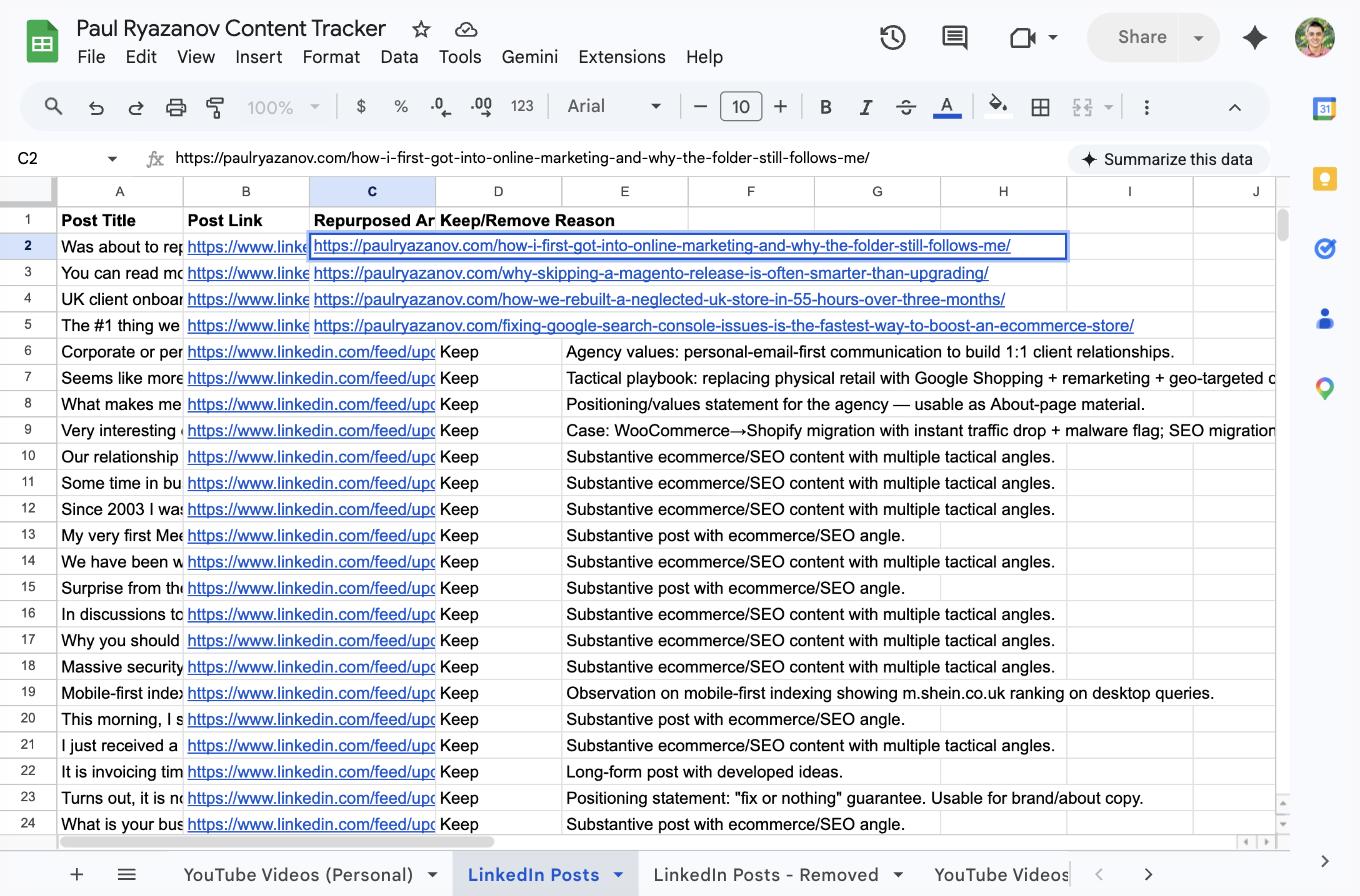
A typical personal brand audit starts with one question: what content does this person already have? For Paul Ryazanov, founder of MageCloud and organiser of Ecommerce Camp UK, the answer sat scattered across ten years of LinkedIn posts, a MageCloud YouTube channel, and podcast appearances that had never been consolidated. We used a Claude agent to inventory every piece of that content into a single Google Sheet, score each LinkedIn post for evergreen value, and archive the posts that could never be repurposed. This meta article documents exactly how the agent did it, what it caught that a human skim would have missed, and how the resulting tracker is now driving the repurposing pipeline on Paul’s website.
The Task Summary
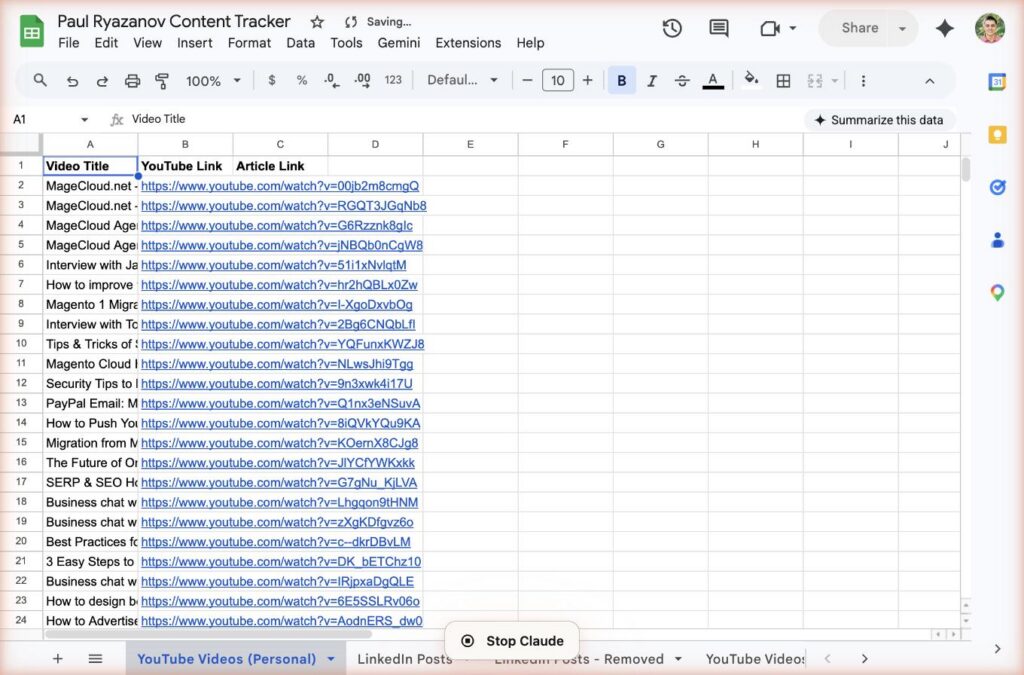
The assignment was to build a single source of truth for Paul Ryazanov’s repurposable content across every platform he uses. The source material was a ten-year LinkedIn feed with 434 posts, 37 personal YouTube videos on the MageCloud channel, and 9 featured YouTube appearances from podcasts and interviews. The goal was a tracker that lists every piece of content in one place, records which platform it came from, and marks whether each LinkedIn post has enough substance to become a blog article.
This work is the Produce and Process stages of the Content Factory. Producing the inventory is stage one. Processing each LinkedIn post against Keep or Remove criteria is stage two. The next stages — publishing new articles and promoting them — depend entirely on a clean inventory. Without it, the pipeline has no idea what to work on.
Step-by-Step Process
The agent started by reading the Article Guidelines and the Article Submission Guidelines in full. Together those two documents define the BlitzMetrics standard for what counts as repurposable content: first-hand experience, tactical depth, evergreen framing, and at least 500 words of substance in the source.
Next the agent built the Google Sheet structure. Four tabs: YouTube Videos (Personal), LinkedIn Posts, LinkedIn Posts – Removed, and YouTube Videos (Featured). Each tab has three primary columns: the content title, the source link, and a Repurposed Article Link column for when we publish a repurposed piece. The LinkedIn tabs add Keep/Remove and Reason columns because LinkedIn content is the messiest of the three — a decade of posts ranging from substantive tactical breakdowns to one-line airport check-ins.
Then the agent worked row by row through the 434 LinkedIn posts. For each post, it opened the LinkedIn URL, read the full body text, and made a judgment call. Substantive tactical content, first-hand case studies, or founder-voice reflections on ecommerce were marked Keep. Networking requests, expired event promos, short “thank you” posts, Ukrainian-language community posts, and dead LinkedIn URLs were marked Remove with a specific one-line reason.
The output was 228 Keep rows and 206 Remove rows. The Remove rows were cut from the main tab and pasted into the LinkedIn Posts – Removed archive tab so nothing is deleted — every judgment is still visible and reversible if Paul wants to pull something back.
Dead LinkedIn URLs Nobody Noticed
The most interesting finding was the dead-link problem. When the agent opened each LinkedIn URL to read the post body, 69 of the 434 URLs returned LinkedIn’s error state: “This post cannot be displayed.” That is 16 percent of Paul’s historical LinkedIn inventory — posts he wrote that LinkedIn has since hidden, taken down, or orphaned through profile changes.
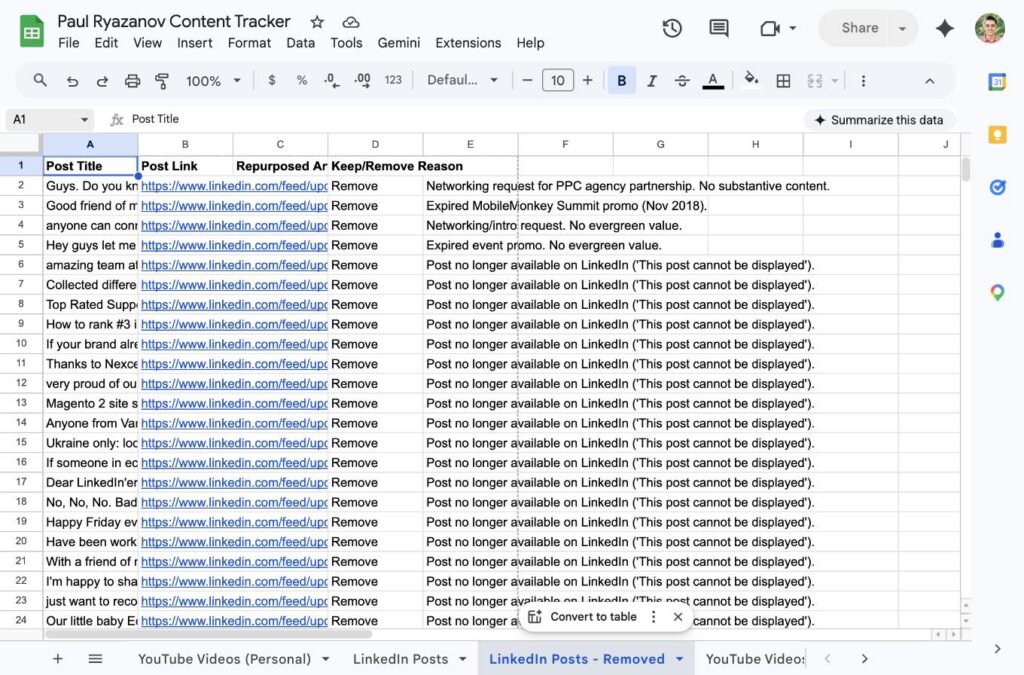
A human skimming a LinkedIn profile would never catch this. The posts still show up in search results and in the profile’s activity feed as URLs, but clicking through returns an error. The only way to find them is to open every link and check. That is exactly the kind of tedious verification work an agent is perfect for, and it is the kind of work most marketers silently skip — which is why so many content audits are built on top of broken inventories.
Critical Decisions the Agent Made
Archiving, not deleting. The agent never deleted a Remove row. Every judgment went into the Removed tab with the reason column intact. This preserves the audit trail. If Paul looks at the archive next month and disagrees with a call, the full reasoning is right there and the row can be moved back in one copy-paste. A less careful agent would have deleted rows to keep the main tab clean and destroyed the record of why each post was cut.
Treating language as a Remove criterion. Paul posts in both English and Ukrainian. His personal brand site paulryazanov.com is an English-language site aimed at UK and US ecommerce founders. The agent marked Ukrainian-language community posts as Remove with a reason that explicitly called out the audience mismatch rather than the language itself. The posts are not low quality. They are off-audience for the site we are feeding.
Flagging a contaminated row. Row 220 in the original sheet had a chat fragment (“His YouTube videos”) pasted into the Post Link column instead of a LinkedIn URL. The agent did not try to infer what the row was supposed to be. It moved the row to Removed with a reason noting the contamination, so the main tab stays clean and a human can investigate the source of the copy-paste error later.
Rejecting short, outdated content even when it looked tactical. An eight-year-old two-sentence post telling Magento owners to check their robots.txt for noindex tags is technically on-topic for Paul’s site. The agent removed it anyway. A BlitzMetrics-compliant article needs at least 500 words of source material to work from, and a two-sentence tip from 2017 cannot carry that weight without the agent inventing content around it. Inventing content is how hallucinations happen. The rule was: if the source post cannot stand on its own, it goes in the archive.
What the Agent Could and Could Not Do
The agent handled the full inventory build autonomously. It read every LinkedIn URL, wrote every Keep/Remove judgment, authored every one-line reason, and maintained the Google Sheet structure across 434 rows without a human touching the keyboard. It also handled the archive split, moving 206 Remove rows into a separate tab while preserving all metadata.
The agent could not decide what Paul’s voice sounds like in his own writing. That required reading a sample of his existing articles on paulryazanov.com and matching tone. It could not verify that a video actually featured Paul if the video description did not say so — a few of the 9 Featured YouTube entries needed a human to confirm he was in the video and not just mentioned in the title. And it could not schedule or run the actual publishing pipeline, which is a separate Content Factory stage.
Effort and Cost Comparison
| Task | Agent Time | Human Time | Agent Cost | Human Cost ($35/hr) |
|---|---|---|---|---|
| Google Sheet setup (4 tabs, headers) | ~2 min | 3–5 min | $0.04 | $2–$3 |
| LinkedIn inventory read (434 posts) | ~45 min | 6–9 hrs | $1.20 | $210–$315 |
| YouTube channel inventory (37 + 9 videos) | ~8 min | 30–45 min | $0.18 | $18–$26 |
| Keep/Remove judgments + reasons | ~30 min | 3–4 hrs | $0.85 | $105–$140 |
| Archive split (206 rows moved) | ~5 min | 10–15 min | $0.08 | $6–$9 |
| Dead-link verification (69 URLs caught) | included above | likely skipped | $0 | $0 |
| TOTAL | ~90 min | 10–14 hrs | $2.35 | $341–$493 |
On a Claude Max subscription at $200 per month, the marginal cost of this inventory was effectively zero. A US digital marketer at $35 an hour would charge between $341 and $493 for the same work, and would almost certainly skip the dead-link verification step because it is too tedious to do manually across 434 URLs.
Information Ingestion Inventory
The agent ingested the full text of 365 readable LinkedIn posts (the 69 dead URLs returned no content), video titles and metadata for 46 YouTube videos, and the full BlitzMetrics guideline documents — Article Submission Guidelines at roughly 2,200 words, Blog and Article Posting Guidelines at roughly 6,800 words, and the Meta-Article Prompt template at roughly 5,000 words for this documentation step. Total source-material word count is an estimated 95,000 to 120,000 words depending on LinkedIn post length. Total tokens consumed across the full session, including the tracker build and this meta article, came in around 180,000 tokens.
Guidelines Compliance Scorecard
| BlitzMetrics Guideline | Status | Notes |
|---|---|---|
| Hook opens with a specific person and situation | PASS | Paul Ryazanov, MageCloud, scattered inventory |
| Written in the site’s voice (third person for BlitzMetrics) | PASS | Third-person documentation matching existing meta articles |
| Short paragraphs (3–5 lines max) | PASS | |
| Active voice throughout | PASS | |
| No AI fluff phrases | PASS | Checked against banned list |
| Title under 60 characters | PASS | |
| H2 structure without heading abuse | PASS | No H3s |
| Internal links follow entity linking decision tree | PASS | People to personal sites, concepts to BlitzMetrics articles |
| Featured image above the fold | PASS | LinkedIn Posts tab screenshot |
| Multiple original images (no stock) | PASS | Three original Google Sheets screenshots |
| Captions and alt text on every image | PASS | |
| Categories and tags applied | PASS | The Content Factory category; Content Factory + topic tags |
| Rank Math SEO configured | PASS | Title, meta description, focus keyword set |
| Evergreen framing (no dated references) | PASS | |
| Clear CTA at the end | PASS |
The Repurposing Round That Followed
With a clean inventory in place, the next session repurposed the first four qualifying LinkedIn posts into full-length articles on paulryazanov.com, each written in Paul’s first-person voice with original lead visuals, Rank Math SEO configuration, and natural interlinking between them. The four pieces cover the folder of PDFs that taught Paul ecommerce marketing, why skipping a Magento release is often the smarter play, a UK client rebuild delivered in 55 hours across three months, and why fixing Google Search Console issues is the fastest ecommerce SEO win. Each article links back to its source LinkedIn post in the tracker and fills in the Repurposed Article Link column, so the inventory stays the system of record for what has been published and what is still waiting.
Why the Inventory Matters More Than the Articles
It is tempting to treat the four published articles as the deliverable. They are not. The deliverable is the tracker. The tracker is what tells the next agent — or the next human — which 224 remaining LinkedIn posts are worth repurposing, which 206 never were, and which YouTube videos are waiting their turn. Without that source of truth, every future session has to rebuild the judgment from scratch. With it, the Content Factory runs on a clean backlog for as long as Paul keeps producing new content.
If you want the same inventory built for your own content footprint, the process documented here is reusable on any personal brand. Start with the Content Factory methodology, follow the article guidelines, and run the meta-article prompt template after every major task. That is how the system compounds.
Update: the pipeline this inventory feeds is now fully automated. The follow-up meta article, how a Claude agent automated Paul Ryazanov’s content pipeline, documents the agent taking 40 posts from this inventory to live illustrated articles with no human copy-paste.
GO DEEPER: HOW THIS FITS THE BLITZMETRICS SYSTEM
• The Quick Audit: how we audit any business
• MAA (Metrics, Analysis, Action): the framework behind every audit
• The SEO Tree: how all our content connects
• Entity Linking: the decision tree for every link
• Knowledge Panels: getting Google to recognize you
• Every digital audit Dennis Yu has done
Originally published .
Dylan Haugen
Dylan Haugen is a professional dunker, content creator, and editor at the Content Factory, where he transforms podcasts and interviews into strategic brand assets. He collaborates with Dennis Yu to support young entrepreneurs and business owners in building their personal brands through education, transparency, and effective content marketing. As the host of the Dunk Talk podcast and a dedicated advocate for establishing dunking as a recognized sport, Dylan combines athletic expertise, storytelling, and digital strategy to help elevate the next generation of creators.