
 by
by
By Dennis Yu · Evidence review: October 6, 2026
Speak clear instructions for AI, then check the work. Learn from 13 real briefing examples.
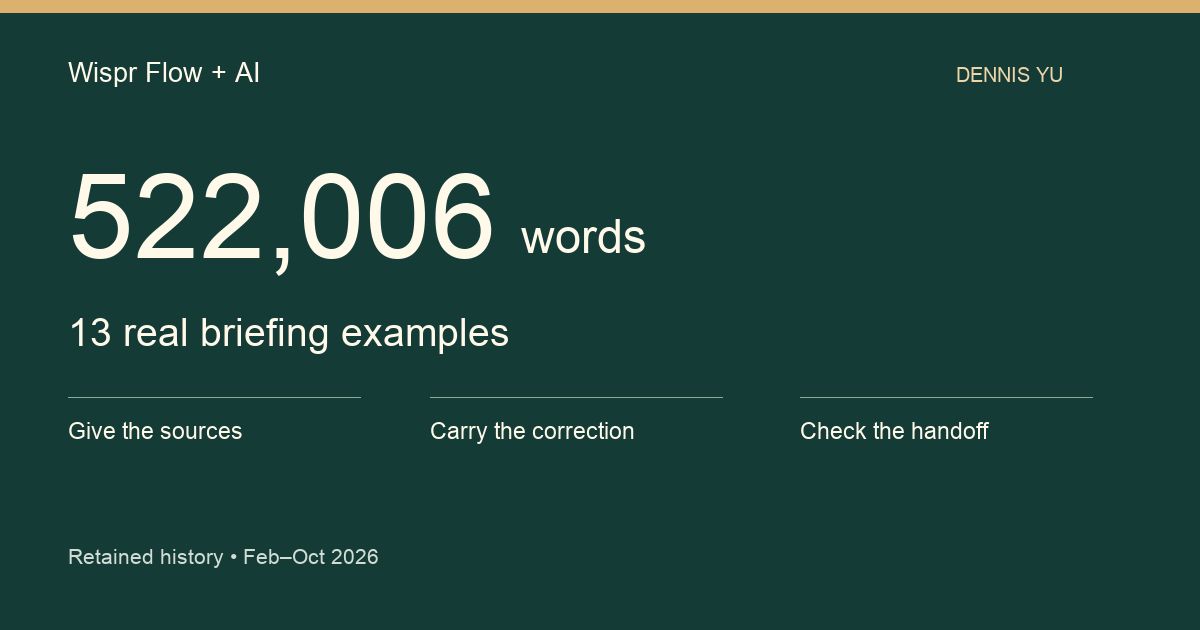
Words in my retained history522,006February 27–October 6, 2026 · selected text, counted once per saved record
7,660retained records
41 wordsmedian brief · 7,509 with text
If you use AI in your business, you need to explain the job: what you want done, which information matters, who will use the result and how you’ll check it. Wispr Flow lets you speak those instructions and review the text before sending it to your AI assistant. For the reusable briefing recipe, see Stop Typing to AI.
We reviewed 7,660 records retained in my Wispr Flow history, containing 522,006 selected words. The median nonempty record was 41 words. The archive includes short requests, corrections and follow-ups alongside longer briefs.
On March 3, I dictated an audit’s starting point: “the actual conversion data, CRM data, call tracking data, and revenue.” That gives the agent a business question and places to look for evidence. Below are thirteen real examples you can learn from, followed by an exercise for your next task.
These examples are privacy-edited paraphrases of dated dictations. They show what I asked for; the saved text alone cannot establish that I submitted it or that the work was completed.
What is Wispr Flow, and where does AI fit?
Wispr Flow is an AI-powered dictation tool. You speak, and it produces text in the field where you’re writing, with cleanup such as punctuation and removal of filler words. You can use it to compose a message, a document or a prompt, which is an instruction you give an AI assistant.
In this workflow:
- You decide the goal, supply the sources and set the limits.
- Wispr Flow turns your spoken instructions into text for you to review.
- Your AI assistant receives the text when you submit it. What it can do depends on its tools, account access and permissions.
- You check the evidence and finished result.
An AI agent is an assistant that can use tools to carry out steps, such as reading a source or editing a document. Dictation is the first part of that workflow. Researching, writing, publishing and verifying the result happen afterward.
Three lessons to try on your next task
- Give the source along with the assignment. “Review my marketing” leaves important choices unstated. The March 3 example names conversion data, customer records, call tracking and revenue.
- Say the correction while it’s fresh. A brief follow-up can specify the reader, the report length or the missing evidence. Then check that the correction appears in the final work.
- Ask for proof that the handoff is complete. The October examples ask whether another agent received the handoff and whether the article is actually live. Open the destination and inspect the result.
The 41-word median describes this archive. We did not test an ideal prompt length or measure time saved, money saved or business results.
PDF: Evidence through October 6, 2026.
What the history actually contains
The selected text contains 522,006 words across the 7,660 retained records. Of those, 7,509 contain text under our selection rule; 151 are blank. Their median length is 41 words. The middle half run from 20 to 79 words; the 90th percentile is 150.
That matters because you might imagine I give a huge speech every time I use AI. The archive contains short instructions, follow-ups and corrections alongside longer briefs. A short follow-up can refer to a substantial project already underway. The history does not reconstruct every conversation around it.
| Measure | Result | What it measures |
|---|---|---|
| Retained records | 7,660 | Saved history rows through the fixed October 6 cutoff |
| Total selected words | 522,006 | Sum across saved records; repeated text retained |
| Records with selected text | 7,509 | Formatted text when present; otherwise speech-recognition text |
| Records without selected text | 151 | Blank after normalization |
| Days with records | 197 | Active dates; not the elapsed length of the study |
| Median length | 41 words | The 7,509 nonempty selected texts |
| Middle half | 20–79 words | 25th and 75th percentiles |
| 90th percentile | 150 words | Nearest-rank percentile |
| Longest selected text | 1,815 words | One saved record; not a measured speaking session |
The history spans 222 calendar dates, inclusive, across nine months. Records occur on 197 of those dates. It is a retained archive, so it may omit deleted records or dictations that were never saved. These counts are also a different population from the earlier Wispr dashboard screenshot in our briefing guide. We have not joined those sources or inferred a growth rate.
01 / THE ARCHIVE
Where the half-million words sit
Selected words by month · 2026
02 / THE BRIEF
Many instructions are short
Records by selected-text length
We also looked for nine recurring kinds of work. These are keyword candidates that deserve inspection, rather than a count of completed jobs.
| Candidate family | Matching records |
|---|---|
| Article writing / publishing | 445 |
| Content repurposing | 393 |
| Website building / QA | 244 |
| Business / brand strategy audit | 215 |
| Email triage / follow-up | 188 |
| Relationship / proof mapping | 87 |
| Second brain / shared memory | 79 |
| Weekly MAA | 71 |
| Project handoff / coordination | 67 |
The nine searches matched 1,387 distinct records. Of those, 308 matched two or more families. An audit can also involve an article and a handoff, so adding the bars together would count some records several times. These nine families do not classify the whole archive.
Nine overlapping candidate families
Thirteen real examples of how I brief agents
I have removed client names, private business details and references that would identify the people involved. The wording below is a paraphrase, except for the short quoted phrase in the opening. Each example has a dated source record in our private evidence ledger.
1. Start the audit with the business
March 3: Start with conversion data, the CRM, call tracking and revenue. Assess whether the proposed audit is useful to the business, and give me candid feedback.
This is the starting point for How We Audit. The CRM holds customer and sales records. The business goal determines which evidence matters. A tool can produce a list of technical issues; I still need to know which actions help the business.
2. Look for the proof we already have
June 10: Audit the brands, find their strengths and gaps, and identify their best existing content to repurpose. Make the findings visual and include a short summary someone can use.
Before commissioning another video or article, I want an inventory. Interviews, podcasts and useful explanations may already exist. The agent has to find them and show where they belong.
3. Let the mission rank the evidence
June 16: Inventory the videos, interviews and podcasts with the most authority and value. Connect them to the mission and turn the findings into actions.
A pile of links is hard to use. The mission gives the agent a reason to recommend one piece of proof ahead of another. Our GCT guide keeps the goal, content and targeting connected.
4. Let usefulness determine the report length
June 28: Make the report as long as the available evidence requires. Use diagrams and timelines, show the current position and next steps, and fit the recommendations into the client’s existing program.
The original dictation considered a 15- or 20-page report and explicitly allowed the useful information to determine the length. Page count is a delivery constraint. The decision, evidence and next action still have to earn their space.
5. Show who can act
August 22: Put the most useful findings in the executive summary. Use color to distinguish actions agents can take from decisions people need to make.
A visual can carry an operational decision. If the reader can see that one action is ready to execute and another needs an owner’s judgment, the report is easier to hand off. Color needs labels too, so meaning survives printing and readers who cannot distinguish the colors.
6. Translate the strategy into plain language
September 28: Map the content to where the business makes money. Show the gaps and explain where effort should go in language a beginner can understand.
An agent can know the name of a framework and still produce a report nobody uses. I want the business owner to understand the map. The teammate doing the work should understand it too.
7. Connect the offer to proof
September 29, early morning: Map the gap between the proof available and what the business is selling. Identify relevant results, relationships, appearances and content. Back up each claim with a source.
This is where an audit starts to become useful. If we recommend a credibility claim, the reader should be able to open its evidence. If the evidence is missing, the report needs to say so and assign a next step.
8. Put the useful visual before the dense reference
September 29, later that morning: Show the useful visual near the beginning. Move dense reference material toward the end, and improve the existing system rather than creating a competing one.
A busy reader needs a way into the work. A summary diagram can make the project understandable, while the detailed sources remain available for the person implementing it. This principle applies to a report, a website and an internal operating guide.
9. Make the weekly review easy to run
September 7: Give the lead a brief Friday status update using MAA. Explain what happened, what it means and what to do next. Include blockers and requests for help.
Metrics, Analysis, Action gives the review a useful sequence. The archived request is evidence that I wanted a recurring review. It does not prove that a scheduled job was created or that anyone received a report.
10. Teach the reader at their starting level
September 30: Walk me through the process in a beginner-friendly guide. Explain it as if you were talking to a fifth grader.
Plain language forces the agent to make the steps concrete. Tell the reader what to open, what to look for and how to recognize a good result. Specialized terms can come after the reader has an example.
11. Fit shared memory into the existing operation
October 3: Explain how the shared-memory refresh fits the agent orchestration layer and the existing second brain.
We have a maintained cross-agent shared-memory guide. A new note or tool needs a defined place in that system. Otherwise, we create another location that people and agents have to reconcile.
12. Check whether the handoff arrived
October 4: Check whether the second-brain handoff actually reached the other agent.
This is a small question with a large consequence. Creating a file proves that a file exists. Delivery needs its own evidence. A useful handoff records what the receiver can open, the current decision and the next action.
13. Finish with a destination someone can verify
October 6: Complete the article through publication, provide the link that verifies it and demonstrate the relevant article QA checks.
A draft and a live page have different acceptance checks. After publication, open the destination, check the rendered content and test the links. The person receiving the work needs that proof, not another promise to finish.
The observations that surprised me
Forty-one words can still carry a useful constraint
The median saved text is short. Examples such as “check whether it arrived” or “explain this for a beginner” add an important constraint to existing work.
That does not make 41 words an ideal prompt length. We have not scored these records for quality or measured their results. The practical lesson is to give the agent the context it needs for this decision, including links to the current project when that context lives elsewhere.
Voice preserves the correction while I am thinking about it
Several examples refine a previous request: the right evidence, report length, audience, ownership or delivery check. I can speak those details as I notice them.
Then I need to check that the correction reached the final output. Our audit method now calls for checking the report, summary and handoff against the corrected evidence. The Wispr archive shows the instruction; it cannot tell us whether an agent propagated it correctly.
“Visual” usually means a decision someone can understand
A timeline answers when things happen. An evidence map shows what supports a claim. An owner map shows who can act. Those are useful reasons to ask for a visual.
I want the visual to help the reader do something. A decorative image cannot replace the missing source or decision.
Repeated wording is not necessarily duplicate work
Our exact-text check found 16 groups containing 42 records with repeated normalized text. There were 26 additional occurrences beyond one per group.
We kept those records in the main denominator. The same approval or instruction can be dictated on different occasions. Exact text equality does not prove duplicate actions, and this check did not merge similar wording.
A searchable history still needs an owner and a current decision
The archive helps recover what I asked for. It does not tell an agent which version is current.
I want one maintained procedure, a link to its source and dated records of changes. That is why this article points to the existing audit and shared-memory guides. It also explains why the private evidence ledger stays separate from the public teaching material.
How to try this on your next task
- Speak the brief
- Review the text
- Open sources
- Check the result
- Save the handoff
Start with a real job you already need to do. Open the project, report or source you want the agent to use. Check the dictation shortcut in your own app settings; the binding may differ by device.
Dictate the goal, the useful evidence, the reader and the next action. Name a constraint that would otherwise cause rework: which procedure governs, what needs a human decision or how to verify delivery.
Here is a teaching example assembled from the patterns above. It is a new example, not a quotation from the archive:
Review this audit for the business owner. Start with the goal and the sources already provided. Show the strongest proof, the gaps and the next three actions. Link the evidence. Identify the owner of each action and anything that needs a decision. Use our current audit method, and check the final summary after any correction.
Before submitting, read the transcription. Check names, numbers, links and the instruction that matters most. If the source requires connected account access, verify that the agent can open it in your account.
When the result arrives, open its cited evidence and the actual deliverable. For a recurring job, check that the saved schedule and destination exist. Record corrections in the current project so the next agent can find them.
For the maintained briefing instructions, use Stop Typing to AI. For a ready first exercise and the existing configuration worksheets, use the Second Wave plan. If you want guided practice applying these methods to a real business, our AI Builder program explains the apprenticeship.
Download the 11-page study (PDF) · Evidence through October 6, 2026.
How we checked this article
The cutoff is October 6, 2026 at 02:27:11.896 UTC. We read the retained local history without changing it. All 7,660 records had distinct, nonblank transcript identifiers.
For each record, we selected nonblank formatted text, falling back to ASR (speech-recognition) text. We removed markup, decoded HTML entities, normalized Unicode and whitespace, and compared exact normalized text for the duplicate check. Word counts use Unicode letter and number runs, retaining internal straight or curly apostrophes; punctuation and underscores separate words. We sum the word count from each selected text to get 522,006 words. Blank records contribute zero. Repeated normalized text remains counted on every saved occurrence; this is not a distinct-word vocabulary count or a lifetime usage total. Word-length statistics use the 7,509 nonempty selected texts and nearest-rank percentiles. The nine candidate families use the documented keyword patterns across formatted and ASR text, so their denominator and overlap rules differ from the word-length calculation.
The private QA package retains the reproducible script, aggregate results and an example ledger with dates, identifiers and source hashes. Public files contain aggregates and edited examples. They exclude the raw corpus, client identities and private links.
We did not measure time saved, money saved, token consumption, submission rates, agent completion or business outcomes. We reviewed text; we did not inspect raw audio or infer an agent’s hidden reasoning. The value of these examples is that you can see the instructions, try the method and verify the result on your own work.
Originally published .
Dennis Yu
Dennis Yu is the CEO of Local Service Spotlight, a platform that amplifies the reputations of contractors and local service businesses using the Content Factory process. He is a former search engine engineer who has spent a billion dollars on Google and Facebook ads for Nike, Quiznos, Ashley Furniture, Red Bull, State Farm, and other brands.
Dennis has achieved 25% of his goal of creating a million digital marketing jobs by partnering with universities, professional organizations, and agencies. Through Local Service Spotlight, he teaches the Dollar a Day strategy and Content Factory training to help local service businesses enhance their existing local reputation and make the phone ring.
Dennis coaches young adult agency owners serving plumbers, AC technicians, landscapers, roofers, electricians, and believes there should be a standard in measuring local marketing efforts, much like doctors and plumbers must be certified. He has appeared on 353 podcasts with 619 credited episodes — see the full list of his podcast appearances.