
 by
by
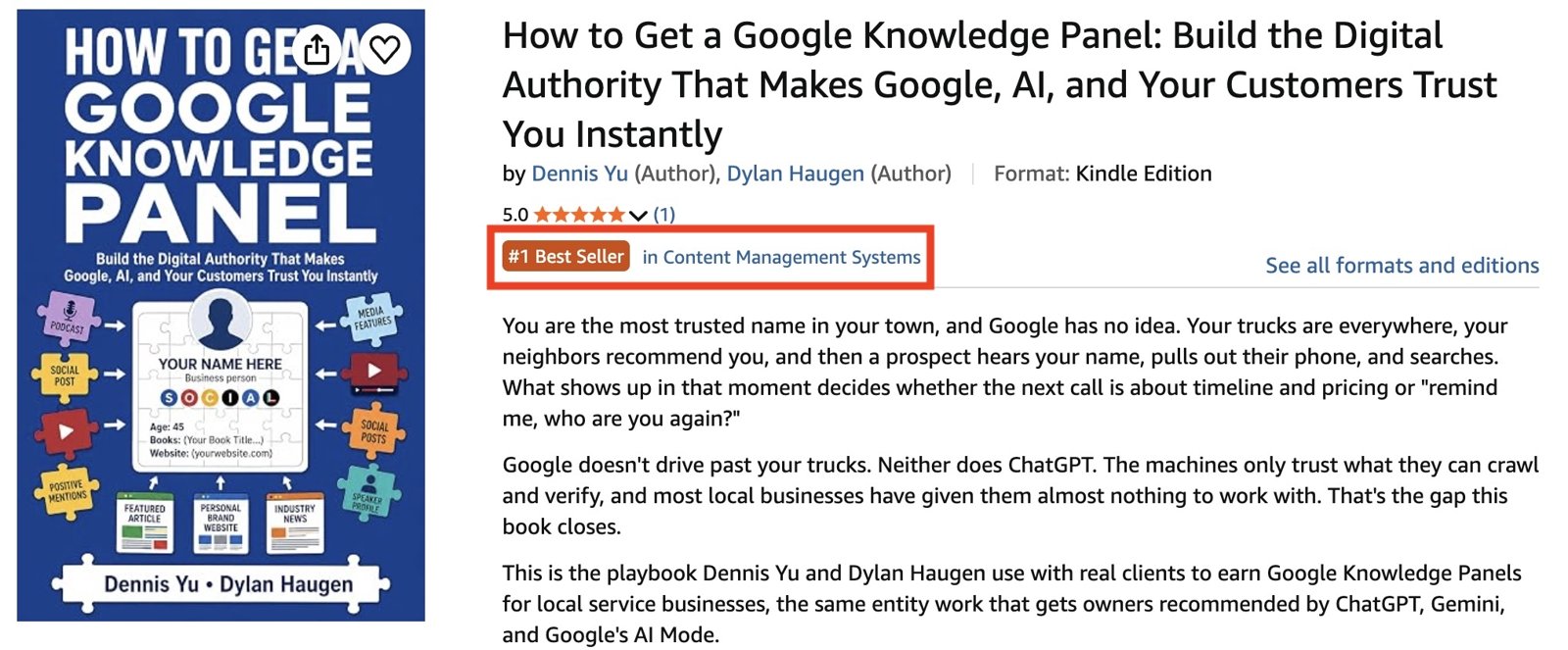
How to Get a Google Knowledge Panel by Dennis Yu and Dylan Haugen went from a single sale to #1 Best Seller in Content Management Systems on Amazon in about a week. I’m Dylan, and this is the record of how that happened.
It got there with $42 of YouTube video tests, two Amazon ad campaigns we had to build twice, a weekly report that kept us honest, 200 author copies, and a Claude agent running the keyboard while Dennis and I made the calls. This article covers everything after launch: what we measured, what we tested, what actually moved the rank, how we captured the proof, and what broke along the way, with every number we have.
This is the fourth meta article on the book. How we finished the book covers the manuscript. How we got the book print-ready covers the typesetting, the print build, and the final QA. How we launched the book covers the Amazon listings, the companion page, the password gate, and the launch videos. This one picks up after launch, when the book was live and almost nobody was buying it. It follows the meta-article prompt template, and we update it as the campaign runs.
The Starting Point After Launch
After launch we had a lot built and almost nothing happening.
Both editions were live on Amazon: a $14.99 color paperback (225 pages, $6.74 to print, about $2.25 royalty per copy) and a $1.99 Kindle edition (about $0.70 royalty per copy). Both product pages carried three modules of Amazon A+ Content, and my Amazon author page was live and linked to the book.
The companion page on Local Service Spotlight led with the Amazon buttons, with the free PDF and the agent skill pack behind the password printed on the back cover. Six launch shorts were public on YouTube and had picked up about 579 organic views. Two hundred author copies were on order, 100 to Dennis in Las Vegas and 100 to me in Minneapolis.
Sales by the time our first weekly report went out: one paperback. That number set the agenda. The book exists to bring founders to the Knowledge Panel Package, not to earn royalties, so the goal was attention and proof, not profit. But a book nobody buys produces neither.
The method behind everything that follows is the one in the Dollar a Day strategy: put several pieces of content out with a small budget, let the data pick the winners, and only then spend real money. We applied it to two channels, YouTube and Amazon, and measured both every week. Dennis also handed us a 16-page funnel playbook for the book, and we checked our progress against it every Friday.
Step 1: Hold the Weekly Report Until Something Is Running
I made one rule early: no weekly report until something is running that we can measure. Our agent had a Friday MAA (Metrics, Analysis, Action) report drafted for the first week, and I held it. A report full of zeros and “waiting on access” teaches nobody anything. The first report went out the week the YouTube tests went live, and it has gone out every Friday since.
The format follows the MAA framework for measuring SEO, adapted for a book. It has a metrics block, an analysis section, and an action list split by person, with every action owned by someone in the thread.
Metrics come straight from the source: KDP Reports for units, page reads, and royalties, YouTube Studio for the video promotions, Amazon Ads for the sponsored products, the Amazon product pages for rank and reviews, and Ahrefs for the companion page.
Every sales line shows this week, the change from last week, and the all-time total, such as “Paperback units this week: 4 (+3 vs last week, 8 all time).” Every video line names the exact cut, so nobody confuses the raw cut with the captioned one.
Every report ends with a “Verified” line naming exactly which screens the numbers came from and when. Dennis runs a closer bot on our Basecamp that reopens any “done” post without one, so the habit sticks.
Tracking came from our analytics team. Daniel Goodrich set up Google Tag Manager and GA4 on the companion page with three key events: book_amazon_click (split by paperback and Kindle), book_pdf_click, and book_offer_click. He also set one UTM convention for every link we post: utm_source for the platform, utm_medium for paid video, social, group, or email, one campaign name for the book, and utm_content for the exact video cut.
GA4 has two blind spots. It sees a click to Amazon but not the Amazon sale, so KDP Reports stays the source of truth for units. And the password-protected download pages don’t load the tag, so PDF downloads after the password are invisible to it.
Step 2: Test the Video Before Buying Traffic
We had two scripts for the launch video. Promo 1 is my personal “it’s finally here” version, 66 seconds long. Promo 2 is the 48-second business-owner version: when someone Googles your name, what shows up. Each script had three cuts: raw (audio cleanup only), b-roll with text overlays, and b-roll with overlays plus captions. All six use the same description and the same pinned comment, pointing to Amazon and the companion page.
We promoted all six cuts on YouTube at $7 each, with identical targeting: United States, ages 25 and up, business interests, same dates. The video was the only variable. If you change the audience and the creative at the same time, you can’t tell which one won.
Here is Promo 2, the b-roll cut that won:
| Cut | Views | Cost per view | View rate |
|---|---|---|---|
| Promo 2 raw | 168 | $0.042 | 21% |
| Promo 2 b-roll | 161 | $0.043 | 24% |
| Promo 1 raw | 152 | $0.046 | 16% |
| Promo 1 b-roll + captions | 131 | $0.053 | 11% |
| Promo 1 b-roll | 130 | $0.054 | 15% |
| Promo 2 b-roll + captions | 101 | $0.069 | 13% |
| Total | 843 | $0.050 | 16% |
The six promotions spent $41.97 of the $42 budget and earned 5,277 impressions and 843 views.
Two findings held up. First, captions made both scripts worse. The captioned cuts are the b-roll cuts with captions on top, so captions were the only difference, and they lost on both scripts. The four uncaptioned cuts averaged $0.046 a view at a 19% view rate, and the two captioned cuts averaged $0.060 at 12%.
Second, the shorter Promo 2 beat Promo 1 on both the raw and b-roll cuts, and Promo 2 b-roll had the best view rate of all six at 24%.
The early read was wrong. After the first day and a half, with $9.19 spent and 178 views, Promo 1 was winning, and its raw and b-roll cuts were the cheapest at about $0.04 a view. With 100 to 170 views per cut, the gap between raw and b-roll is noise; the captions gap is not. That is why the test ran its full week before we called it.
One honest limit: these promotions bought views, not visits. They optimize for watching, and they gained zero subscribers. The test told us which video to use. It did not send anyone to the book page, and Dennis’s playbook sets a cap of $3.12 per book page visitor that we can’t measure yet. The traffic test that does that is the next step, covered at the end of this article.
Step 3: Cross-Post One Cut Natively Everywhere Else
While the YouTube test ran, the b-roll cut of both scripts went out natively on my Facebook, LinkedIn, and X, Dennis’s Digital Marketing with Dennis Yu and Office Hours groups, and the Local Service Spotlight LinkedIn, Facebook, and X pages, with links in the first comment. The raw and captioned cuts stayed YouTube-only so they wouldn’t contaminate the test.
Our agent wrote 24 captions for this: six cuts, personal and company accounts, and separate versions for LinkedIn and Facebook versus X. Every one points to Amazon and the companion page, and none of them contains the password. The password lives only on the printed back cover and the last page of the Kindle edition, so buying or borrowing the book is the only way to get it.
Step 4: Build Amazon Ads Inside the KDP Author Account
Our Amazon ads plan was simple: $5 a day for 30 days, split between an automatic campaign at $3 and a keyword campaign at $2, both advertising the paperback and the Kindle in the United States. The keyword campaign started with 12 keywords in phrase and exact match, 24 targets at $0.60 each. Execution was not simple. We built it twice.
The account that couldn’t serve book ads
The first ads account came from Amazon’s generic advertiser sign-up, billed to our company card. The agent built both campaigns there, I approved them, and we launched. Twelve hours later the agent checked: zero impressions, the campaigns missing from Campaign Manager, and a red alert saying the products required Author Central registration. A generic advertiser account is not an author account, and it can’t run ads for KDP books.
The fix was to enter Amazon Ads from inside KDP (Marketing, then Amazon Ads, then Amazon.com) while signed in with the KDP login. That created a proper “Sponsored ads – Author” account with its own billing profile.
The agent rebuilt both campaigns there, unchecked the “increase bids for high-traffic days” rule Amazon turns on by default, and added custom ad text: “When someone Googles your name, what shows up? The step-by-step playbook for earning a Knowledge Panel, with an AI skill for every chapter.”
The paperback ads served right away; the Kindle ads cleared Amazon’s text review the next day. The agent paused the two original campaigns, which showed “payment failure,” so they could never double up. No money was lost; the first account never served an ad.
Down-only bids and keywords nobody searches
A week in, the ads had barely served. The automatic campaign got about 1,400 impressions and a handful of clicks for 64 cents. The keyword campaign got 13 impressions in its entire life, and most of its 24 targets showed “no current data.” Two mistakes caused that, and both were ours.
First, both campaigns used “dynamic bids, down only” at $0.60. Amazon kept cutting those bids to cents, so we lost nearly every auction. Second, the agent picked the 12 keywords at setup without checking search volume, and I had doubted them from the start. Terms like “how to get a google knowledge panel” are exactly what our reader means, and almost nobody types them into Amazon.
Amazon suggested $2.86 a click for “personal branding,” so our $0.60 bid never had a chance there either.
The changes, all approved before they went in:
- Bidding switched to “dynamic bids, up and down” on both campaigns.
- All 24 phrase and exact keyword bids raised from $0.60 to $1.00.
- Eight broad-match terms added: google knowledge panel, knowledge panel, personal branding, personal brand, local seo, seo for small business, online reputation, and ai search, bid between $0.35 and $1.13.
- Amazon’s own suggested keywords skipped. They were generic and expensive, like a famous author’s name at $3.41 a click.
One mechanical lesson: the first bulk bid change failed with “24 of 24 targets weren’t updated” because the Amazon Ads tab was in the background. Run in the foreground, the same edit came back “24 of 24 targets updated.” Amazon also won’t let any single bid exceed the campaign’s daily budget.
Spend and sales started within a day. The automatic campaign now hits its $3 daily budget and carries the whole account: about 18,000 impressions, 25 clicks at $0.64 each (a 0.14% click-through rate), and the account’s first four ad-driven sales. Total spend so far is $15.94 against $7.96 in ad sales. Two of the account’s 36 targets produced those sales. The keyword campaign still gets almost no clicks, so its $2 a day is the next thing we move.
We are losing money on these ads, on purpose. A $1.99 Kindle sale pays about $0.70 in royalty.
The job of the ads is to keep the sales rank up so the book stays visible in its category, and the Kindle edition climbed from #5 back to #2 in Content Management Systems after those first ad sales. Our agent pulls the numbers each Friday and we adjust once a week, never on a single day’s data. Each Amazon invoice goes to our company card, and the agent checks it and files the email.
Step 5: How the Book Actually Reached #1
The honest answer is that launch velocity did it, not the ads. After the first weekly report, daily orders ran 1, 2, 4, 5, and 3 over five days. Sales went from one to 18 in about a week, and 9 of that week’s 13 sales were the $1.99 Kindle. At that point the Amazon ads had spent three cents. Dennis’s playbook expected $5 a day of Amazon ads to earn the best-seller badge; organic launch traffic got there first.
That velocity, in a narrow category, was enough. The Kindle edition hit #1 on Amazon’s Hot New Releases list for Content Management, and both editions picked up the orange “#1 New Release” badge.
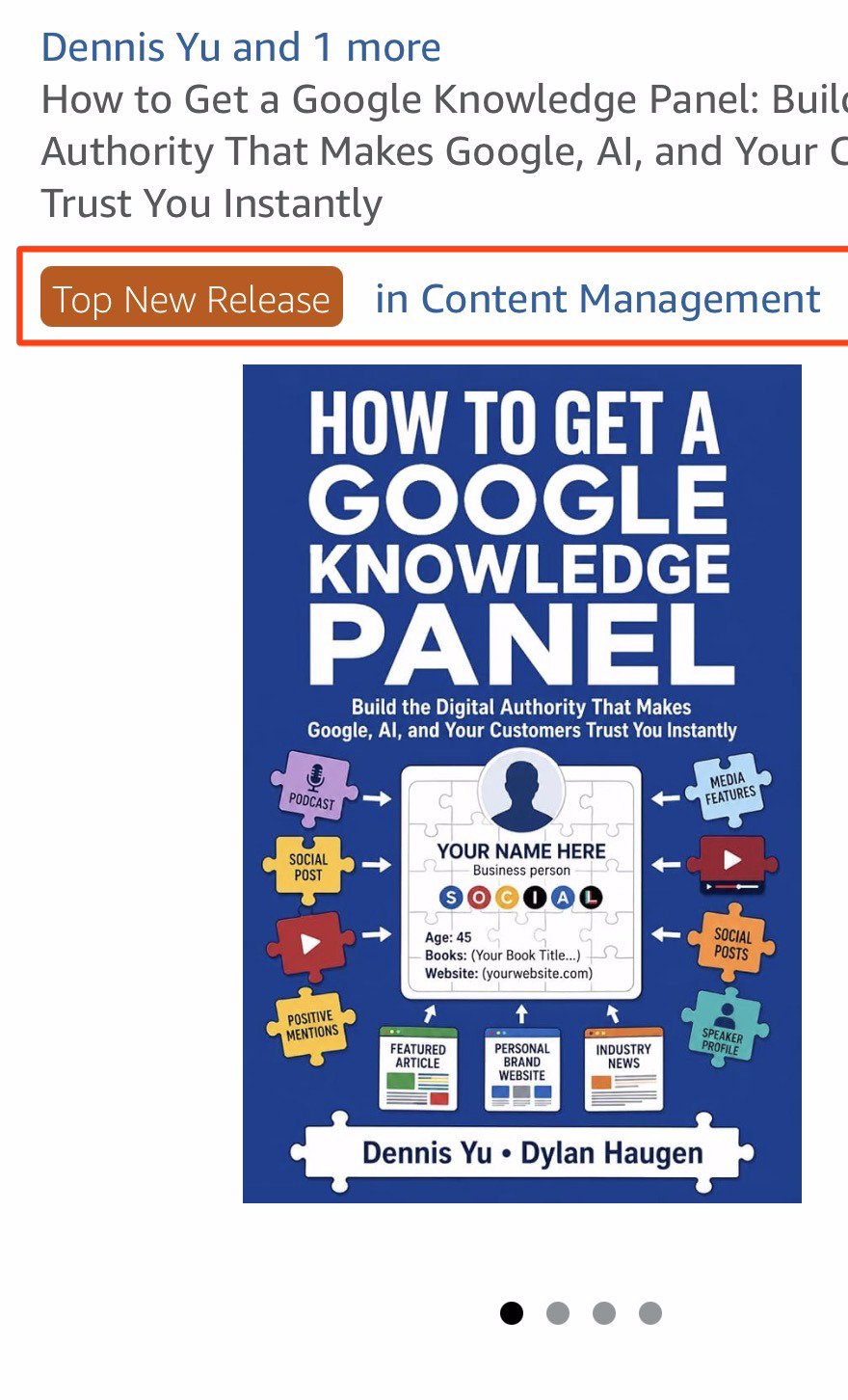
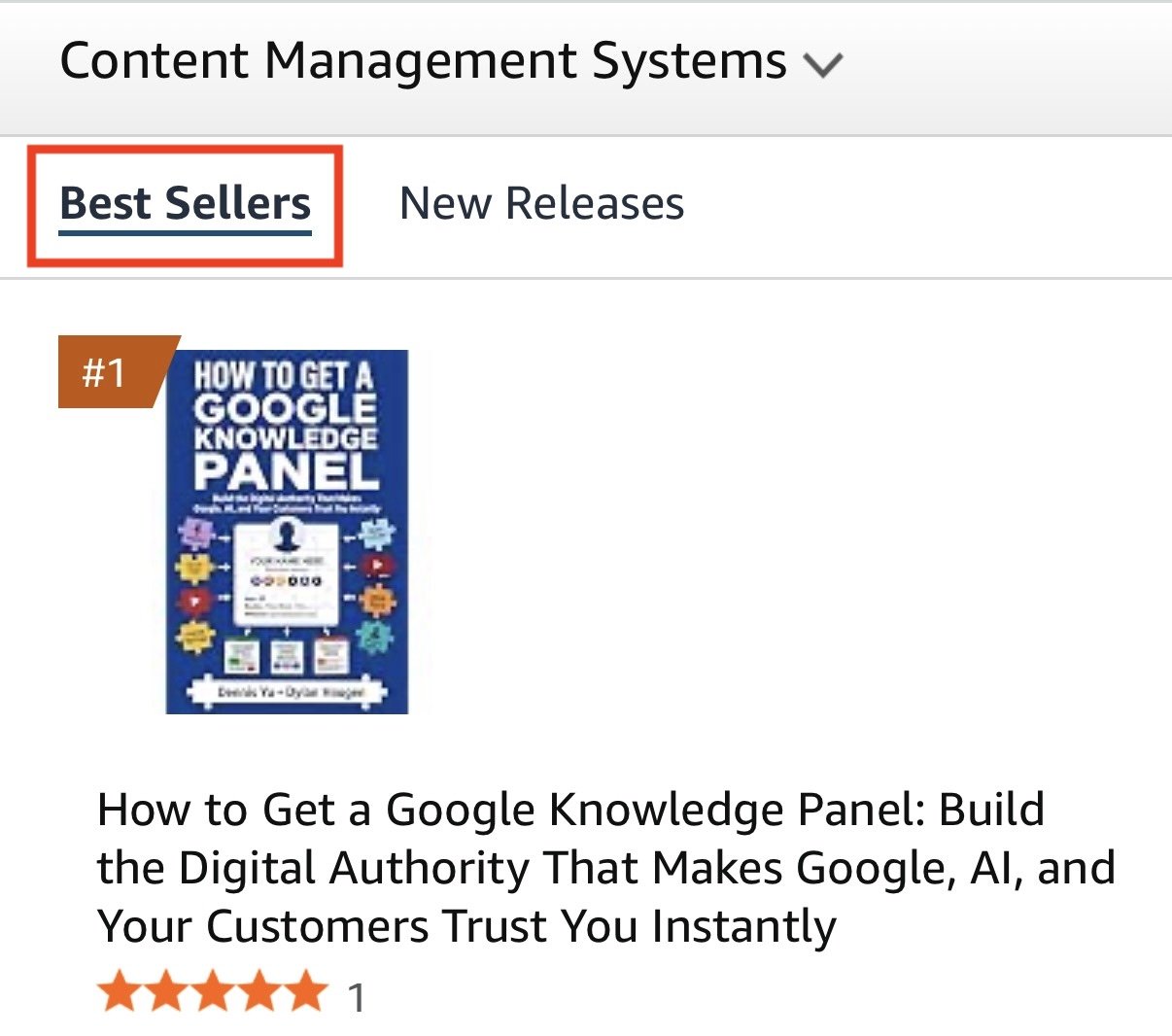
The next day the Kindle edition reached #1 on the Best Sellers list for Content Management Systems and earned the “#1 Best Seller” badge, ahead of two WordPress guides, one with 31 reviews. At the same moment it ranked about #218,000 in the entire Kindle Store. That gap is the whole lesson: a small, well-matched category turns a few sales a day into a badge you keep forever.
Three things made that possible. The Kindle sells for $1.99. Dennis wanted $0.99, but KDP only allows that for files under 3 MB, and ours is 6.86 MB with 61 figures, so $1.99 is the floor.
The category is small: Kindle’s catalog has no SEO category, so the closest fit for a book about entity data was Content Management Systems under web development. And the first review landed that same week, a verified five-star paperback review from the UK that called out the Social Amplification Engine chapter and the bonus skills download.
We also kept the Kindle edition out of KDP Select. Select requires digital exclusivity, and the free PDF on the companion page would break it. That cost us Kindle Unlimited page reads, which have stayed at zero, but it kept the book free to publish anywhere, which mattered later.
Step 6: Capture the Proof the Same Day
Badges don’t last. A best-seller rank in a small category can change by the hour, so the screenshot is the asset. Dennis’s funnel playbook says to reuse that badge in ads, on the book page, and in email, and you can only reuse what you captured.
Each time a badge appeared, I screenshotted it the same day on the Amazon mobile app and on desktop: the product page with the badge, and the category list showing the book at #1. That came to seven New Release screenshots and eight Best Seller screenshots.
The agent converted every image to JPG, made outlined versions with our listing boxed in red, and named every file by date, milestone, device, and what it shows, like “GKP Book #1 Best Seller – Desktop – Kindle page badge – Outlined.” Full-screen versions with browser clutter came out.
Everything lives in one Google Drive folder for the book, with five numbered subfolders:
- 01 Book Files, one dated folder per published revision, holding the print interior, digital PDF, cover, and Kindle file
- 02 Promo Videos, all six cuts
- 03 Knowledge Panel Examples
- 04 Recognition and Milestones, one dated folder per badge or milestone
- 05 Photos with the Book, one file per person, named by date and name
Two rules came out of this. Originals stay unedited in Drive as proof, and for public use we crop to our listing instead of blacking things out. Paid ads never show other authors’ covers, even when they appear in the list screenshot next to ours.
Step 7: Put the Book in People’s Hands
The 200 author copies are not for sale. They are for conferences and the people who matter to the business, and Dennis brings his to conferences and meetings. Every copy carries the QR code and the password, so each one is a working entry point to the PDF and the skill pack, not just a book on a shelf. Author copies don’t count toward sales rank, so their job is reach and proof, not rank.
The second job of those copies is photos. A photo of a real person holding the book is stronger proof than any badge, so we ask for one every time.
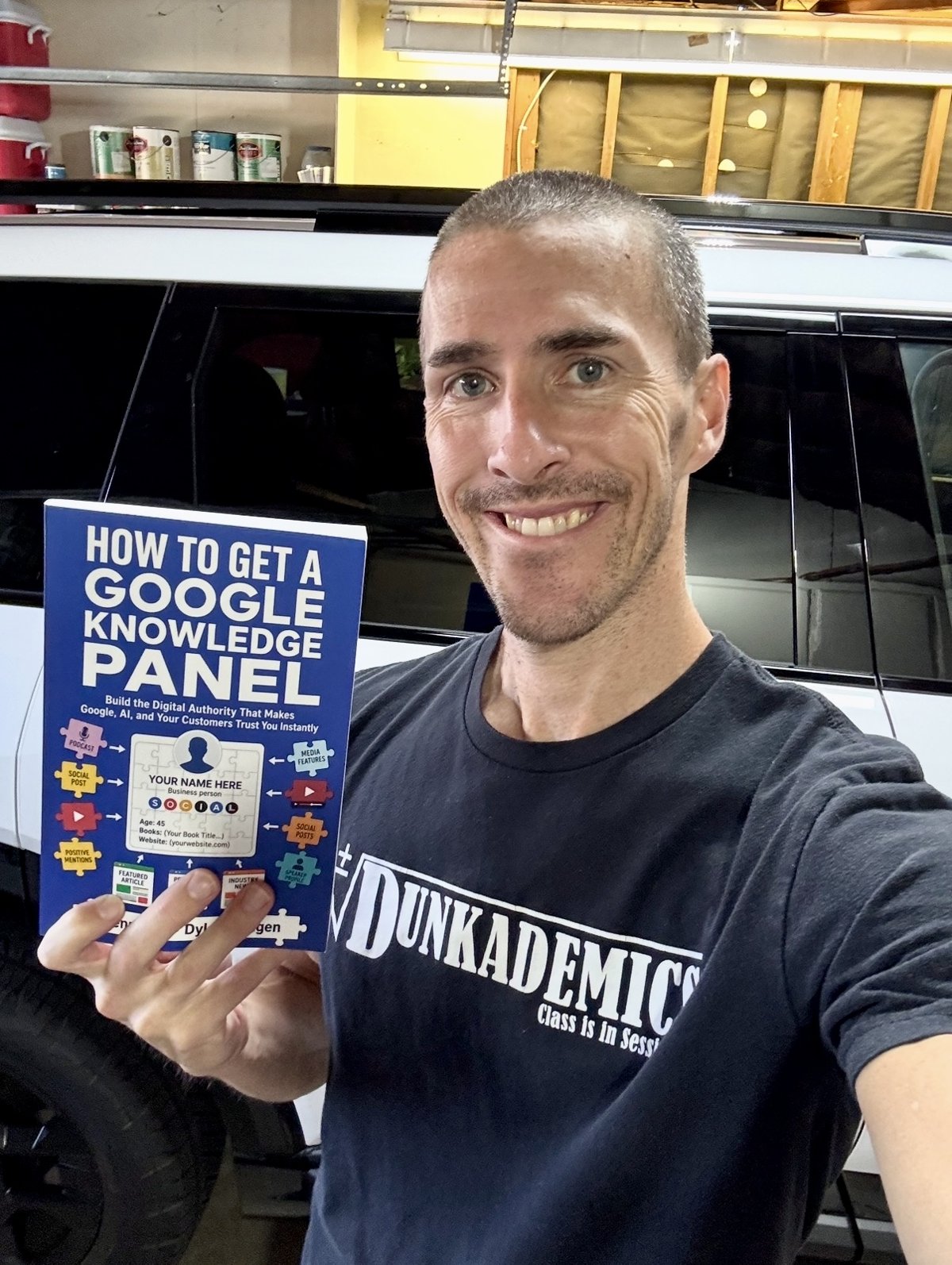
The first photos came from the dunk world. Cam Hazzard, the first DUNKMAN World Champion, held up two copies; we built his site in Cam’s personal brand build. Billy Doran, founder of Dunkademics, the slam dunk platform he started in 2011, took his the same day.
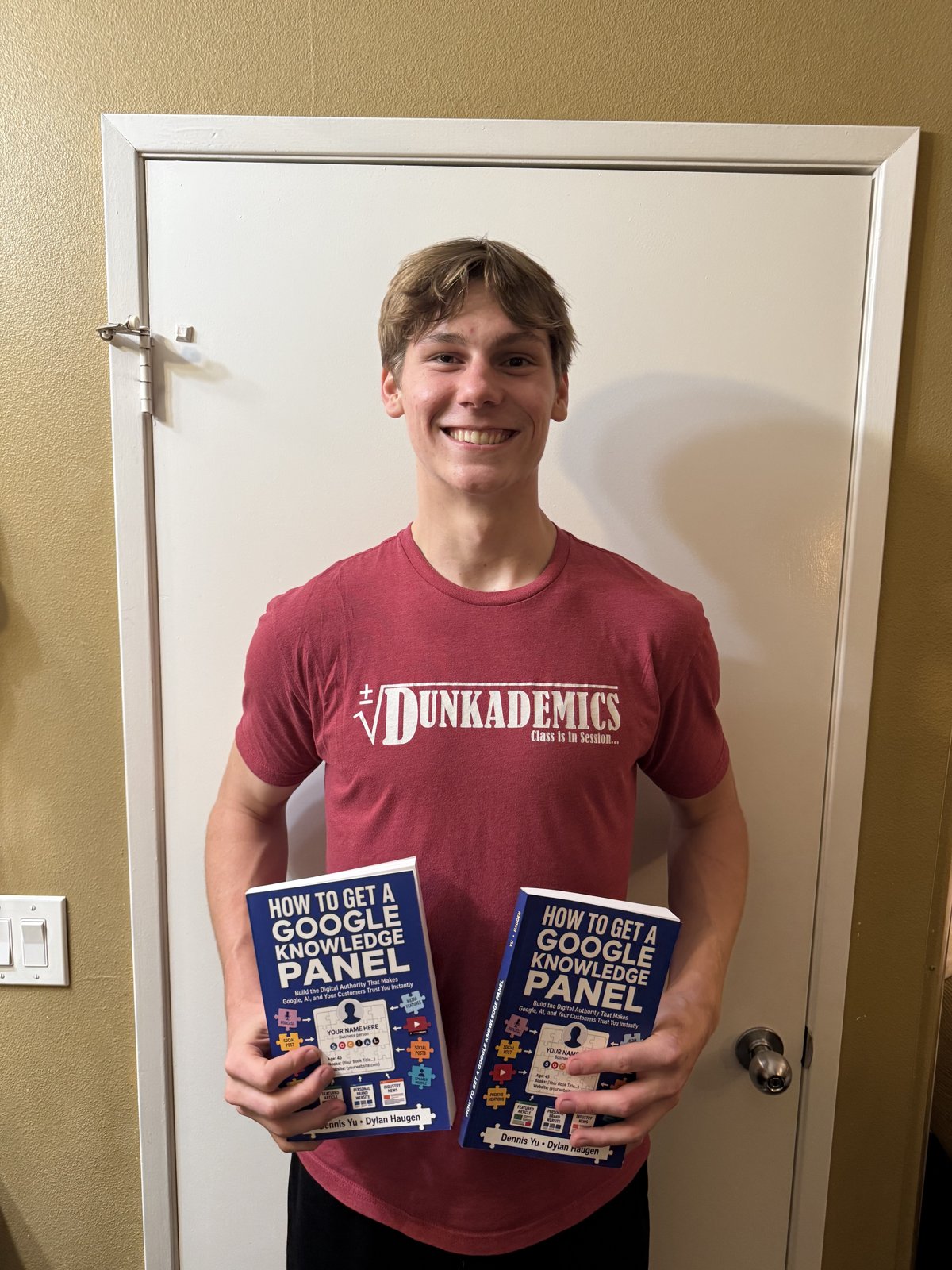
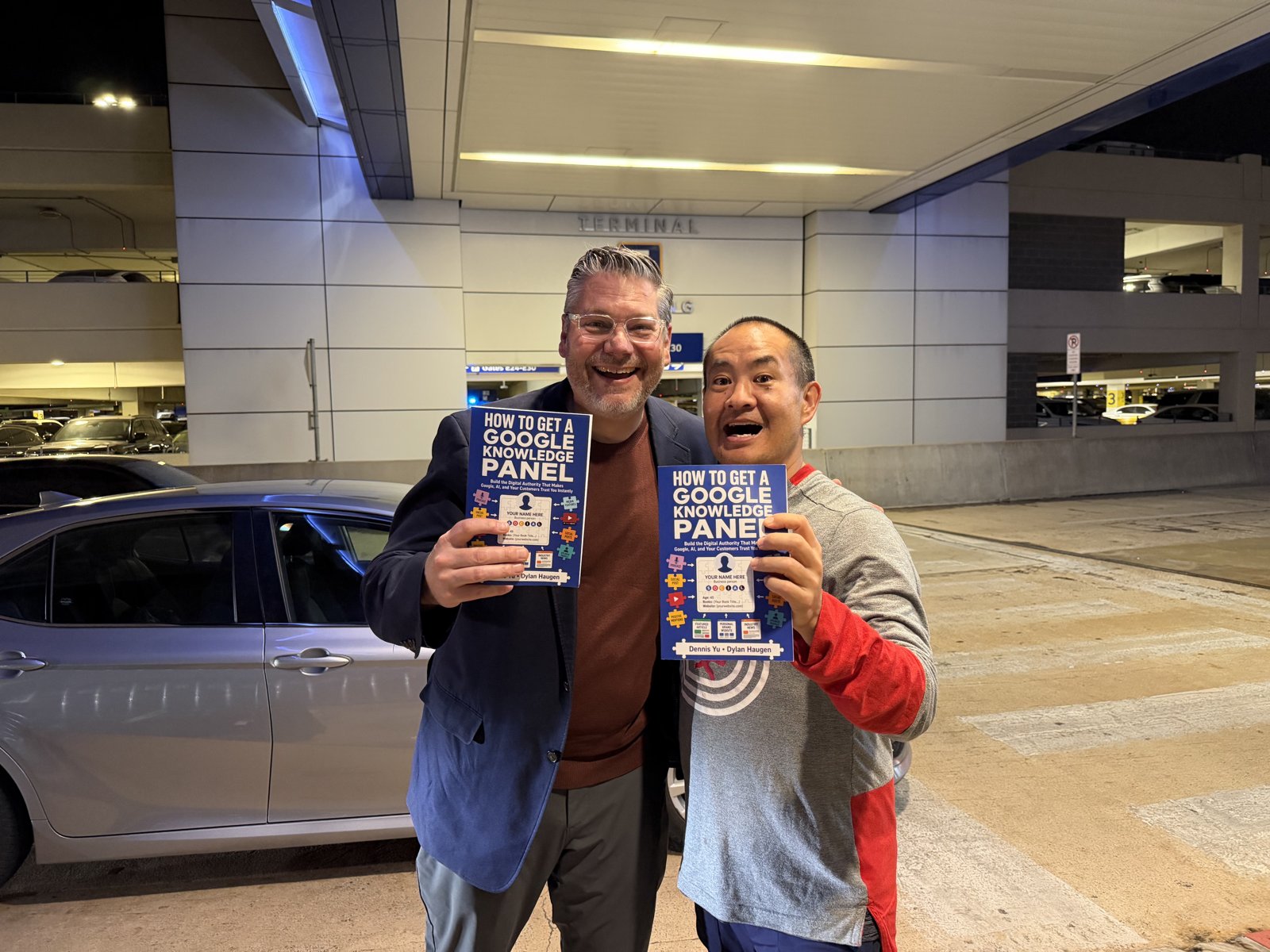
Then Cam’s dad, Pete Hazzard, a conductor, author, and leadership speaker we work with, met Dennis at the airport, and both of them held up a copy. Dennis sent the full-resolution originals so we could replace the small version we had first.
We also hit a snag here. The first 132 author copies arrived with the old back cover, printed before we added the password line. Amazon’s KDP support agreed the printer had used an outdated file, apologized, told the print unit, and approved a refund for the defective copies. We held off on reordering until the refund amounts were known and the last copies showed whether the printer had fixed the file.
Step 8: Fix What Breaks After Launch
Launch QA doesn’t end at launch. Three things broke in the weeks after, and none of them came from the book.
A reader used the password from the back cover and hit “page not found.”
Our agent traced it: Dennis had moved the site to static hosting overnight to get off WordPress, and the password form posted to a WordPress endpoint that no longer existed. The skill pack download was also blocked.
Dennis’s own agent rerouted the password pages to WordPress that morning and fixed the downloads that afternoon, and our agent re-verified the unlock, the PDF, and the skill pack that evening. The reader had a direct link to the PDF within hours.
Dennis couldn’t find the book in his Author Central account, which looked like a publishing error. It wasn’t. KDP had listed him as the primary author on both editions from the start, and the book now shows on Dennis’s Amazon author page.
The third was the big one. Someone uploaded an early draft of our book to Google Play Books under his own name and imprint. Getting a pirated book off Google turned out to be a project of its own, so it gets its own article: what to do when your book is pirated on Google Play, with what we filed, what Google said, and the post-launch checklist every author should run. Our Amazon editions were never affected.
How We Know It Worked
Four signals, all checked on the source screens:
- Badges: #1 New Release in Content Management and #1 Best Seller in Content Management Systems, both captured and filed.
- Sales: 24 units all time, 16 Kindle and 8 paperback, up from one when the first weekly report went out.
- Rank holding: the Kindle edition sits at #2 in Content Management Systems and the paperback at #6 in Content Management, with the five-star review showing on both.
- Ads paying in rank: the first ad-driven sales lifted the Kindle edition from #5 back to #2.
What hasn’t worked yet is just as clear. The companion page shows zero organic keywords and zero organic traffic in Ahrefs, and nothing we’ve done so far sends paid traffic to it. That is the gap the next phase closes.
Critical Decisions
Holding the weekly report until something was running. The alternative was a Friday report every week from launch. It would have been mostly zeros and excuses, and it would have trained the team to skim it. Waiting meant the first report had a real test in it.
One variable per test. Six cuts, one budget, one audience, one date range. If we had tested a new audience at the same time, the captions finding would not exist.
Calling the YouTube test at the end, not the start. The first-day leader lost. A team that had cut spend to the “winner” on day two would be running the wrong video now.
Owning the keyword mistake and switching the bidding. The keyword list looked right on paper and had no search volume. Rather than raise bids on dead terms and call it optimization, we added broad terms with real volume and let Amazon bid up and down. The first ad sales came within a day.
Accepting negative return on Kindle ads. At $1.99 the ads will never pay for themselves in royalties. We judge them on rank and visibility, because the book’s return comes from the founders who read it and hire us.
Waiting on the reprint. Reordering right away would have meant paying for another batch before knowing whether the printer had fixed the file or how much of the first order would come back.
Effort and Cost Comparison
Agent cost uses Claude Opus 4.6 pricing ($5 per million input tokens, $25 per million output) on an estimated 3.2 million input and 250,000 output tokens across the post-launch sessions. Human cost uses $35 an hour.
| Task | Agent time | Human time | Agent cost | Human cost ($35/hr) |
|---|---|---|---|---|
| Weekly MAA reports (4), data pulls and drafting | ~2 hrs | 8-12 hrs | $5.00 | $280-$420 |
| YouTube test setup, monitoring, final read | ~1 hr | 3-5 hrs | $2.50 | $105-$175 |
| Social captions (24) and cross-post plan | ~20 min | 2-3 hrs | $1.00 | $70-$105 |
| Amazon ads build, rebuild, diagnosis, fixes | ~2 hrs | 5-8 hrs | $5.50 | $175-$280 |
| Proof capture: screenshots, conversion, naming, Drive | ~1 hr | 3-4 hrs | $2.25 | $105-$140 |
| Post-launch fixes (download gate, KDP refund, Author Central) | ~1.5 hrs | 4-6 hrs | $3.50 | $140-$210 |
| Daily logs and project record | ~45 min | 3-4 hrs | $2.50 | $105-$140 |
| Total | ~8.5 hrs | 28-42 hrs | $22.25 | $980-$1,470 |
Ad spend is separate: $41.97 on YouTube and $15.94 on Amazon so far. The cost that mattered most was neither. It was the hours Dennis and I didn’t spend clicking through ad consoles, which went into decisions instead.
What the Agent Handled vs What Needed a Human
The agent handled: pulling every metric from KDP Reports, YouTube Studio, Amazon Ads, and the Amazon product pages; drafting four weekly reports; building, diagnosing, and fixing both Amazon campaigns; writing 24 social captions; converting, outlining, and naming every screenshot; organizing the Drive folders; tracing the broken download to the static-hosting change; checking each ads invoice against the company card; drafting every Basecamp post and support email; and keeping the daily project log current.
A human handled: every approval to spend money or change a live campaign; creating accounts and entering passwords and card details; posting every Basecamp update and social post; taking the screenshots on our own phones and dragging files into Drive; pricing and category decisions; handing out books and taking photos; and the judgment calls the agent got wrong, like the keyword list.
Information Ingestion Inventory
- Daily project logs read and written: 25
- Weekly MAA reports drafted: 4
- Basecamp thread for the book: every post since launch
- Dennis’s 16-page funnel playbook, checked item by item
- Data sources pulled weekly: KDP Reports (orders, page reads, royalties), YouTube Studio Promotions, Amazon Ads Campaign Manager, Amazon product pages, Ahrefs
- Screenshots processed: 15 (7 New Release, 8 Best Seller), plus 4 photos with the book
- BlitzMetrics articles reviewed for structure and links: 8
- Estimated tokens: 3.2 million input and 250,000 output
Guidelines Compliance Scorecard
| BlitzMetrics guideline | Status | Notes |
|---|---|---|
| Hook opens with specific situation | PASS | Opens with the book, the result, and the scope |
| Answer in first paragraph | PASS | States the result in the first sentence |
| Written in the figurehead’s voice | PASS | First person, Dylan |
| Short paragraphs (3-5 lines) | PASS | |
| Active voice | PASS | |
| No AI fluff phrases | PASS | Checked against the banned list; no em dashes |
| Title under 60 characters | PASS | 54 characters |
| H2/H3 structure without heading abuse | PASS | H3s only inside the Amazon ads section |
| Internal links to BlitzMetrics content | PASS | 8 BlitzMetrics links, no duplicates |
| Entity links follow the decision tree | PASS | People to their own sites; methods to BlitzMetrics articles |
| Parent definitive article linked | PASS | Dollar a Day strategy, linked early |
| Source video embedded | PASS | Winning Promo 2 b-roll short in Step 2 |
| Featured image from real work | PASS | #1 Best Seller screenshot |
| RankMath configured | PASS | Focus keyword, title, and description set |
| No stock images | PASS | Screenshots and real photos only |
| Categories and tags | PASS | Content Factory; five tags |
| Anchor text 3-6 words, descriptive | PASS | |
| Evergreen | PARTIAL | No calendar dates in the body; living article by design, numbers updated as the campaign runs |
| Specific CTA | PASS | Get the book through the companion page |
How This Connects to the Bigger Picture
The book is the do-it-yourself version of what we do for clients, and every piece of this campaign doubles as an entity signal for the people behind it. Dennis and I now have a book with an ISBN, Amazon author pages that list it (my Amazon author page is the other one), and a “#1 Best Seller” badge we can show.
Those are exactly the corroborating sources the book tells readers to build, and they feed the same Knowledge Panel methodology for contractors we use with clients. Google and AI assistants trust a person more when several independent sources agree about who they are, and a published book with a real ISBN is one of the strongest. Every photo with the book adds one more real, named person connected to it.
We are also adding our own edition to Google Books through Google’s publisher program, using the paperback’s ISBN, so Google has an official record of the book from its authors. Staying out of KDP Select is what made that possible.
The campaign also produced reusable assets: a winning video cut, an Amazon ads setup that works inside the author account, a screenshot and naming system for milestones, and a weekly report format. The next book uses all of them on day one.
Several pieces are not done yet, and I want to be clear about which:
- The companion page doesn’t show the badges or the photos yet. A Recognition section and a People with the Book section are next.
- The YouTube traffic test hasn’t launched. Promo 2 b-roll goes to the book page as a video campaign with UTM links at $10 a day for two weeks, a third of the $30 a day in Dennis’s playbook, so we can finally measure cost per visitor instead of cost per view.
- The capture stage from Dennis’s playbook doesn’t exist yet: a Fast-Start Kit, an application with a Knowledge Panel pre-check, and a booking calendar. Until it does, even perfect traffic stops at the book page.
- Our Google Books edition is in Google’s review.
What We’re Doing Next
We are shifting the Amazon keyword budget into the automatic campaign that is actually selling, launching the YouTube traffic test, and adding the proof to the book page. Each Friday’s report decides what changes the following week, and this article gets updated with what we learn.
If you want the playbook behind all of this, get the Knowledge Panel book on Amazon. The password on the back cover opens the free PDF and the skill pack, so your AI agent can run the playbook with you.
Originally published .
Dylan Haugen
Dylan Haugen is a professional dunker, content creator, and editor at the Content Factory, where he transforms podcasts and interviews into strategic brand assets. He collaborates with Dennis Yu to support young entrepreneurs and business owners in building their personal brands through education, transparency, and effective content marketing. As the host of the Dunk Talk podcast and a dedicated advocate for establishing dunking as a recognized sport, Dylan combines athletic expertise, storytelling, and digital strategy to help elevate the next generation of creators.