
 by
by
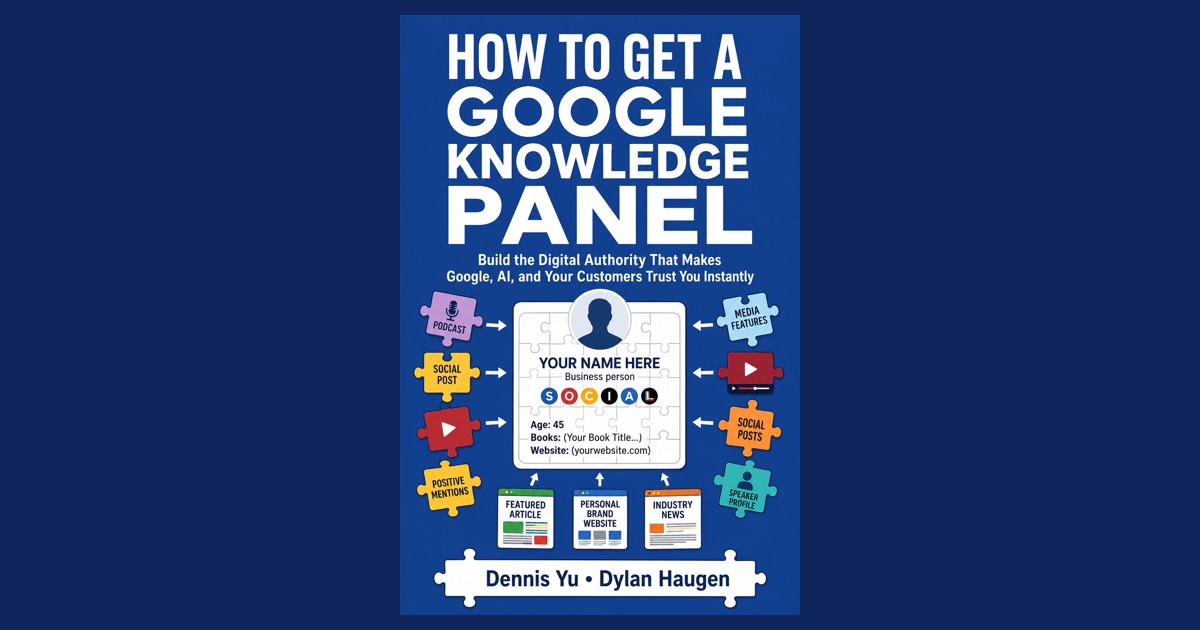
How to Get a Google Knowledge Panel by Dennis Yu and Dylan Haugen is out: a paperback and a Kindle edition on Amazon, a companion page at Local Service Spotlight with the full PDF and a free agent skill pack behind a light password, six launch videos, and Amazon author pages for Dylan and Dennis. A Claude agent ran the keyboard for the launch and the two of us made the decisions. This article is about getting the book out there and wiring it into the business, not about writing it: the listing, the landing page, the password gate, what a reader does after they scan the cover, the one mistake that forced us to cancel and reprint 200 copies, and what it cost against a human doing the same work.
This is the third meta article on the book. The first, 606 days stuck, one session to ship, covers how the manuscript got finished. The second, how we got the book print-ready, covers the typesetting, the print build, and the final QA. This one starts where those end. The methodology the book teaches is laid out in Google Knowledge Panels for contractors, and the process for writing articles like this one is the meta-article prompt template.
What the Book Is For
The book is the do-it-yourself version of the work Local Service Spotlight does for clients. Eighteen chapters walk a founder from how Google decides who they are, through the Social Amplification Engine, to triggering, claiming, and keeping a Knowledge Panel, and then ranking in ChatGPT and Gemini. Every chapter ends with a “hand this to your agent” box, and every chapter maps to a skill in the free Business Authority Agent Skill Pack. The point of the launch was to make that loop actually work in a reader’s hands: buy or borrow the book, scan the QR code on the back, enter the password printed next to it, download the PDF and the skill pack, and let Claude, Grok, or ChatGPT run the playbook on their business.
For founders who read it and decide they would rather not do it themselves, the same page points to the done-for-you options: the Knowledge Panel Package, where the team works until the panel is live, and Cloud AI Setup, where we install the agent system on the founder’s own accounts and train their team. The book is free on purpose. The knowledge was never the product; the hours are.
The Launch Task
The assignment was everything between “the PDF is done” and “a reader can use it.” In scope: submit the paperback and Kindle to Amazon KDP on Dylan’s account, pick the interior and pricing, write listing copy that did not read like a robot, order a proof, order 200 author copies on Dennis’s company card, rebuild the companion page around the final file, gate the free PDF and skill pack behind a light password, publish the launch videos with matching metadata, set up Amazon Author Central, and keep the project record current in our internal knowledge base the whole way.
Out of scope: anything that needed a password typed, a card number entered, or a message sent under Dylan’s name. The agent drafted every Basecamp post and email; Dylan posted them.
Source Material Ingestion
The agent worked from the project’s own record: the two Basecamp threads for the book, Dennis’s directives as they landed (color interior, the pricing ladder, “light password, Amazon buttons lead,” “100 to Ophir Dr and 100 to Dylan”), the final 225 page interior PDF, the cover build script, the EPUB, the KDP submission log kept from day one, and Dylan’s physical inspection notes on the proof copy. Amazon’s own emails were the second source: order confirmations, two fraud holds, two payment declines, KDP “published” and “live in the Kindle Store” notices, and the Author Central verification.
Dennis’s instruction on the gate set the constraint that shaped the second half of the launch: a light password on the PDF and skill pack, not a buyer-only lock, with the Amazon buttons leading on the page. Dylan’s reaction when the agent proposed putting the password on the locked page itself set the other constraint:
This is stupid, we put a password on it, and now we’re putting the password on the locked page.
Initial Build: KDP, Listing Copy, Companion Page
The paperback went up first: 6×9, standard color interior on white paper, matte cover, free KDP ISBN, $14.99 list against a $6.74 print cost. The Kindle followed at $1.99 with Dennis’s plan to raise it later. Both listings share seven keywords (google knowledge panel, personal branding for business owners, entity SEO, local service business marketing, get recommended by ChatGPT, digital authority, show up on Google search) and three categories each, with Search Engine Optimization on the paperback.
The first listing description contained the line “This is not theory,” which Dylan flagged as the kind of sentence a model writes when it is trying to sound confident. The agent rewrote both descriptions in the voice of the back cover, stripped every em dash, and pushed the copy through KDP’s CKEditor field. Amazon’s text editor swallowed a select-all-and-type, leaving the tail of the old copy behind, so the reliable path turned out to be setting the editor’s content directly through its own API rather than simulating keystrokes.
The companion page was rebuilt around the final file: Amazon paperback and Kindle buttons first, then the free PDF and skill pack as secondary buttons, then the stat line, then the two free checks (the Knowledge Graph Explorer and the Quick Audit) and the three done-for-you packages. That page is what the QR code on the back cover encodes, which turned out to matter a great deal.
The Reader’s Path After the Scan
Everything on the page is built around one sequence. A reader scans the QR on the back cover and lands on the companion page. They click Download the free PDF, type the password printed next to the QR, and get the full interactive edition. They click Install the companion skill pack and get the Business Authority Agent Skill Pack, ten skills that match the chapters. Then they paste the prompt on the page into Claude: read the book with me chapter by chapter, install the matching skill, run it on my business using only facts from my brand brain, send me an end-of-day report.
That is the whole reason the book exists in print. A paperback on a founder’s desk is the entry point; the agent doing the work is the outcome. The Kindle edition follows the same path with the password on the last page of the Conclusion instead of the back cover.
The Password Gate
The gate is WordPress’s built-in post password on two pages: a Book Downloads page holding the PDF and skill pack buttons, and the skill pack’s own page. Same password on both, so one unlock cookie opens both for about ten days. The agent styled the default password form to match the site and added a hint above it.
The first password was a word from the book’s Conclusion, with a hint telling readers where to find it. Dylan killed that as too complicated. The replacement was a plain word Dylan chose, and the hint on the book page now reads: “The download password is printed on the back cover of the paperback, next to the QR code, and on the last page of the Conclusion in the Kindle edition.” The word itself never appears on the web, in a video description, or in a comment.
The QA Marathon: Real Bugs and the Fixes
The QR code pointed at a page the buyer could not open
Symptom: The two 100-copy author orders were placed, the gate was live, and then the obvious problem surfaced: the printed cover said “scan for the free digital edition,” the QR landed on the public book page, and the page now asked for a password the buyer had no way to know.
Cause: The gate was designed after the cover. The cover was already at the printer.
Fix: Dylan rejected insert cards (“super annoying”), an email gate (“we don’t want people’s emails”), and printing the password on the locked page. The decision was to cancel both orders, add “Password: [word]” to the QR caption band in the cover build script, rebuild the wrap, re-upload the cover, republish, and reorder. Dylan’s order cancelled instantly. Dennis’s was already “preparing to ship,” so Amazon accepted it as a cancellation request and confirmed by email ten minutes later. Both were uncharged. The new cover was live the same evening and the reorders went in that night. Net delay: two days on the delivery window.
The Kindle free sample would have leaked the password
Symptom: The first EPUB patch put the password on the copyright page, page two of the book.
Cause: Kindle’s “Read sample” exposes roughly the first ten percent of an ebook, which includes the copyright page. Anyone could open the sample and take the password without buying.
Fix: Moved the line to the last paragraph of the Conclusion, where the book already sends readers to the companion page, and removed it from the copyright page. The same pass caught one surviving em dash on the copyright page. EPUBCheck: zero errors, zero warnings. The site hint was updated to point Kindle readers to the Conclusion.
Amazon flagged the author-copy orders as fraud, twice
Symptom: Ordering author copies on Dennis’s company card from Dylan’s Amazon account triggered “unusual payment activity” and locked the account, first on the single proof copy, then again five minutes after the 100-copy reorder. Separately, Chase declined both large charges on their side.
Cause: The card name (MR D S YU) did not match the account holder, and a card had been removed from the wallet the same day. Two different systems, two different triggers.
Fix: For the Amazon hold, the verification form is reached from the banner on amazon.com, the billing address must be the card’s (not the ship-to), and Amazon accepts a photo of the physical card with everything but the name and last four covered. Dylan cleared the second hold from his phone in five minutes. For the Chase decline, Dennis confirmed the charge in his banking app and Amazon auto-retried within the hour; no reorder was needed either time, and reordering would have created a duplicate 100 copies. All of this is now in the publishing playbook so the next book does not relearn it.
Duplicate buttons from a hung WordPress save
Symptom: The companion page hero showed two sets of Amazon buttons.
Cause: The site’s host lets wp-admin POST requests hang for minutes and then commit. The agent’s replace-and-save ran twice while the first save looked dead, and a tab with hung requests jams every later request in that tab.
Fix: Rebuilt the hero block from scratch instead of patching, verified through the public REST endpoint rather than the editor, and adopted a rule: when a save hangs, open a fresh tab, never resubmit in the jammed one.
YouTube Studio reported a save it had not made
Symptom: After setting a Short to Public and clicking Save, the visibility badge read Public but the Save button was still active. On one video a pinned comment got posted twice.
Cause: Studio’s visibility dialog and its Save button are two separate commits. Closing the dialog updates the badge locally; Save has to be clicked again after the dialog closes. The type action on the comment box succeeds before the page has finished handling the previous submit.
Fix: Click Save, wait, click Save again until it greys out, then verify with a fresh read of the page text. Delete the duplicate comment, keep the pinned one. Six videos, six descriptions, six pinned comments, all verified on the public watch pages.
Author Central looked broken and was just waiting
Symptom: After joining Author Central and claiming the book, the Add photo button was disabled, the custom URL form returned “something went wrong,” and the Books tab spun forever.
Cause: The site’s own API showed the claim in a pending state and the author record with no page ASIN yet. Amazon had not provisioned the public author page. Nothing in the browser was wrong.
Fix: Wait. Amazon verified the account three days later. After that, the photo uploaded through the page’s file input, the custom URL amazon.com/author/dylanhaugen was created in one try, both editions were linked, and two stray titles by other people with the same name that had auto-attached during the pending window dropped off on their own. Dennis already had an author page from an earlier book; adding this one to it is a two-minute job on his own login, since Author Central is tied to one Amazon account per author.
Critical Decisions With Rationale
Print the password on the back cover instead of gating by proof of purchase. Dennis wanted a light gate, not DRM. The options were an insert card in every copy, an email gate on the page, a word hidden in the text, or the password printed next to the QR code. Cards are a manual step on every order. Email capture was explicitly rejected. The hidden word failed the “explain it in one sentence” test. Printing it on the cover means the buyer and the web visitor land on the same page and the buyer has the word in their hand. It also means the word is not on the web, because Amazon only shows the front cover.
Cancel and reprint rather than ship the old cover. Two hundred copies with a QR code that leads to a locked page is a bad first impression for every person Dennis hands a book to. The cost of cancelling was two days. The cost of shipping was 200 confused readers and a support problem.
Order one proof before ordering 200. Dennis asked for 200 on day one. Dylan chose to order a single expedited copy first. The proof surfaced the fraud-hold process, confirmed color rendering and QR scanning on paper, and turned up the print line and slight show-through before the bulk order existed.
Amazon buttons lead on the companion page even though the PDF is free. Dylan’s concern was “why would anyone buy the book when they can download it free.” The answer is that the book is the front door to the packages, not the product. Paperback and Kindle sit first because a physical book on a desk is a better authority signal than a PDF, the free download stays because the knowledge was never the thing being sold, and the packages sit at the bottom of the same page for the reader who gets to the end and wants it done for them.
Six video cuts, one description, one pinned comment. Two scripts, three edits each (raw, b-roll plus overlays, b-roll plus overlays plus captions). Titles differ per cut so the test can tell them apart; description and pinned comment are identical so the only variable is the edit. Views first, then website visits on the winner.
Write the launch state as one fact sheet, not a thread. By the end, ASINs, prices, order numbers, page IDs, the password policy, and video IDs lived in one file that the weekly reporting desk reads first. Every other record points at it.
Effort and Cost Comparison
| Task | Agent Time | Human Time | Agent Cost | Human Cost ($50/hr blended) |
|---|---|---|---|---|
| KDP paperback + Kindle submission, pricing, categories, keywords | ~1.5 hours | 6–10 hours | $1.50 | $300–$500 |
| Listing copy rewrite (de-AI, no em dashes) on both formats | ~30 min | 2–3 hours | $0.40 | $100–$150 |
| Companion page rebuild + password gate + site hints | ~2 hours | 6–8 hours | $2.00 | $300–$400 |
| Cover rebuild, EPUB patch, EPUBCheck, KDP re-upload, republish | ~1 hour | 3–5 hours | $1.00 | $150–$250 |
| Author-copy orders, cancellations, fraud holds, order verification | ~1.5 hours | 3–4 hours | $1.20 | $150–$200 |
| Six Shorts: descriptions, visibility, pinned comments, verification | ~1 hour | 2–3 hours | $0.90 | $100–$150 |
| Author Central: claim, bio, photo, URL | ~45 min | 1–2 hours | $0.60 | $50–$100 |
| Basecamp updates, email drafts, EOD reports | ~1 hour | 3–4 hours | $0.90 | $150–$200 |
| Knowledge base: submission log, fact sheet, playbook, video table, desk handoff | ~2 hours | 5–8 hours | $2.00 | $250–$400 |
| Site-wide polish (header, page titles, contrast, centering) | ~1.5 hours | 6–10 hours | $1.50 | $300–$500 |
| TOTAL | ~13 hours | 37–57 hours | ~$12.00 | $1,850–$2,850 |
The agent cost is the token cost across the launch thread at Claude Sonnet’s published rates ($3 per million input, $15 per million output), on roughly 2.5 million input tokens and 300 thousand output tokens. The human cost is a blended $50 per hour covering publishing operations, WordPress work, copywriting, and project management. The ratio is roughly 150x to 240x cheaper. That understates the human side, because the fraud-hold process and the KDP re-upload flow each cost a first-time human a wasted afternoon that the playbook now skips.
What the Agent Handled vs What Needed a Human
Agent handled autonomously: the full KDP submission walk for both formats, pricing math, category and keyword selection, listing copy rewrite, the CKEditor workaround, companion page rebuild through the WordPress REST API and editor data store, the password gate and its styling, the cover script change and 225-page wrap rebuild, the EPUB patch and validation, KDP previewer approval, republish on both formats, author-copy orders through checkout up to the address and card already on file, order cancellations, reading and interpreting every Amazon and Chase email, video descriptions and visibility on six Shorts, posting and pinning comments, Author Central bio and photo and URL, every Basecamp and email draft, and the entire knowledge-base record including a handoff brief for the reporting desk that now runs the weekly numbers.
Required human input: every Amazon and KDP password prompt (several; sessions expire mid-task), uploading files through native file pickers where the browser extension could not, submitting the fraud-verification form and photographing the card, choosing the password, the cancel-and-reprint call, approving the cover before re-upload, posting every Basecamp update, confirming Dennis’s shipping address by text, clearing the Chase declines (Dennis), and the Google Ads access the video test is still waiting on.
Information Ingestion Inventory
- Basecamp threads read end to end: 2 (the original book thread and its continuation)
- Amazon, KDP, Chase, and Author Central emails read and acted on: ~20
- Internal project documents read or updated: ~12 (submission log, fact sheet, playbook, video table, desk instructions, task lists, EOD reports)
- KDP and Amazon admin pages navigated: ~60
- WordPress pages edited: 3 book pages plus 13 site pages in the polish pass
- YouTube Studio videos edited and verified: 6
- Cover rebuilds: 2 (223 and 225 pages) plus the password edition
- EPUB validations: 3, all clean
- Amazon orders placed: 4, cancelled: 2, fraud holds cleared: 2
- Named decisions made: 6 (documented above)
- Named bugs caught and fixed: 6 (documented above)
- Estimated total tokens: ~2.5M input, ~300K output across the launch thread
Guidelines Compliance Scorecard
| BlitzMetrics Guideline | Status | Notes |
|---|---|---|
| Hook opens with specific person/situation | PASS | Book, authors, and outcome in the first sentence |
| Answer in first paragraph | PASS | Scope and the reprint mistake stated up front |
| Short paragraphs (3–5 lines max) | PASS | |
| Active voice throughout | PASS | |
| No AI fluff phrases | PASS | Checked against the banned list |
| Title under 60 chars / 13 words | PASS | 11 words |
| H2/H3 structure without heading abuse | PASS | H3 only in the QA section |
| 2–3 internal links to BlitzMetrics content | PASS | Parent, sibling, template, playbook articles |
| Cross link to sibling meta articles | PASS | 606 Days Stuck linked in paragraph two |
| Entity links follow the decision tree | PASS | Book to LSS, author page to Amazon, everything else to BlitzMetrics |
| Source video embedded at top | NEEDS HUMAN | The six launch Shorts are linked; embed one if wanted |
| Featured image | PASS | Front cover render; the back cover is not used anywhere on the web because it carries the password |
| RankMath SEO configured | PASS | Set via REST at publish |
| Author byline set to Dylan Haugen | PASS | Author ID 294 |
| No stock images | PASS | Cover render and diagrams only |
| Categories and tags set | PASS | Content Factory, AI Builder |
| Anchor text 3–6 words and descriptive | PASS | |
| No keyword stuffing | PASS | |
| Evergreen content | PASS | No dates in the body; the process is the content |
| Specific CTA tied to article content | PASS | Closing paragraph |
Why This Creates Specific Value for Readers of the Book
A reader who buys the paperback gets a book whose QR code works, whose password is in their hand, and whose companion page hands them the full PDF and a skill pack their AI agent can run. A reader who finds the book on Amazon sees two linked editions, an author page with a face and a bio, and a listing written by people rather than a template. A reader who searches either author’s name now finds the book attached to a verified author entity, which is the same Knowledge Panel signal the book teaches.
Why This Creates Value for BlitzMetrics
This is the second half of a repeatable book pipeline. The first meta article proved an agent can finish a stuck manuscript. This one proves it can carry the book through Amazon’s publishing, ordering, fraud, and author systems, recover from a printed mistake in one day, and leave a playbook behind. Two more books are in private review right now. At roughly $12 of tokens per launch against a two-thousand-dollar human equivalent, publishing a book becomes a normal Content Factory deliverable rather than a project, which is the price point that makes it worth offering to the founders we build personal brands for.
The Build Pattern
The pattern is the one the book itself teaches: put the proof where the machines and the people can both verify it. Amazon listings, two author pages, a companion page, and a printed cover all pointing at the same entity, with the launch record kept in one place so the next launch starts from the playbook instead of from memory. The thinking behind that is in the Marketing Mechanic episode on entity trust. If you want to see the result, buy the paperback or the Kindle edition linked at the top, scan the back cover, and hand the skill pack to your agent. If you would rather have it done, the Knowledge Panel Package and Cloud AI Setup are linked above. The sibling case, covering the manuscript instead of the launch, is the 606 Days Stuck article in paragraph two.
What happened next, from the first sale to #1 Best Seller in Content Management Systems, is in how we took the book to #1: the YouTube video tests, the Amazon ads we had to build twice, the proof capture, and what broke after launch.
Originally published .
Dylan Haugen
Dylan Haugen is a professional dunker, content creator, and editor at the Content Factory, where he transforms podcasts and interviews into strategic brand assets. He collaborates with Dennis Yu to support young entrepreneurs and business owners in building their personal brands through education, transparency, and effective content marketing. As the host of the Dunk Talk podcast and a dedicated advocate for establishing dunking as a recognized sport, Dylan combines athletic expertise, storytelling, and digital strategy to help elevate the next generation of creators.