
 by
by
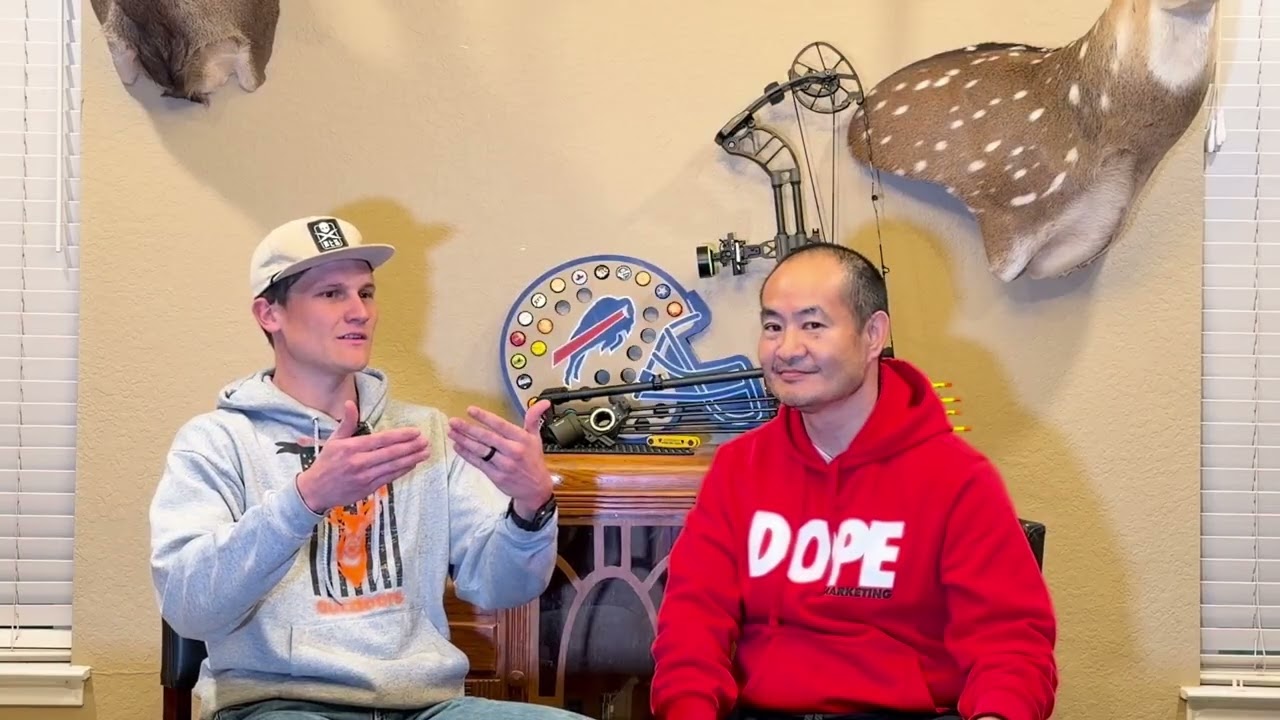
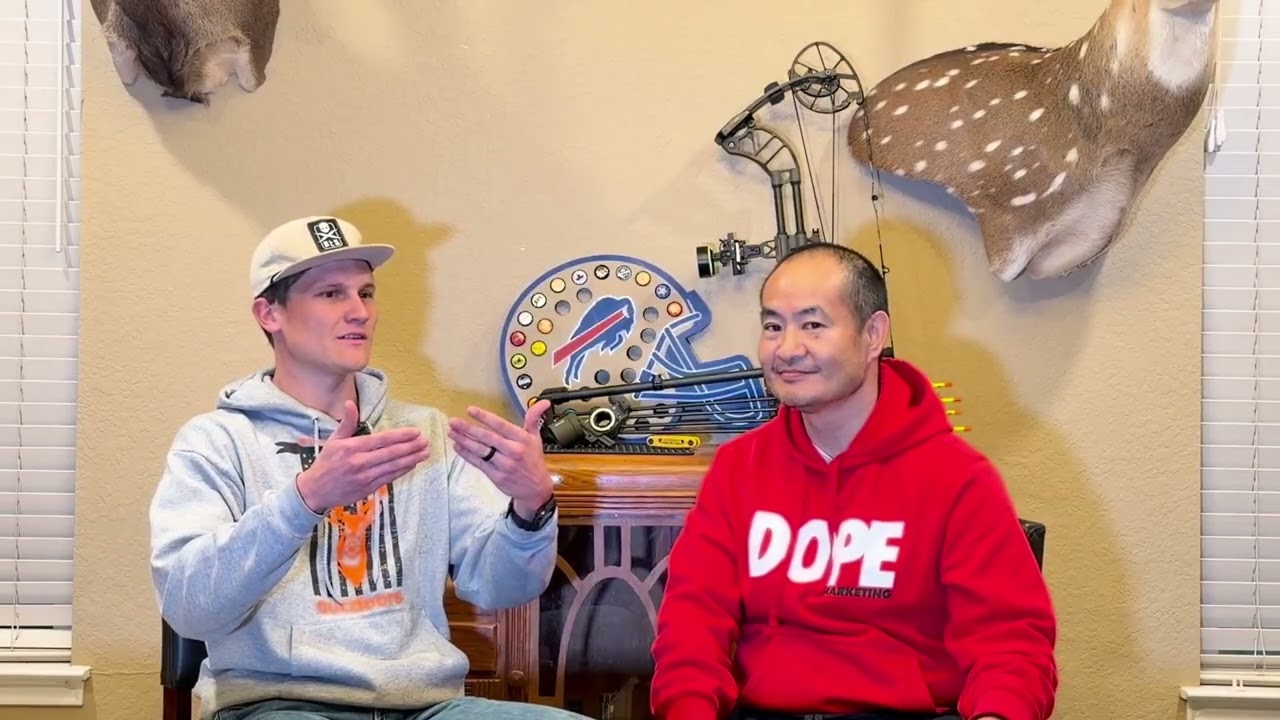
Most personal brand website builds on BlitzMetrics follow the same script: fresh WordPress install, Astra theme, Elementor, an agent drops in copy and schema, everything goes live through the REST API in under four hours. For KirtBox.com — the personal brand site of sponsored bow hunter and Army veteran Kirt Box — the build didn’t follow the script. The hosting environment refused to pass through standard WordPress authentication, Elementor was silently overriding every REST update we made, and Rank Math’s schema UI wasn’t exposed over REST at all.
Instead of fighting the host, we pivoted to a browser-driven publishing flow using Claude in Chrome, cookie-and-nonce authentication inside a logged-in admin session, and a small helper library we installed into the window object. The result: 32 posts, 3 pages, a full Person schema, and a working cross-link graph — all shipped and verified live. This is the build log, the workarounds, and the playbook for the next build that hits the same wall.
TL;DR
Built KirtBox.com from a pre-generated bundle (32 posts + 3 pages + Person schema) in a single Cowork session. The .htaccess Application Password fix didn’t unblock auth on the Caddy-hosted origin, so we shipped everything through wp.apiFetch inside a logged-in Claude-in-Chrome tab. Five discrete workarounds were needed along the way — each is documented below so the next build can copy the pattern.
Strategy: Entity-First Personal Branding for a Sponsored Athlete
Google’s Knowledge Graph depends on entities — people, organizations, and the verifiable connections between them. For Kirt Box, those connections are concrete and commercially valuable: he is a sponsored archer for Victory Archery, a sponsored content creator for Moultrie Mobile, Black Flag Nootropics, and Bow Crew Apparel, a U.S. Army veteran with deployments to Kuwait and Afghanistan, a Boeing supply chain manager, and the operator of the American Country Outdoors YouTube channel with one Short at 5M+ views.
Without a personal brand site, all of that lived in scattered third-party fragments: YouTube descriptions, an Instagram bio, a handful of sponsor posts. No authoritative hub. When Victory Archery’s brand team does a background check before signing a new contract cycle, when a podcast host researches Kirt before inviting him on, when a potential sponsor Googles “Kirt Box bow hunter” — we want the first result to be a page we control, not a forgotten forum post.
The entity hub approach declares Kirt’s identity in one place Google can crawl and link to everything else:
- Person schema (JSON-LD) — name, location, sponsors, awards, employer, birthplace, occupations, veteran status
- Connections page — explicit links to sponsors, podcast appearances, people in his corner
- Content hub — 32 long-form posts anchored around a flagship Coach Yu Show episode
- Cross-link graph — every post links to 2-3 related posts plus the flagship, so authority flows through the site rather than dead-ending
The Client
Kirt Box is a bow hunter, U.S. Army veteran, and Boeing supply chain manager based in Cibolo, Texas. He signed his first major sponsorship contract with Victory Archery in March 2026, kicking off a personal brand inflection point. His YouTube channel American Country Outdoors has several thousand subscribers and a Short at 5M+ views. He hunts whitetail, axis, blackbuck, elk, and javelina across Texas, Arizona, and Idaho. He doesn’t chase fame — he films the hunts he’s already doing and puts them out honestly.
The personal brand site needed to do four things:
- Convert his offline reputation into a verifiable, schema-marked digital hub Google can index
- Give sponsors a professional reference URL to link to when they announce or promote him
- Host the long-form companion to the YouTube content — field write-ups, gear reviews, hunt recaps
- Make the story of how he signed with Victory Archery — the centerpiece Coach Yu Show interview — the entity-anchoring flagship that everything else orbits around
Complete Site Inventory at Launch
| Asset | Count | Notes |
|---|---|---|
| Flagship post | 1 | Coach Yu Show episode — “How I Signed With Victory Archery” (~1,300 words) |
| Video-repurpose posts | 31 | One per YouTube video — hunt recaps, gear reviews, broadhead tests, trail cam reviews |
| Pages | 3 | Home, About (/about/), Connections (/connections/) |
| Person schema (JSON-LD) | 1 | Embedded on Home and About — sponsors, awards, veteran status, occupations |
| Categories + tags | ~40 | Hunts, Gear Reviews, Broadheads, Trail Cameras, Podcast, sponsor tags, species tags |
| Featured images | 32 | YouTube maxresdefault thumbnails sideloaded into WP Media Library |
| Rank Math meta descriptions | 35 | One per post and page, written to match the Rank Math 150-160 char sweet spot |
| Internal cross-links | 90+ | Every post links to 2-3 related posts plus the flagship |
Our Approach: Pre-Generated Bundle + Browser-Driven Publishing
The BlitzMetrics standard build has two halves: content generation (our agents read publicly available interviews, transcripts, and social profiles, then produce the site’s copy, schema, and cross-link graph) and publishing (we push the generated artifacts into WordPress via the REST API using Application Password authentication). For Kirt, content generation had already run — we started the session with a complete bundle on disk:
kirtbox-site-bundle/
├── posts/                   32 blog posts as ready-to-publish JSON
│   ├── flagship_coachu.json   ★ Flagship Coach Yu Show episode post
│   └── <video_id>.json        31 video repurposes (one per YouTube video)
├── pages/                   Home / About / Connections JSON
├── schema/person.json       Rank Math Person schema (Kirt's JSON-LD)
├── briefs.json              Source briefs — transcripts, durations, thumbnails
├── slug_map.json            YouTube ID → URL slug (31 canonical slugs)
├── publish_all.py           REST API publisher (run when auth unblocks)
└── README.md                Bundle overview
Each post JSON was self-contained: title, slug, excerpt, meta description, categories, tags, featured image URL, content HTML, publish date. The publishing script was a 300-line Python file using the requests library against /wp-json/wp/v2/posts with HTTP Basic auth using WordPress Application Passwords.
That’s the path that failed.
The Blocker: Caddy + .htaccess Auth Didn’t Unblock
WordPress ships with Application Passwords — per-user revocable tokens designed exactly for REST API automation. The authentication flow is HTTP Basic: Authorization: Basic <base64(user:app_pass)>. On most hosts this works out of the box. On some hosts (especially Apache configured with CGI), the Authorization header is stripped before it reaches PHP, and a one-line .htaccess rule is the standard fix:
SetEnvIf Authorization "(.*)" HTTP_AUTHORIZATION=$1
KirtBox.com runs on Caddy, not Apache. Caddy doesn’t read .htaccess. We confirmed via curl -I that the server header returned Server: Caddy, then checked the hosting config — Caddy was forwarding to PHP-FPM via FastCGI without the HTTP_AUTHORIZATION passthrough that Application Passwords require.
We could have:
- Filed a support ticket with the host asking for a Caddyfile change (slow, non-deterministic, might never resolve)
- Installed a plugin like JWT Authentication for WP REST API (new attack surface, configuration drift)
- Standing up a proxy endpoint somewhere with the header reinjected (more infrastructure than the site deserves)
Or we could use the one auth path that was already working: the logged-in admin session we used to diagnose the problem in the first place.
The Pivot: wp.apiFetch Inside a Logged-In Claude-in-Chrome Tab
Every WordPress admin page loads a global JavaScript object wp.apiFetch — the same abstraction the Block Editor, the Customizer, and Rank Math’s settings UI use to talk to the REST API. It automatically attaches the X-WP-Nonce header from the current session’s cookie, so you get fully authenticated REST access without ever needing the Authorization header that Caddy was stripping.
The pattern: Dennis logs into kirtbox.com/wp-admin once. Claude in Chrome attaches to that tab. All publishing happens through wp.apiFetch calls executed in the tab’s JavaScript context. The host doesn’t even see the requests as “API calls” — they look identical to normal admin UI traffic, because that’s exactly what they are.
Why this works on any host
Cookie + nonce authentication is part of WordPress core. It doesn’t depend on the web server passing through the Authorization header. Any host that can serve the admin dashboard can serve REST calls made from the admin dashboard. Caddy, LiteSpeed, nginx-with-fastcgi, shared hosts that strip headers — all of them work. The only prerequisite is a logged-in session.
Architecture: The Publish Loop
Here is the full publishing architecture we ended up with. Everything in the dashed box ran inside the browser tab; everything outside was the agent orchestrating and holding bundle state:
The window.KIRT Helper Library
Before the first post could go up, we installed a small helper library directly into the tab’s global scope. The goal: one-line publish calls from the agent side, reusable across all 32 posts and 3 pages, with media sideloading, term resolution, and status handling built in. The helpers stayed resident for the entire session.
window.KIRT = {};

// 1) Sideload a remote image into the Media Library
window.KIRT.sideloadMedia = async function(url, altText) {
  const blob = await fetch(url).then(r => r.blob());
  const fd = new FormData();
  fd.append('file', blob, url.split('/').pop());
  if (altText) fd.append('alt_text', altText);
  return wp.apiFetch({path: '/wp/v2/media', method: 'POST', body: fd});
};

// 2) Resolve a taxonomy term (create if missing)
window.KIRT.ensureTerm = async function(taxonomy, name) {
  const hits = await wp.apiFetch({path: `/wp/v2/${taxonomy}?search=${encodeURIComponent(name)}`});
  const match = hits.find(t => t.name.toLowerCase() === name.toLowerCase());
  if (match) return match.id;
  const created = await wp.apiFetch({
    path: `/wp/v2/${taxonomy}`, method: 'POST', data: {name}
  });
  return created.id;
};

// 3) Publish a post with categories, tags, featured image, Rank Math meta
window.KIRT.publishPost = async function(p, opts = {}) {
  const [cats, tags] = await Promise.all([
    Promise.all((p.categories || []).map(n => window.KIRT.ensureTerm('categories', n))),
    Promise.all((p.tags || []).map(n => window.KIRT.ensureTerm('tags', n)))
  ]);
  let mediaId = null;
  if (p.featured_image_url) {
    try { mediaId = await window.KIRT.sideloadMedia(p.featured_image_url, p.title); } catch (e) {}
  }
  const existing = await wp.apiFetch({
    path: `/wp/v2/posts?slug=${encodeURIComponent(p.slug)}&status=publish,draft`
  });
  const payload = {
    title: p.title, slug: p.slug, content: p.content_html,
    excerpt: p.excerpt || '', categories: cats, tags: tags,
    status: opts.status || 'publish', date: p.date,
    meta: { rank_math_description: p.meta_description || '' }
  };
  if (mediaId) payload.featured_media = mediaId;
  if (existing.length) {
    return wp.apiFetch({path: `/wp/v2/posts/${existing[0].id}`, method: 'POST', data: payload});
  }
  return wp.apiFetch({path: '/wp/v2/posts', method: 'POST', data: payload});
};
Once this block was pasted and evaluated once in the tab’s devtools console — or via the Claude in Chrome javascript_tool — every subsequent publish call was a one-liner:
await window.KIRT.publishPost(postJson, {status: 'publish'});
Workaround #1: term_exists Race Condition
On batch 1 post 4, ensureTerm threw term_exists on the Broadheads category. The issue: we were resolving categories in parallel with Promise.all, so two concurrent lookups both saw no match, both tried to create, and the second one hit WordPress’s uniqueness constraint. WordPress returns a helpful error body when this happens:
{ code: 'term_exists', message: '...', data: { status: 400, term_id: 68 } }
The term ID is right there. The fix was a two-line patch to ensureTerm:
const origEnsure = window.KIRT.ensureTerm;
window.KIRT.ensureTerm = async function(taxonomy, name) {
  try { return await origEnsure(taxonomy, name); }
  catch (e) {
    if (e && (e.code === 'term_exists' || (e.data && e.data.term_id))) return e.data.term_id;
    throw e;
  }
};
Gotcha
Any REST client that creates taxonomy terms in parallel on a fresh install will hit this race. The fix is always the same: treat term_exists as success and pull the ID out of e.data.term_id. Don’t serialize your term creation — that’s four times slower than handling the race.
Workaround #2: CDP 45-Second Timeout vs. Real Publish Time
Claude in Chrome runs JavaScript through Chrome DevTools Protocol’s Runtime.evaluate. That call has a 45-second timeout. Publishing a post with a YouTube thumbnail sideload, four parallel taxonomy resolves, an existence check, and an insert can occasionally take longer — especially on bigger featured images or slower networks.
When the timeout fires, the JavaScript is still running inside the page — you just lose the return value. If you then fire the same call again you’ll create duplicates. The right move is to decouple the publish promise from the CDP call: start the work, store the promise on window, return immediately, then poll for the result in a second CDP call.
// Call 1 — fire and store
(async () => {
  const p = { /* inline post JSON */ };
  window.__pub = window.KIRT.publishPost(p, {status: 'publish'});
  return 'started';
})()

// Call 2 (a few seconds later) — resolve the promise
window.__pub.then(r => JSON.stringify({ok: true, id: r.id, slug: r.slug}))
  .catch(e => JSON.stringify({ok: false, err: e.message, code: e.code}))
With this pattern, every CDP call returned in under a second regardless of how long the actual publish took. Total session cost: one extra CDP roundtrip per post. Total savings: zero duplicate publishes, zero orphaned media.
Workaround #3: Elementor Was Silently Overriding Our Pages
After we pushed the Home and About pages through window.KIRT.publishPage with REST-set content, the live site still showed Elementor’s original lorem-ipsum hero. Every verification call returned 200, the raw page content in the DB was correct, but the rendered HTML was wrong. We chased it for several minutes before checking the meta fields:
GET /wp/v2/pages/3348?context=edit
→ meta._elementor_edit_mode: "builder"
→ meta._elementor_data:       43,539 chars of legacy Elementor JSON
When Elementor sees _elementor_edit_mode: "builder" on a page, it renders _elementor_data and ignores post_content entirely. Our REST updates were writing to the wrong slot. The fix is to clear both fields — which tells Elementor to step aside and WordPress to fall back to post_content:
await wp.apiFetch({
  path: '/wp/v2/pages/' + pageId,
  method: 'POST',
  data: {meta: {_elementor_edit_mode: '', _elementor_data: ''}}
});
We ran this on pages 3348 (Home) and 1203 (About). Verified front-end immediately. Our hero, our intro, our Person schema — all rendering.
Lesson
If you’re migrating or rebuilding a site that used Elementor and you want REST-driven content to render, always audit _elementor_edit_mode and _elementor_data before debugging anything else. They are the single most common reason a content-correct REST update renders as the old content on the front end.
Workaround #4: Rank Math Custom Schema Isn’t Exposed Over REST
Rank Math’s Schema Generator supports arbitrary Person / Organization / Article / HowTo markup via a custom-schema UI in the post editor. That UI writes to a private meta field (rank_math_schema_Person, etc.) with a specific serialized format. That meta field is not registered as REST-accessible — you can’t POST to it via /wp/v2/pages/<id>.
For Google’s Knowledge Graph purposes, the distinction is cosmetic. Rank Math’s Schema Generator ultimately emits a <script type="application/ld+json"> block into the page head. If we emit an equivalent block inline in the page content, crawlers parse it identically. So we loaded the Person schema from schema/person.json, stringified it, wrapped it in a script tag, and appended it to the content HTML before publishing:
const schema = JSON.parse(fs.readFileSync('schema/person.json'));
const schemaBlock = `\n<script type="application/ld+json">\n${JSON.stringify(schema, null, 2)}\n</script>`;
homepageJson.content_html += schemaBlock;
aboutJson.content_html    += schemaBlock;
Validated with Google’s Rich Results Test post-publish. The Person entity resolves cleanly with all worksFor, sponsor, hasOccupation, and sameAs relationships intact.
Workaround #5: Keep CDP Payloads Under 3 KB
The Chrome DevTools Protocol bridge will happily accept a 32 KB JavaScript string, then crash the tab when it tries to evaluate it. We learned this the hard way on batch 0 post 1, when the full post content (about 6 KB of HTML) plus the IIFE scaffolding plus the serialized Rank Math meta pushed the single call over the limit, and the tab died mid-upload. Recovery required reloading, re-auth-ing, and re-installing window.KIRT.
The working pattern: keep each javascript_tool call under 3 KB of actual JS. For posts larger than that, push the JSON content to window in chunked appends, then do the publish call as a small closure that reads from window.__post:
// Call 1-N — append chunks
window.__postHtml = (window.__postHtml || '') + 'chunk N content...';

// Final call — publish using the stitched content
(async () => {
  const p = { title: '...', slug: '...', content_html: window.__postHtml, /* ... */ };
  window.__pub = window.KIRT.publishPost(p, {status: 'publish'});
  return 'started';
})()
m
The Numbers
| Metric | Claude-in-Chrome Flow | Traditional Agency Build |
|---|---|---|
| Publishing session wall time | ~3 hours (including 5 debug pivots) | 60-80 hrs over 3-4 weeks |
| Posts published | 32 (flagship + 31 repurposes) | Usually 4-6 at launch |
| Pages published | 3 (Home, About, Connections) | Same scope |
| Schema markup | Full Person JSON-LD on Home + About | Often skipped |
| Featured images sideloaded | 32 YouTube thumbnails → Media Library | Hand-uploaded per post |
| Internal cross-links | 90+ (2-3 per post + flagship) | Rarely systematic |
| Rank Math meta descriptions | 35 (every post + page) | Often missing or auto-generated |
| Total estimated cost | ~$75-$150 (agent time + QA) | $6,000-$12,000 (agency rates) |
| Cost savings vs. agency | ~98% reduction | — |
QA Severity Scorecard
We use a stoplight system during front-end verification. Every URL gets hit post-publish; the body is scanned for required markers; any miss flags a retry.
| Severity | Check | Status |
|---|---|---|
| Pass | All 32 post URLs return 200 with expected title + body markers | Verified |
| Pass | Home, About, Connections render REST content (not Elementor lorem) | Verified post Elementor-meta clear |
| Pass | Person JSON-LD present on Home + About, parses cleanly | Google Rich Results Test passes |
| Pass | Featured images set, alt text populated | 32/32 posts |
| Pass | Categories + tags resolve (no term_exists errors after patch) | Verified |
| Watch | Video-repurpose posts average ~300 words vs. spec 700-1,100 | Flagged — optional expansion pass |
| Watch | Site title in header (“First Last”) | WP settings updated; Xpro header template not exposed over REST |
| Watch | Hero headline contrast on Home | Design decision — dark text on busy background |
Your Playbook When REST Auth Is Blocked
If you’re trying to publish to a WordPress site and Application Passwords aren’t unblocking, here’s the exact sequence to copy:
- Confirm the host.
curl -I https://yoursite.com/. If theServerheader says Caddy, LiteSpeed, or a custom nginx config, assume theAuthorizationheader isn’t passing through. - Have the user log in. One-time manual step. Navigate to
/wp-admin, they enter credentials, MFA if required. Leave the tab open. - Attach Claude in Chrome to the logged-in tab. Verify
typeof wp.apiFetch === 'function'. - Install the helpers. Paste the
window.KIRTblock once at session start. It stays resident until tab reload. - Patch the known traps before publishing:
- Override
ensureTermto swallowterm_exists - Adopt the fire-and-store publish pattern for anything > 10 seconds
- Clear
_elementor_edit_mode+_elementor_dataon any Elementor-built page you want REST content to drive - Append the JSON-LD schema script inline in page content (don’t rely on Rank Math REST exposure)
- Keep every CDP call payload under 3 KB
- Override
- Publish in batches of 5-8. Small batches isolate failures and keep retries cheap.
- Verify on the live front-end after every batch.
fetch()the URL, scan the body for required markers. Don’t trust the REST 200. - Keep the publish_all.py script in the bundle. If the host is ever fixed (or the site is migrated), the Python path works without changes — only the auth prerequisite changes.
The Bundle Becomes the Source of Truth
Every artifact we published is preserved on disk in the kirtbox-site-bundle/ directory. If the live site is ever compromised, migrated, or rebuilt, the entire site can be re-published from the bundle with a single command (once auth is sorted on the destination). This is BlitzMetrics-standard: the bundle is the source of truth, the WordPress install is a render target.
Specifically preserved:
- Every post as a standalone JSON with title, slug, content_html, categories, tags, excerpt, meta description, featured image URL, and date
- Every page as a standalone JSON following the same schema
- The Person schema as a standalone JSON-LD object
- The slug map — the canonical YouTube-ID-to-URL mapping so rebuilds don’t break inbound links
- The briefs — source transcripts, durations, thumbnail URLs — that content generation drew from
- The Python publisher for environments where Application Passwords do work
- A README documenting the live status, the workarounds, and the re-publish instructions
Why This Creates Specific Value for Kirt Box
Kirt just signed his first major sponsorship cycle in a field where authentic personal brand is the primary commercial asset. His sponsors — Victory Archery, Moultrie Mobile, Black Flag Nootropics, Bow Crew Apparel — need a controlled digital hub they can reference in contract announcements, co-branded content, and trade-show signage. Before this site went live, there wasn’t one. A Victory Archery announcement post would have to link to his YouTube channel, which cycles content weekly and doesn’t anchor an entity.
The site now serves as that hub. Every sponsor is explicitly declared in Person schema under sponsor. Every award (Victory contract, 5M-view Short) is declared under award. His Army service is declared under hasCredential. His YouTube, Instagram, Facebook, and Twitter profiles are declared under sameAs. Google’s Knowledge Graph can now connect Kirt’s name to all of those signals from a single authoritative source.
For the next sponsorship cycle, a brand team researching him will land on a controlled narrative — not a fragmented trail of third-party mentions.
Why This Creates Value for BlitzMetrics
The Kirt build proves the personal brand site system works for sponsored-athlete and content-creator profiles, not just investors, executives, and local service businesses. It also produced a portable Claude-in-Chrome publishing flow that every future build can fall back on when REST auth is blocked — which, on non-mainstream hosts, is more common than it looks.
Concretely, the workaround stack documented in this article becomes part of the BlitzMetrics Content Factory playbook. The next time an agent hits a Caddy host, a LiteSpeed strip, or an Elementor-overridden page, the agent should reach for this article, not rediscover the workarounds from scratch. That’s the reciprocal authority loop: Kirt gets a professional hub, and BlitzMetrics gets a hardened production pipeline documented in public.
The Takeaway
Build failures in WordPress automation are rarely about content. They’re about host quirks, plugin conflicts, and the seam between the admin UI and the REST API. The standard REST + Application Password path is fragile in ways the documentation doesn’t advertise. The browser-driven wp.apiFetch path is slower per call, but it’s immune to almost all of those host-level traps because it piggybacks on the same authentication that the admin UI uses.
For the next personal brand site that hits a wall, the playbook is now written. Log the user in once. Install window.KIRT. Patch the five known traps. Publish in small batches. Verify on the live front-end. Keep the bundle as source of truth. Ship.
Related Meta Articles
- How We Built NathanielStevens.com — A Personal Brand Website in Under 4 Hours Using AI
- How We Built a Zero-Human Personal Brand Website Factory
- How We Audited and Fixed Paul Ryazanov’s Personal Brand Website Using Claude in Chrome
- How to QA a Personal Brand Website
- How to Spin Up a New Personal Brand Website Using BlitzAdmin
This article is part of the BlitzMetrics meta-article series documenting exactly how we build personal brand websites. We publish these in public so our clients, partners, our agent team, and the next operator to hit the same wall can copy the pattern instead of rediscovering it. The KirtBox.com bundle lives in the Content Factory archive as the canonical reference for browser-driven publishing when REST auth is unavailable.
Originally published .
Dennis Yu
Dennis Yu is the CEO of Local Service Spotlight, a platform that amplifies the reputations of contractors and local service businesses using the Content Factory process. He is a former search engine engineer who has spent a billion dollars on Google and Facebook ads for Nike, Quiznos, Ashley Furniture, Red Bull, State Farm, and other brands.
Dennis has achieved 25% of his goal of creating a million digital marketing jobs by partnering with universities, professional organizations, and agencies. Through Local Service Spotlight, he teaches the Dollar a Day strategy and Content Factory training to help local service businesses enhance their existing local reputation and make the phone ring.
Dennis coaches young adult agency owners serving plumbers, AC technicians, landscapers, roofers, electricians, and believes there should be a standard in measuring local marketing efforts, much like doctors and plumbers must be certified. He has appeared on 353 podcasts with 619 credited episodes — see the full list of his podcast appearances.