
 by
by

When we onboard a new client, our goal is to lay the strongest possible SEO foundation from day one. That means we don’t stop at Google Search Console—instead, we pair it with Bing Webmaster Tools (BWT) to capture every source of organic traffic.
Below, we’ll walk you through exactly how we do it for our clients and show you how to replicate the process in your own onboarding.
Our Onboarding Philosophy
From Google Analytics to Facebook Business Manager, we gather every key property so we can analyze performance across channels.
Early detection of crawl errors or indexation issues saves time and boosts rankings.
By diversifying traffic sources, we reduce reliance on any single search engine—capturing clicks that others often overlook.
Why We Add Bing Webmaster Tools
Clients often see hundreds of clicks per month from Bing after just a sitemap submission. Lower competition on Bing means quicker wins on mid- and long-tail keywords.
Bing Ads often run at 30–50% lower CPC than Google Ads, stretching budgets further.
BWT’s Crawl Information, Crawl Control, and Index Coverage reports mirror what GSC offers—giving us another vantage point on site health.
Step-by-Step: How We Do It
A. Sign In & Add Property
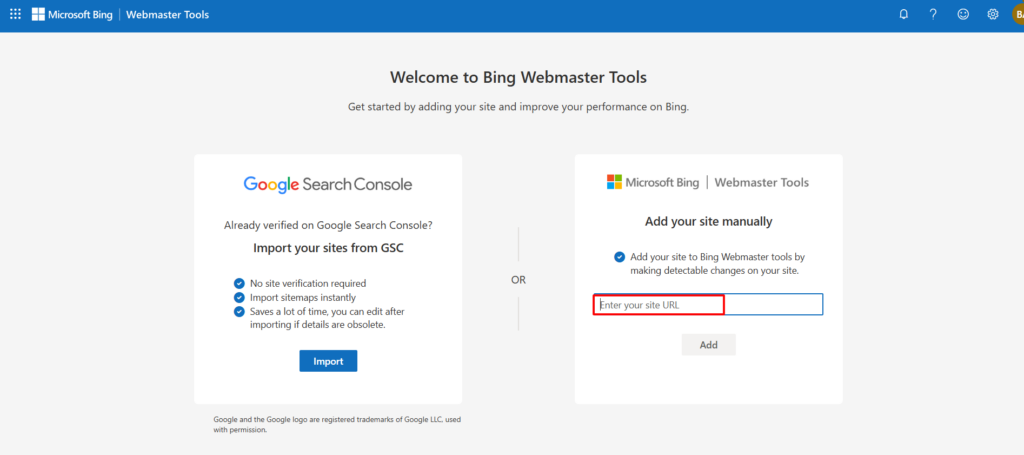
i- Go to https://www.bing.com/webmasters.
ii- Sign in with your Microsoft account (or create one).
iii- Click “Add a Site”, enter the full URL (including protocol), and hit “Add”.

B. Verify Ownership
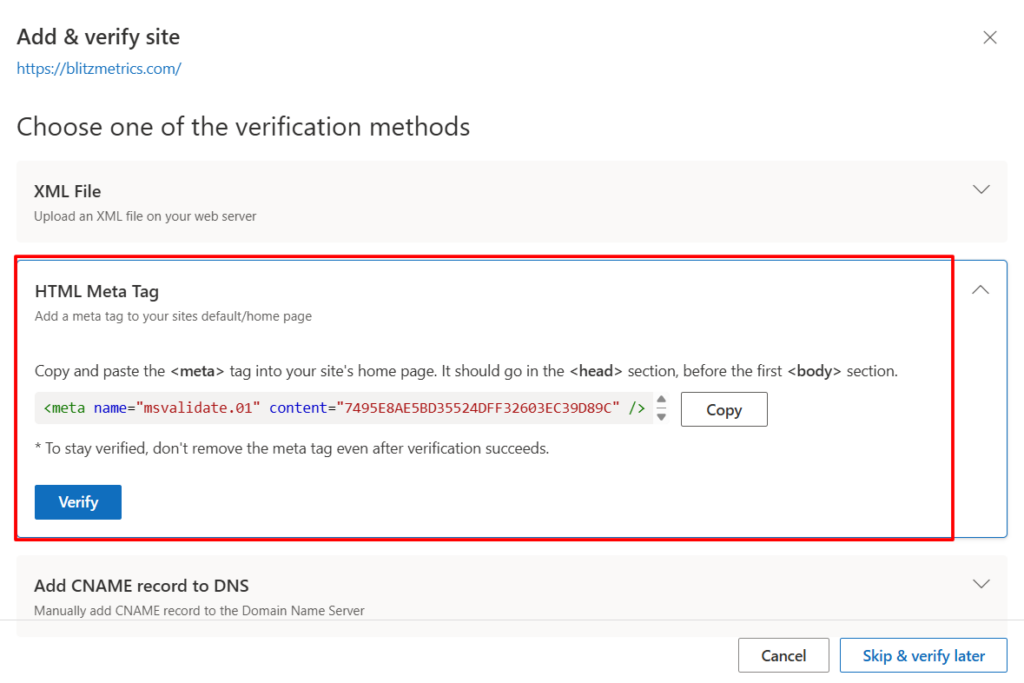
We typically choose the HTML meta tag method (so it can live alongside our GSC tag), but you can also use:
- XML file upload
- CNAME DNS record

C. Submit Your Sitemap
i- In the left sidebar, select “Sitemaps.”

ii- Enter your sitemap path (e.g. /sitemap.xml).

iii. Click “Submit.”


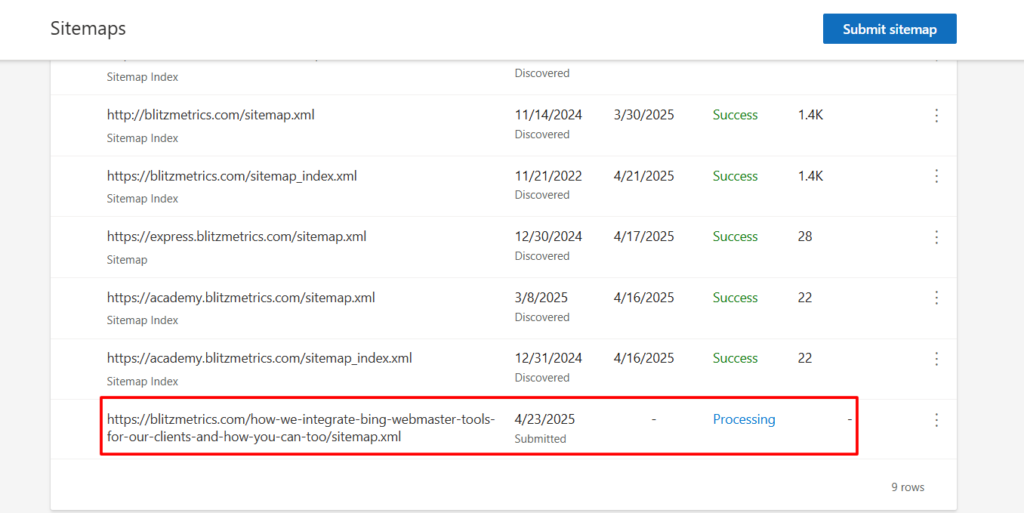
iv. Confirm your sitemap’s status in the “Submitted Sitemaps” table.
Originally published .
Dennis Yu
Dennis Yu is the CEO of Local Service Spotlight, a platform that amplifies the reputations of contractors and local service businesses using the Content Factory process. He is a former search engine engineer who has spent a billion dollars on Google and Facebook ads for Nike, Quiznos, Ashley Furniture, Red Bull, State Farm, and other brands.
Dennis has achieved 25% of his goal of creating a million digital marketing jobs by partnering with universities, professional organizations, and agencies. Through Local Service Spotlight, he teaches the Dollar a Day strategy and Content Factory training to help local service businesses enhance their existing local reputation and make the phone ring.
Dennis coaches young adult agency owners serving plumbers, AC technicians, landscapers, roofers, electricians, and believes there should be a standard in measuring local marketing efforts, much like doctors and plumbers must be certified. He has appeared on 353 podcasts with 619 credited episodes — see the full list of his podcast appearances.