
 by /
by /
As part of our personal branding service, we purchase and set up domains on behalf of our clients. If you’re ready to take full ownership of your domain, here’s how the transfer works.

Step 1: Request the transfer
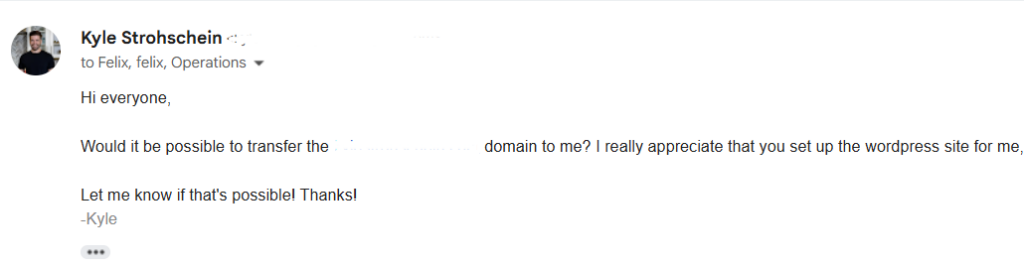
Email our Operations team (operations@blitzmetrics.com) and let us know you’d like the domain transferred to your GoDaddy account.
Step 2: We initiate the transfer
Our team will start the domain transfer process from our account to yours.

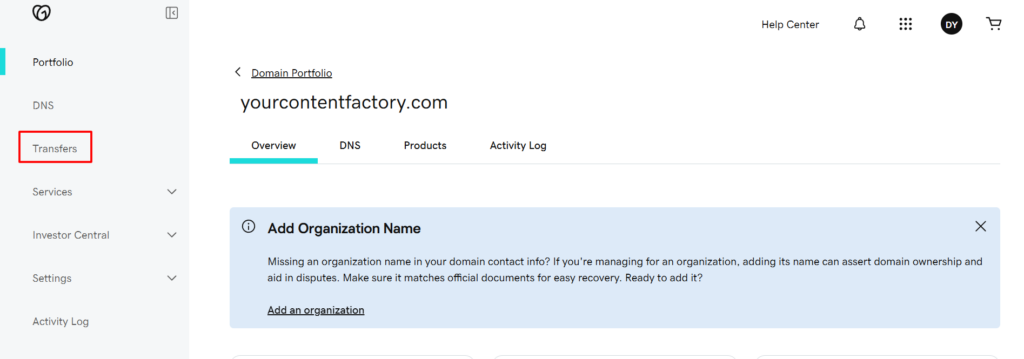
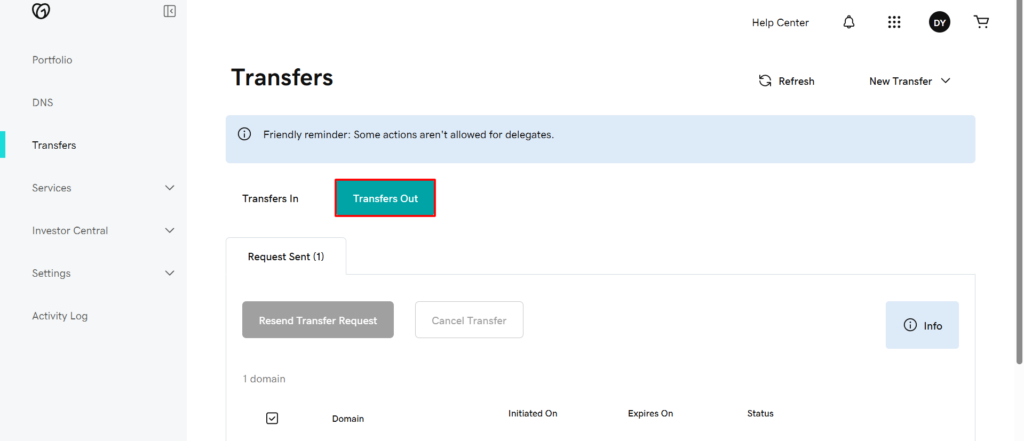
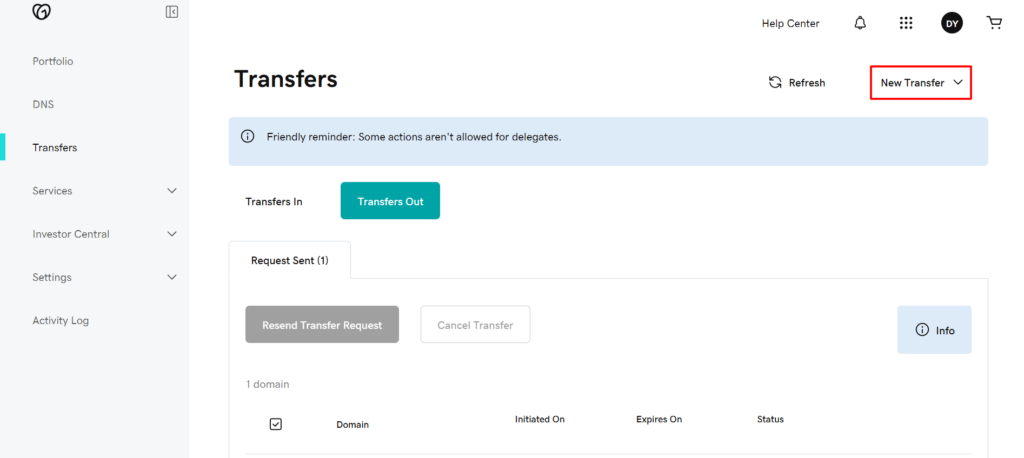
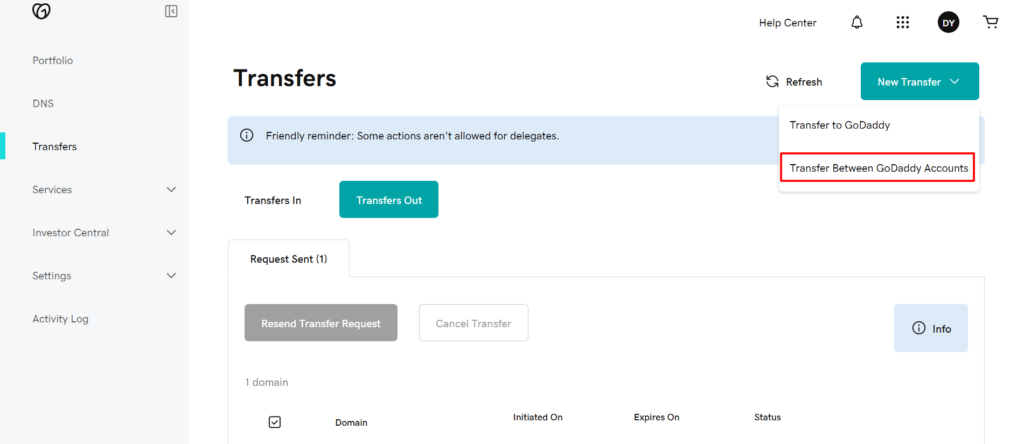
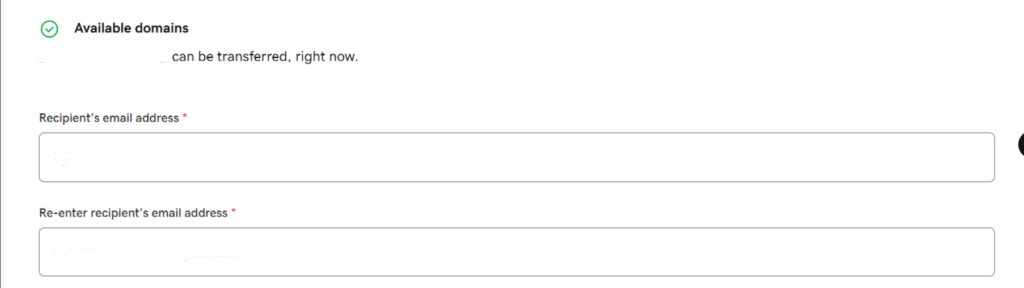
Step 3: Accept the transfer
Check your email for a message from GoDaddy with the subject line “Action Required: Changes to your GoDaddy account.”
Open it and click “Activate Now” or “Accept Transfer”, then log in to your GoDaddy account to confirm.
Step 4: Domain is yours
Once accepted, the domain is fully under your control and billing.
Important note: Website files are separate
The transfer only moves the domain name. Your WordPress files remain on our hosting until you’re ready to migrate. Contact our Ops team if you need help with that step.
Dennis Yu
Dennis Yu is the CEO of Local Service Spotlight, a platform that amplifies the reputations of contractors and local service businesses using the Content Factory process. He is a former search engine engineer who has spent a billion dollars on Google and Facebook ads for Nike, Quiznos, Ashley Furniture, Red Bull, State Farm, and other brands.
Dennis has achieved 25% of his goal of creating a million digital marketing jobs by partnering with universities, professional organizations, and agencies. Through Local Service Spotlight, he teaches the Dollar a Day strategy and Content Factory training to help local service businesses enhance their existing local reputation and make the phone ring.
Dennis coaches young adult agency owners serving plumbers, AC technicians, landscapers, roofers, electricians, and believes there should be a standard in measuring local marketing efforts, much like doctors and plumbers must be certified. He has appeared on 353 podcasts with 619 credited episodes — see the full list of his podcast appearances.