
 by
by
I used to spend hours toiling inside video editing tools. I wish we had agents years ago.
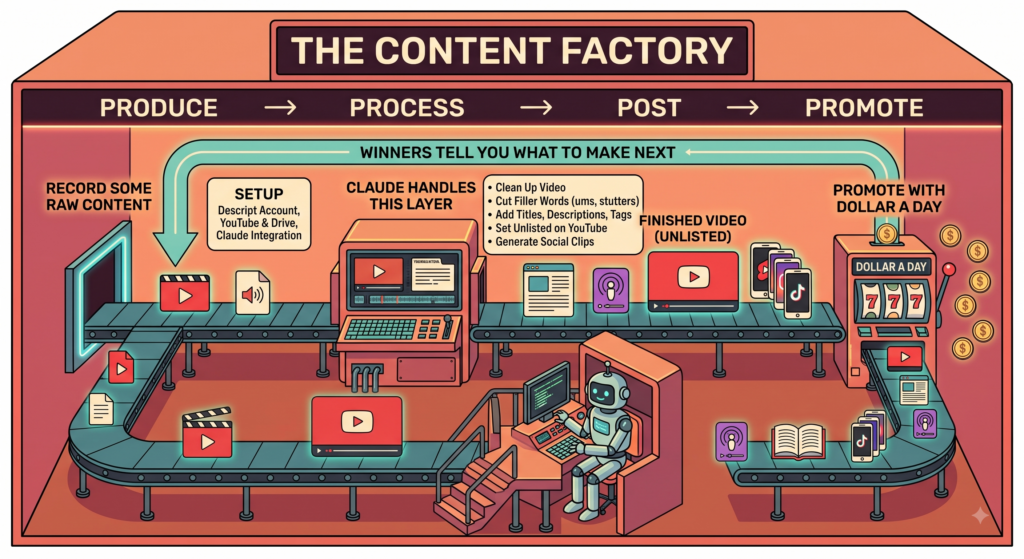
The Content Factory has four stages. Produce, process, post, promote.
You produce. Record something real on a topic you want to be known for. That’s your only job.
Then it gets processed, which means edited, transcribed, chopped into pieces. Posted to YouTube, your blog, your social accounts. Then promoted with Dollar a Day, the fourth stage of the same factory, until the algorithm tells you which pieces work.
One recording in. A book, a course, a podcast, and hundreds of clips out.
Stages two through four used to mean hiring people. A content VA at $500 a month, or someone on Upwork. And the hard part was never the tools. It was managing people doing repetitive work across a dozen systems.
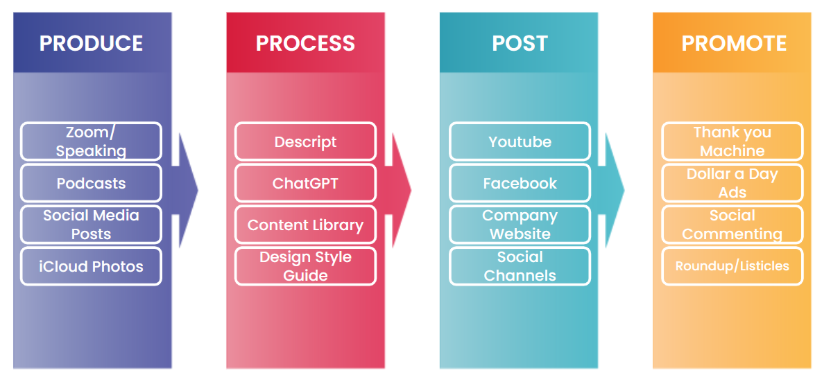
Claude does that layer now.
You hand it a raw recording. It hands back a finished video on your channel, cleaned up, titled, described, tagged, sitting Unlisted until you approve it.
You still produce. You just don’t staff the factory floor.
Skill file is free at the bottom.
Setup
Five things, once, and you never touch them again.
Get a Descript account. The free plan works for testing but watermarks your export and caps your minutes. Paid is around $16 and removes both.

Connect YouTube and Google Drive inside Descript.

Open the workspace dropdown, go to Settings, then Connected apps. Hit Connect to YouTube, pick the Google account that owns your channel, click Continue on the sign-in prompt.


Next screen asks for video management and viewing permissions. Tick them, scroll down, Continue.


Then Connect to Google Drive, same account, Continue past the sign-in, scroll to the bottom of the permissions panel and hit Allow.


Both blocks should now show a red Disconnect button. That’s the confirmation, and it throws people because it reads like a warning rather than a success.

Connect Descript to Claude. This is the one that does the real work. In Claude, open the left sidebar, go to Customize then Connectors, find Descript, hit Connect. A window opens called Connect with Descript MCP.

Check the email under Account is the one you actually work from, then pick your shared folder from the Drive dropdown.
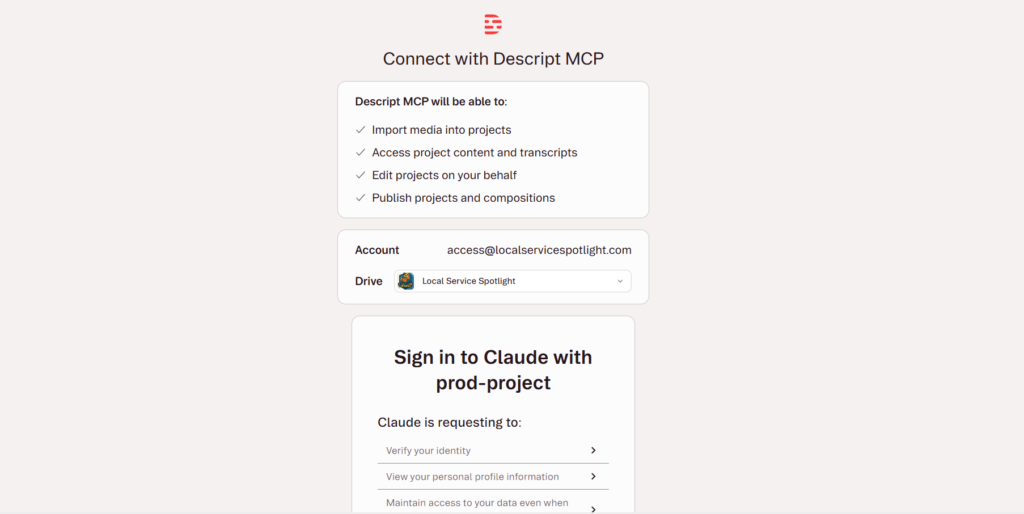
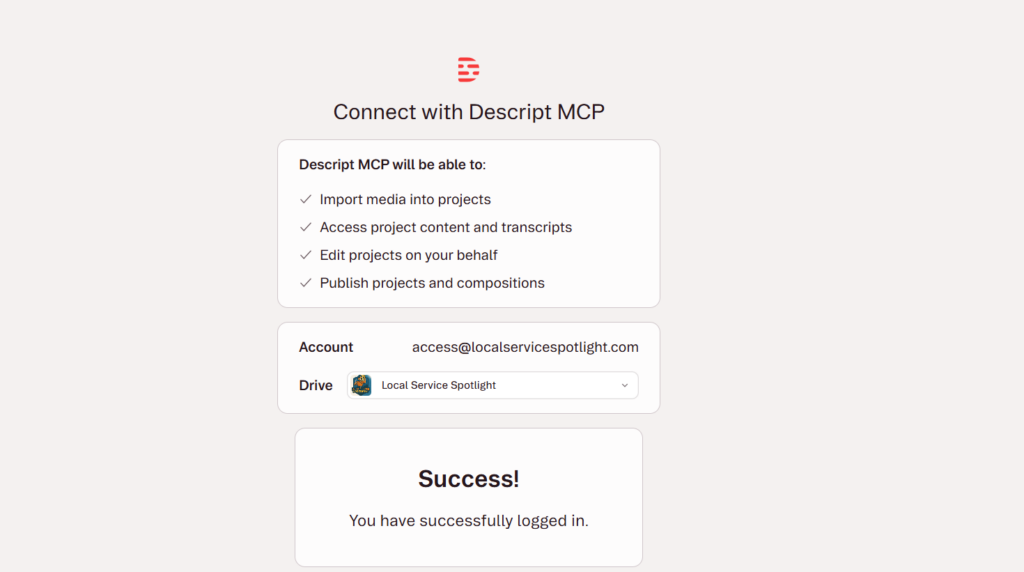
Scroll down to the authorization panel and click Allow.

You’ll get a success screen.
Set the permissions to always allow. Back in Settings, Connectors, find the Descript block. Two dropdowns. Interactive tools covers Import Media, Underlord, and Publish Project. Read-only tools covers Export Timeline, Export Transcript, and Get Project. Set both to always allow.

Skip that and Claude stops to ask permission at every single step, which defeats the point. You’ll spend the whole session clicking approve.
Connect Gmail in Claude. Same Connectors panel, find the Gmail block, hit Connect. Sign in with the Google account that owns your YouTube channel and your Drive. It’s the same login, which is the whole point of this step. Email, password, then two-factor on your phone if you have it turned on.
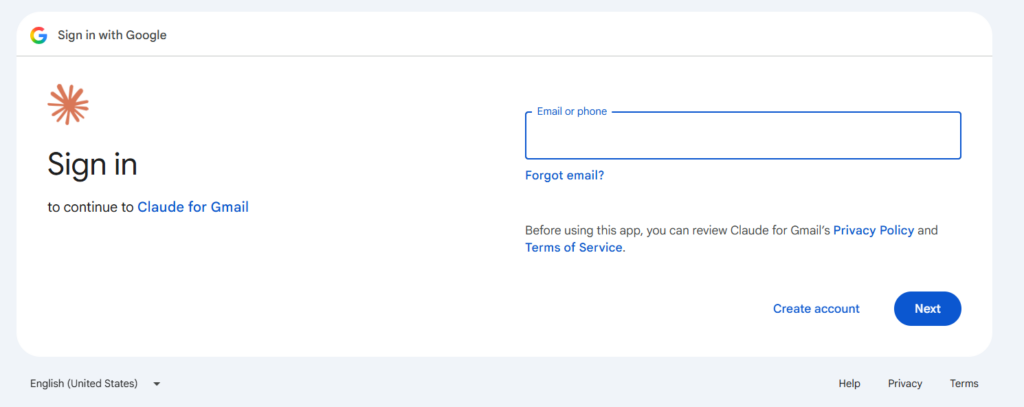

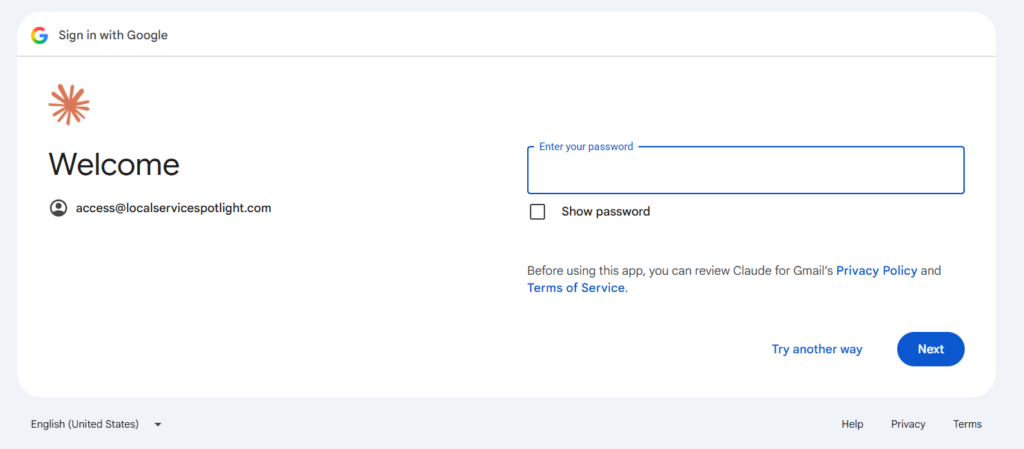

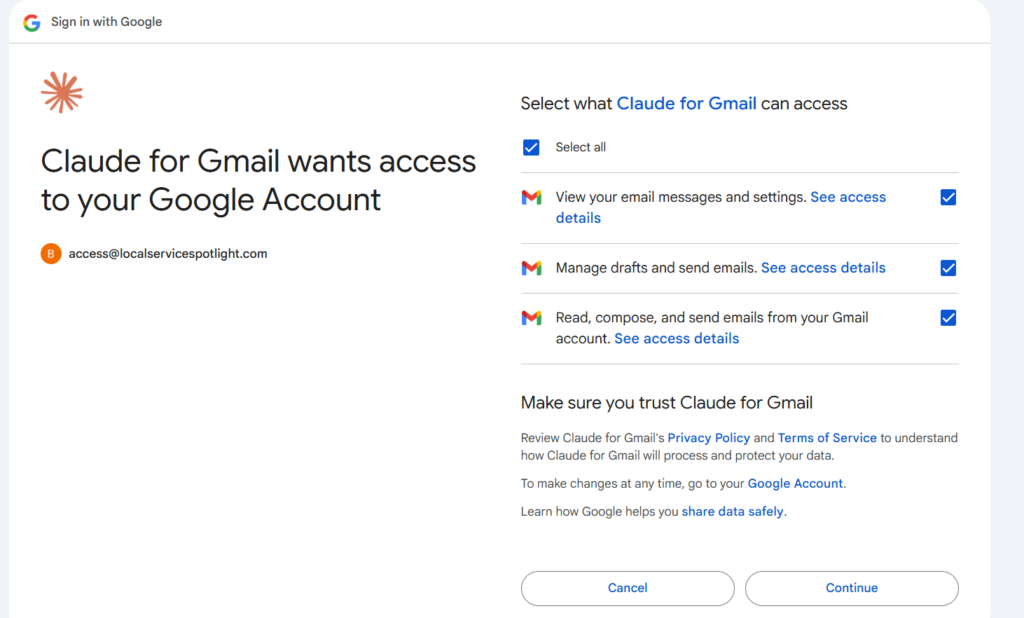
Two permission screens follow, the second one lists the actual scopes.

Tick select all and Continue.
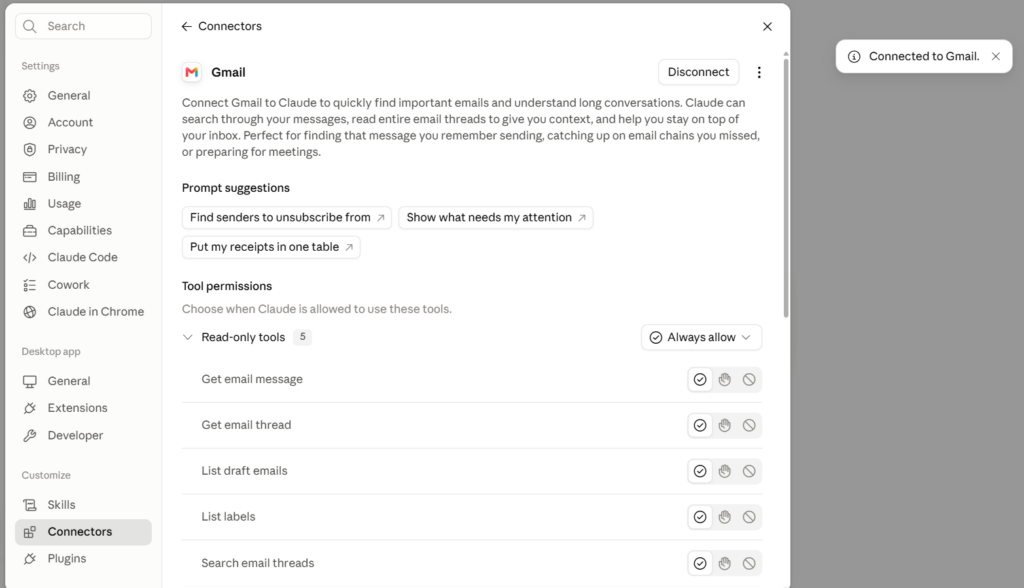
Then set the Gmail tools to always allow as well.
Worth knowing why Gmail asks for so much. Claude uses your Google identity to reach YouTube, and Google bundles the mail scopes in with it. Broader than a video workflow needs. That’s Google’s design, not ours.
Then say this
Here’s a video, edit it and put it on my channel.
[your link]

Drive, Google Photos, Dropbox, your desktop, or already sitting unlisted on YouTube. Just say where it is.
Back comes a YouTube link, set to Unlisted, titled and described and tagged. It doesn’t interrogate you first. It reads the transcript, makes the judgement calls, and tells you which ones it made so you can reverse any of them.
What it did
Claude edits the video by editing the transcript. Cut a word from the text and it’s cut from the video.
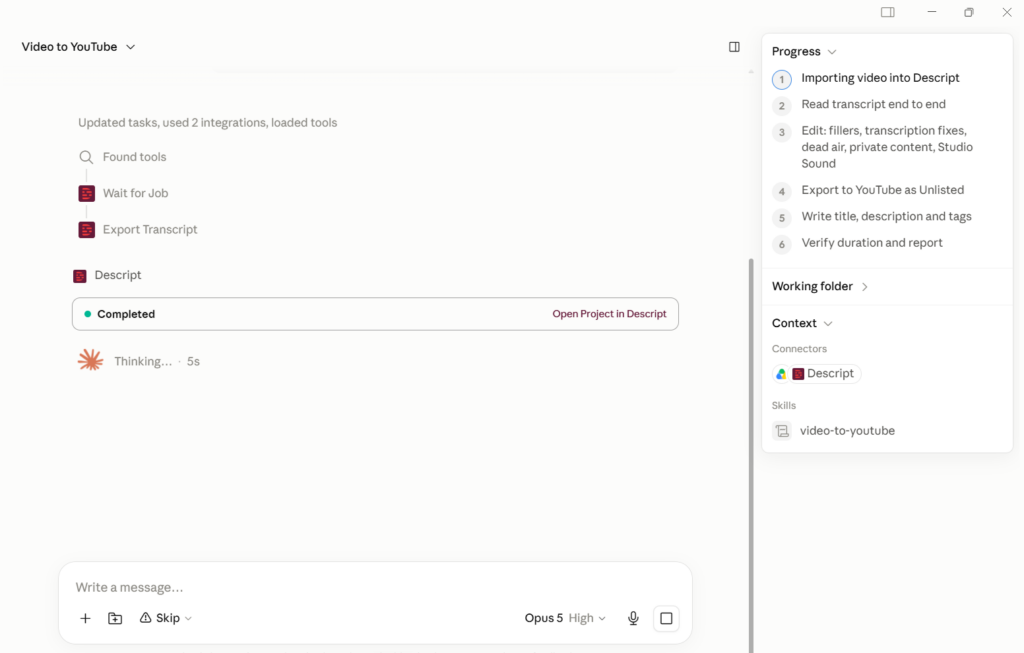

Filler words and stutters go first. The ums, the “they just, they just,” the sentences that die halfway through. Then it fixes what the transcription got wrong: names, company names, URLs said out loud.

Dead air gets shortened, not deleted. Every pause over 0.6 seconds tightens up. Delete all of them and a conversation stops sounding human, which is a mistake I’ve watched a lot of people make.
Then Studio Sound on the audio, and it flags anything that probably shouldn’t be public.

No intro cards, no music, no b-roll, no transitions. Lightly edited beats produced for anything relationship-driven, and I keep finding the data agrees. My weekly whiteboard videos are shot on a phone and run 67 to 86 percent average watch time.

And it never publishes. The video lands Unlisted and stays there. Your face, your call.

Check the YouTube settings before calling the upload complete
Comments and the path to the full video need to work on every upload, including uploads made by an agent.
- Comments On: use Basic moderation. Flag platform restrictions and keep audience settings accurate.
- A related long-form video on every Short: choose its available source episode, the closest relevant long-form video on the same channel, or a useful recent or strong-performing fallback. Set the actual Related video field. The target must be public or unlisted and advanced feature access is required.
- Paid promotion and AI use: answer both explicitly and accurately. Select No for an ordinary unsponsored recording without the altered or synthetic content YouTube describes; select Yes when required.
- Save and verify: reopen the video, confirm the settings persisted, preserve the approved visibility and schedule, and record the video and related-video links.
Use the complete YouTube upload checklist and download. Browser upload defaults do not apply to mobile or editing-tool uploads, so check each saved video.
What to do with it next
The video on YouTube isn’t the finish line. It’s the raw material, and this is where the factory actually starts running.

Ask Claude to pull the clips. A ten minute conversation usually has six or seven moments worth cutting out for Shorts, Reels, and TikTok. Ask for the blog post too, with the YouTube video embedded. Our blog posting guidelines for repurposing video spell out how that article should be structured.
Then Dollar a Day against the clips. Roughly one in ten wins, and when one does you put ten a day behind it. That’s your Greatest Hits library, built by the algorithm rather than by your opinion.
We did this for Infusionsoft with a hundred one-minute videos. Everybody on the team had a favorite and every one of us was wrong. The winner was a plain video nobody picked, and we ended up putting $1.3 million behind it.
You don’t find that without volume. And you don’t get volume when editing is the bottleneck.
Then do it again
One recording is one topic.
Pick another. Ten bullets, five minutes each, another session on camera. Or interview someone who knows the topic better than you do, which is faster and usually better content anyway.
Do that a handful of times and you have the book, the course, and the podcast. That’s the business card now. Nobody trusts brands the way they trust the person in front of them.
The old constraint was that you needed a factory floor to get there.
What are you still editing by hand?
Skill files are not enough
The skill file below covers one task. On its own it’s a book sitting on a shelf.
Skill files get packaged into skill packs, like the Business Authority Agent Skill Pack. Skill packs live inside plugins. Plugins get installed. Then scheduled jobs run them with context. That last step is what turns a library into a team.
You could have all the skills in the world, but unless you pair them with scheduled tasks and give appropriate access, you have a bunch of books in your library and not much work getting done. Ninety percent of your work should come from scheduled tasks, not from you creating new ones.

In practice that means Claude wakes up at 5am, checks your shared Drive folder for new recordings, and runs this workflow without being asked. Then it writes up what it did against the QA checklist for that task, and those notes feed back into the skill file so the next run is better.
One setting matters. In scheduled tasks, choose “always allow” and “auto.” Use the dropdown to reach “always allow” rather than the large button, and never choose “skip,” because a bug kicks those jobs back to manual mode.
Originally published .
Dennis Yu
Dennis Yu is the CEO of Local Service Spotlight, a platform that amplifies the reputations of contractors and local service businesses using the Content Factory process. He is a former search engine engineer who has spent a billion dollars on Google and Facebook ads for Nike, Quiznos, Ashley Furniture, Red Bull, State Farm, and other brands.
Dennis has achieved 25% of his goal of creating a million digital marketing jobs by partnering with universities, professional organizations, and agencies. Through Local Service Spotlight, he teaches the Dollar a Day strategy and Content Factory training to help local service businesses enhance their existing local reputation and make the phone ring.
Dennis coaches young adult agency owners serving plumbers, AC technicians, landscapers, roofers, electricians, and believes there should be a standard in measuring local marketing efforts, much like doctors and plumbers must be certified. He has appeared on 353 podcasts with 619 credited episodes — see the full list of his podcast appearances.