
 by
by
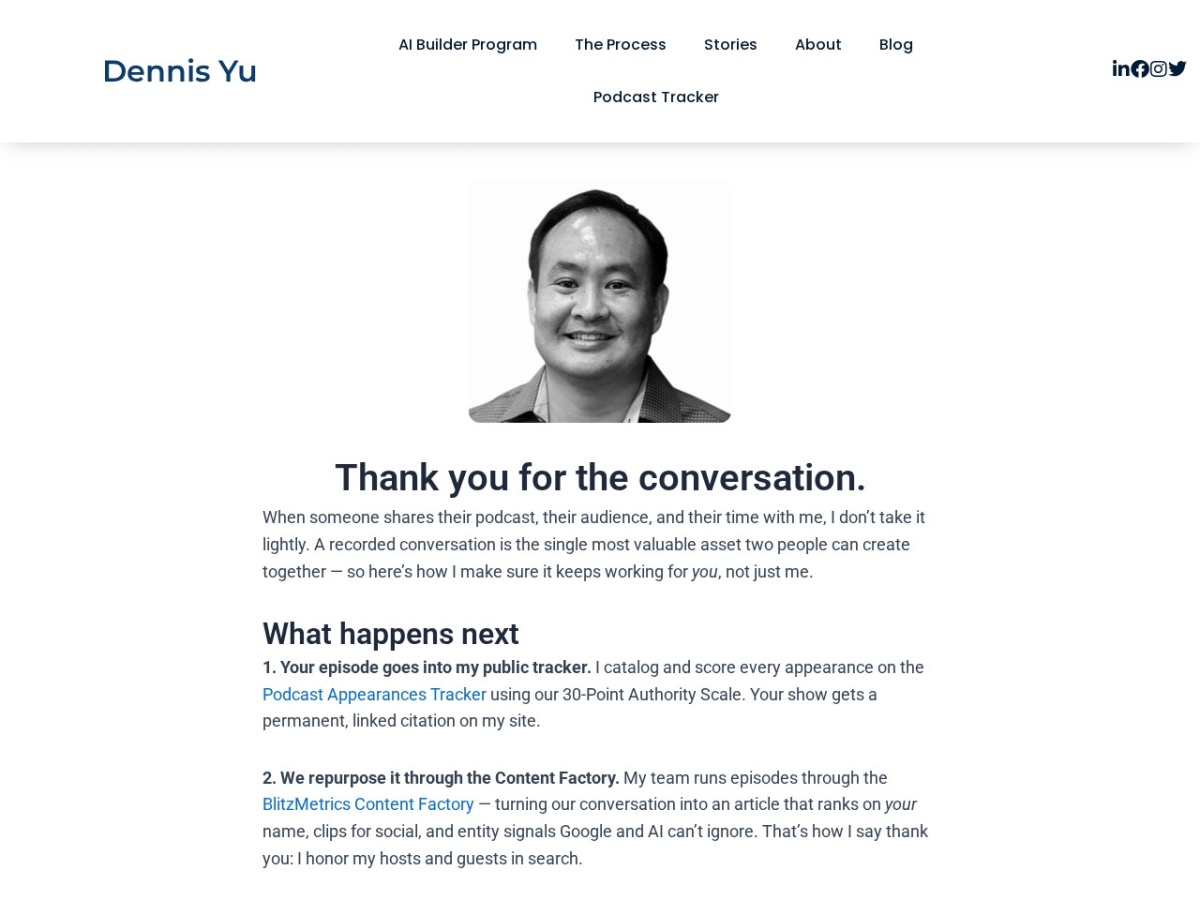
I forwarded myself one email — a thank-you note that William Jones’s Calendly sent me after I guested on his podcast — with the instruction: do this for all our appointments. My Claude agent read that note, audited every meeting type in my Calendly, and shipped seven personalized thank-you workflows plus five matching landing pages on dennisyu.com. Every meeting I take now says thank you automatically, one hour after it ends.
12
meeting types covered — podcasts, audits, coaching, training, strategy calls
7
Calendly workflows, each with copy specific to that kind of meeting
5
landing pages published on dennisyu.com with my photo and next steps
Start With the Note, Not the Tool
The assignment came from a real experience, which is where every good automation starts. I was a guest on William Jones’s podcast. An hour later his Calendly sent me a short thank-you email. It felt good — and I noticed it felt good. So I forwarded it to myself: build this for every kind of appointment we take, and make each one specific.
The agent’s first move was not opening Calendly. It searched my Gmail, found the forwarded note, read the original thank-you it was based on, and extracted the pattern worth copying: send after the meeting ends, keep it short, invite a reply.
Map Every Meeting Type Before Touching Anything
Diagnosis before prescription. The agent inventoried my Calendly and found 12 event types: nine personal (Quick Audit, Coach Yu podcast, three flavors of private meetings, Power Hour, campaign optimization, VA training, a 15-minute meeting) and three shared team events (VIP Coaching Audit, AI Builder Strategy Call, HRI Knowledge Panel Package).
Only one had any follow-up: Quick Audit. And when the agent opened that email, it found a bug that had been running in production — the body read “Hi [Invitee First Name]” and signed off “Cheers, [Your Name]” as literal text. Real clients had been receiving placeholder brackets. A checklist-follower would have cloned that bug into every new workflow. The agent fixed it at the root with Calendly’s real merge variables.
The bug nobody caught: our old follow-up email had been sending literal “[Invitee First Name]” placeholder text to every Quick Audit client. Audit what already exists before you build more of it.
Ship the Landing Pages First
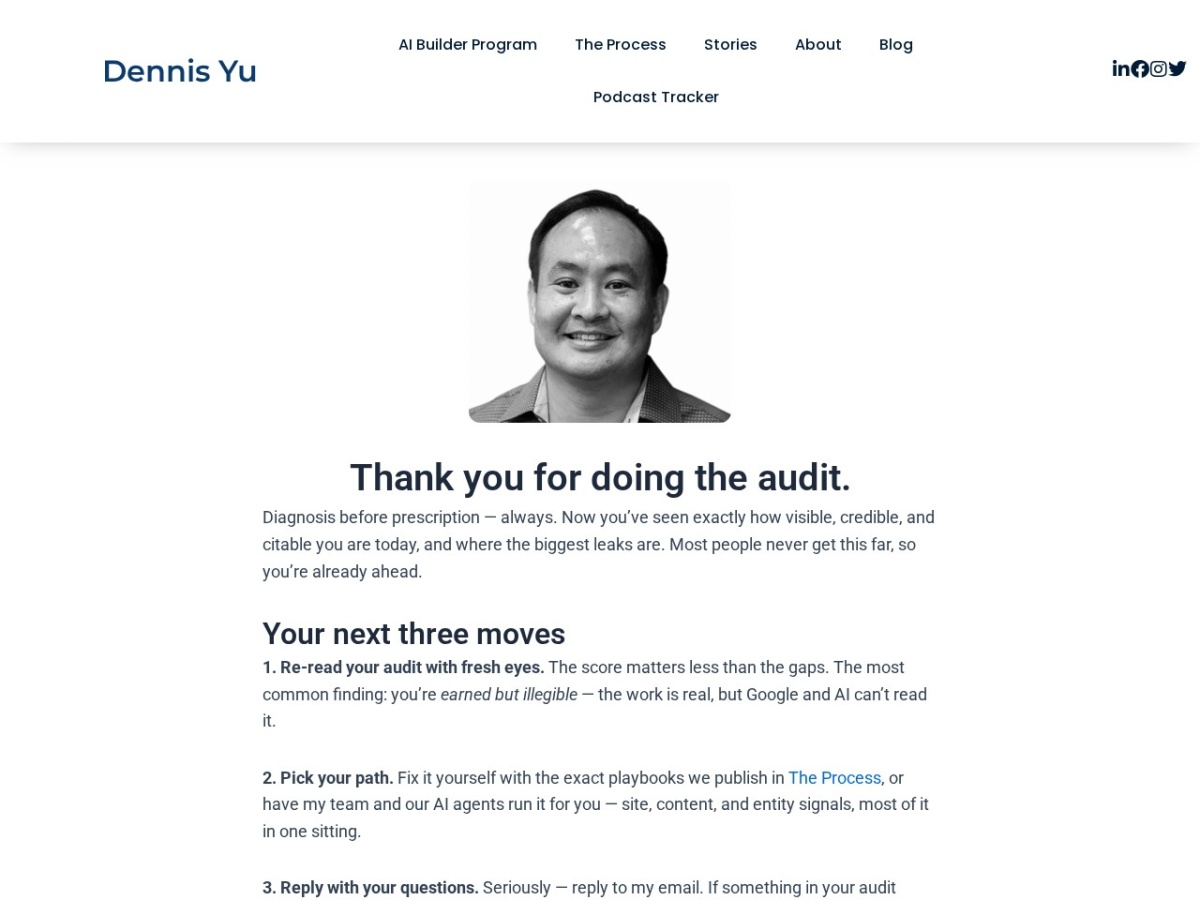
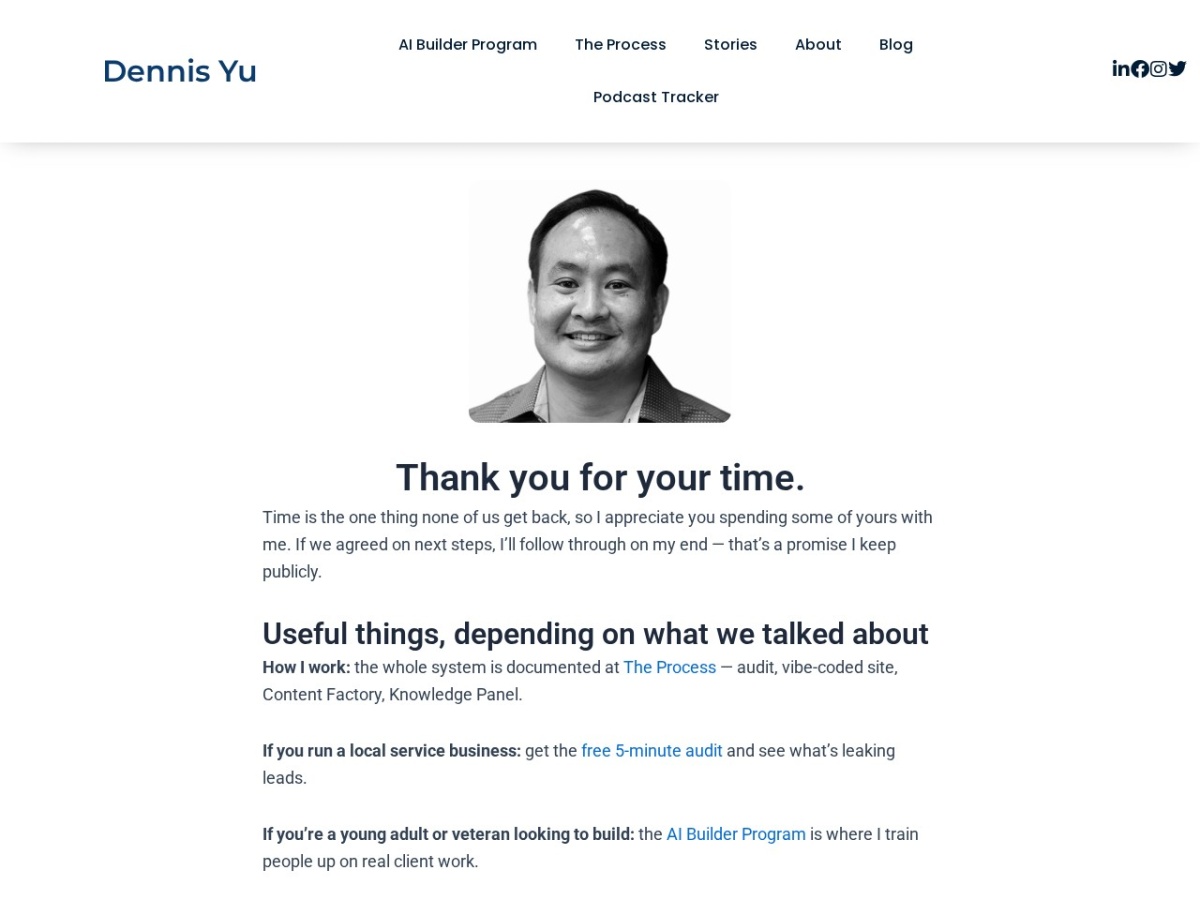
Calendly’s email editor strips images — the agent tested this by injecting a photo, saving, and reloading (it survived the editor, then the server deleted it). So instead of fighting the platform, it moved the personal touch one click away: five landing pages on dennisyu.com, each opening with my photo, written in my voice, with next steps for that exact kind of meeting. The pages were published through the WordPress REST API — no page builder, no clicking, idempotent by slug.
Automate the Emails Inside Calendly
Rather than build six workflows from scratch, the agent perfected one — the rewritten Quick Audit follow-up — then used Calendly’s Clone function six times. Each clone inherited the proven trigger (send 1 hour after the event ends), got renamed, got its event types re-assigned through the checkbox picker, and got its subject and body rewritten with real merge fields. Typing {{invitee_first_name}} into Calendly’s editor auto-converts to a live variable chip, which the agent verified by saving and reloading every workflow.
| Workflow | Covers | The email’s job |
|---|---|---|
| Podcast — Thank You | Coach Yu podcast | Honor the guest: tracker citation + Content Factory repurposing |
| Quick Audit — Follow-Up | Quick Audit | Diagnosis before prescription: next three moves |
| Meetings — Thank You | 4 meeting types | Follow-through promise + reply invitation |
| Coaching — Thank You | Power Hour, BOOST!, VIP Coaching Audit | Ship the ONE thing today, reply with your commitment |
| VA Training — Thank You | Teach a VA one task | Document in 24 hours, run solo once, then add the next task |
| AI Builder Strategy Call — Thank You | AI Builder Strategy Call | Next step on the builder path + program link |
| Knowledge Panel — Thank You | HRI Knowledge Panel Package | Entity SEO path + The Process |
Where This Fits the Meetings Checklist
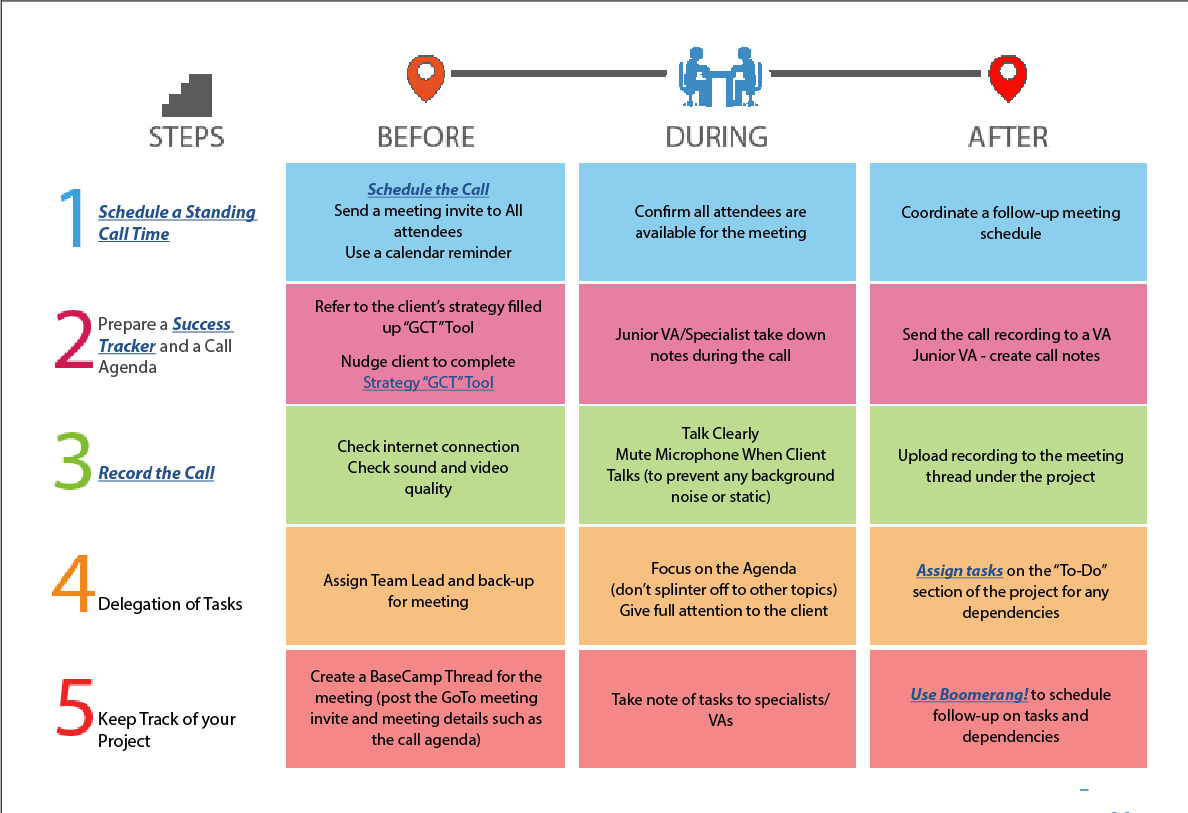
Knowing how to set up Calendly is only as good as the process it lives inside. Every meeting has a before, a during, and an after — that is the exact structure of our Meetings Checklist, and it is the backbone of how we run client onboarding, the welcome and expectations call, and every client call after it.
The thank-you workflow is the automated first move of the AFTER column: coordinate the follow-up, send the notes, assign the tasks. We already automated the audit side of this with Zapier follow-ups for Quick Audit clients — this build extends the same principle to every meeting type. If you run an agency, this is the systemization we teach in the Agency Management Course: meetings are not calendar events, they are a process with deliverables on both sides.
Judge the Five Decisions That Mattered
1. Clone, don’t create. Perfecting one workflow and cloning it six times preserved the tested trigger and email structure. Alternative: building each from scratch — six more chances to misconfigure timing.
2. Test the image limit instead of assuming. The agent injected a photo, saved, reloaded, and proved Calendly strips images server-side. That moved the personal touch to landing pages we control — which is also better for email deliverability. Alternative: shipping an email that silently lost its photo.
3. Fix the placeholder bug at the root. The old email’s literal “[Your Name]” text would have propagated into all six clones. Alternative: automate on top of a broken template.
4. Publish pages by REST API, not page builder. Idempotent by slug — re-running updates instead of duplicating. Alternative: forty minutes of Gutenberg clicking with nothing repeatable.
5. Seven specific emails, not one generic blast. A podcast guest and a VA-training client need different next steps. Grouping 12 event types into 7 contexts kept every email specific without creating 12 near-duplicates to maintain.
Read the Receipts
| Token receipt | Amount |
|---|---|
| Input tokens (single agent, browser-heavy session) | ~1.4M |
| Output tokens | ~65K |
| List-rate worst case (Opus-class pricing) | ~$8.60 |
| Cached realistic cost | ~$3 |
| Human equivalent at $60/hr (senior operator, ~8 hrs) | ~$480 |
| Task | Agent Time | Human Time | Agent Cost | Human Cost ($35/hr) |
|---|---|---|---|---|
| Gmail forensics + pattern extraction | ~3 min | 20–30 min | $0.30 | $12–$18 |
| Calendly inventory + bug discovery | ~6 min | 30–45 min | $0.80 | $18–$26 |
| 5 landing pages written + published | ~8 min | 3–4 hrs | $1.20 | $105–$140 |
| 7 email workflows written + built | ~22 min | 2.5–3.5 hrs | $4.60 | $88–$123 |
| QA: persistence checks, live fetches, links | ~8 min | 45–60 min | $1.70 | $26–$35 |
| TOTAL | ~47 min | 7–9.5 hrs | ~$8.60 | $249–$342 |
Proof ledger: Verified — all 5 pages fetched live after publishing; all 7 workflows re-opened after save to confirm merge chips, links, and triggers persisted; the workflows table above matches the live Calendly list. Self-reported — token counts and costs are estimates. Guardrails — the agent never typed a password (I logged in myself), never sent a test email to a real invitee, and left the pre-existing Quick Audit reminder untouched.
Separate What the Agent Could and Could Not Do
Could do autonomously: Gmail search and pattern extraction, full Calendly inventory, finding and fixing the placeholder bug, writing all copy in my voice, publishing five pages via REST, building seven workflows through browser automation, and verifying everything persisted.
Could not do: log in (I entered my Calendly and WordPress passwords myself); embed images inside Calendly emails (the platform strips them — solved with landing pages); capture the Calendly admin UI as screenshots (macOS screen-recording permission requires an app restart, so this article uses real renders of the live pages instead); and send a real test booking end to end, since that would put a fake meeting on my calendar.
Count the Ingestion
One Gmail thread pinpointed from a 600-thread search space. Twelve Calendly event types and two existing workflows inspected. Six pages read across dennisyu.com and blitzmetrics.com for voice, links, and entity structure, including the full article guidelines (~3,500 words). Output: ~1,800 words of landing-page copy, ~700 words of email copy across seven workflows, and this meta article.
Score It Against the Guidelines
| BlitzMetrics Guideline | Status | Notes |
|---|---|---|
| Hook opens with specific person/situation | PASS | William Jones podcast thank-you |
| Written in figurehead’s voice | PASS | |
| Short paragraphs, active voice, no AI fluff | PASS | Checked against banned list |
| Title under 60 chars / 13 words | PASS | 58 characters |
| Internal links + entity linking decision tree | PASS | People to their sites; Calendly to our Zapier article |
| Real visuals from the work, no stock images | PASS | mshots renders of live pages + checklist table |
| Calendly admin UI screenshots | NEEDS HUMAN | Screen-recording permission requires app restart; add captures in a follow-up pass |
| Source video embedded at top | PARTIAL | No source video exists for this build |
| Categories and tags set | PASS | Applied via REST at publish |
| RankMath SEO configured | PARTIAL | Metadata written; confirm focus keyword in editor |
| Evergreen content, specific CTA | PASS | Deliverable buttons below |
THE DELIVERABLE
See a live thank-you page the system sends people to
Every meeting type gets its own version — this is the one podcast guests receive an hour after we stop recording.
Originally published .
Dennis Yu
Dennis Yu is the CEO of Local Service Spotlight, a platform that amplifies the reputations of contractors and local service businesses using the Content Factory process. He is a former search engine engineer who has spent a billion dollars on Google and Facebook ads for Nike, Quiznos, Ashley Furniture, Red Bull, State Farm, and other brands.
Dennis has achieved 25% of his goal of creating a million digital marketing jobs by partnering with universities, professional organizations, and agencies. Through Local Service Spotlight, he teaches the Dollar a Day strategy and Content Factory training to help local service businesses enhance their existing local reputation and make the phone ring.
Dennis coaches young adult agency owners serving plumbers, AC technicians, landscapers, roofers, electricians, and believes there should be a standard in measuring local marketing efforts, much like doctors and plumbers must be certified. He has appeared on 353 podcasts with 619 credited episodes — see the full list of his podcast appearances.