
 by
When a local business gets a bad review, it loses calls. If you run an agency, you can help. Google removes reviews that break its rules, and there is a repeatable way to find those reviews and report them. This guide shows how we do it for our own clients with a tool called Jumper Media, and how you can do the same.
Disclosure: we resell Jumper Media through its agency program and earn a commission when an agency signs up through our referral link. We use it for our own clients and would recommend the same steps without the commission.
Start with what Google allows
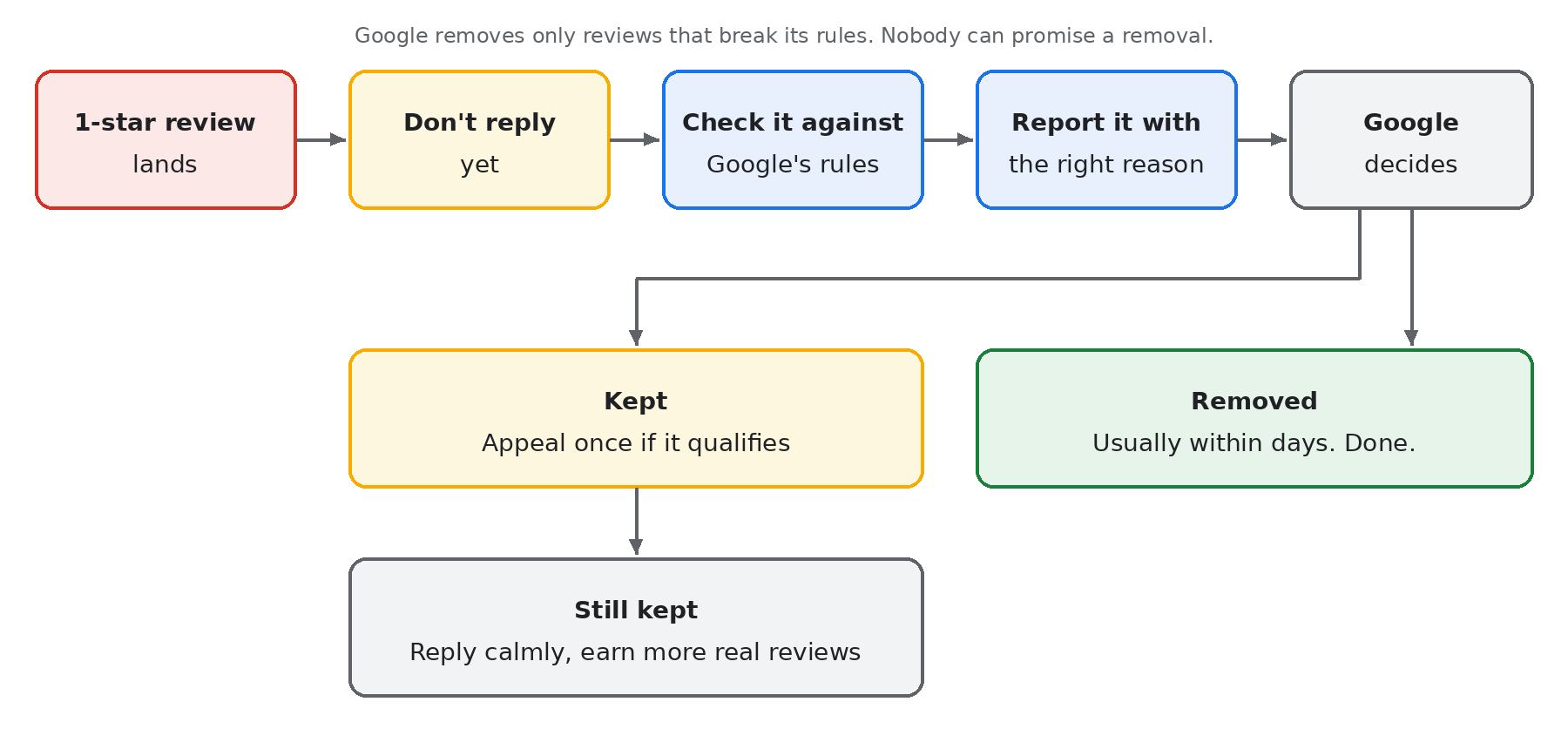
Google only removes reviews that break its rules. The rules include fake engagement and rating manipulation, impersonation, harassment, hate speech, personal information, obscenity and profanity, off-topic content, and advertising or solicitation. The full list is on Google’s prohibited and restricted content page. Teach your team this list first. Every report you file should name the rule a review breaks.
A business owner can report a review by hand: open the Business Profile, select Read reviews, select Report next to the review, pick the reason, and send it. The status shows up in Google’s review management tool as decision pending, no violation, or escalated, and eligible reviews get one appeal. Google says evaluation usually takes several days. Google’s help page on reporting reviews has the details.
That works for one profile. It does not scale across fifty clients, because nobody watches every profile every day.
Where Jumper Media fits
Jumper Media’s Reputation Shield watches each client’s Google Business Profile for new 1- and 2-star reviews, runs a policy check, and files the removal escalation with Google. It is included with every Jumper Local subscription, so there is no separate fee for it. Jumper’s own page reports a removal rate of about 75% for the 1-star reviews it reported over six months of testing, and an average of about four days. It also says plainly that not every review will be removed. Google decides each one.
Here is what that looks like for us. When a review lands, an alert email names the client and the review and says Jumper has started the policy review. We post it to the client’s project thread so the account lead knows. Then we wait.
Setup, step by step
- Sign up for Jumper Local through Jumper’s agency program.
- Add each client location. Our full setup walkthrough, including keyword setup and billing, is in How to Use Jumper Media to Improve Local Map Rankings.
- Send the review alerts to a shared team inbox, not one person’s email, so nothing sits unread when someone is out.
- Tell every client one rule: don’t reply to a new bad review until the report is decided. Jumper’s team told us a reply lowers the odds of removal, and we’ve adopted that rule.
- When Google keeps a review that clearly breaks a rule, use the one-time appeal in Google’s review management tool.
- When a review is honest, don’t fight it. Help the client write a calm, specific reply and fix the problem.
Real results, with names left out
- A lawn care client in Indiana: a 1-star review flagged August 6, 2026 was removed the same day. Another flagged September 22 was removed October 6.
- Another lawn care client: a 1-star review removed September 27, 2026.
- A profile we manage: a 1-star review removed November 11, 2026, confirmed by Google’s “A review has been removed from your Business Profile” email, shown below.
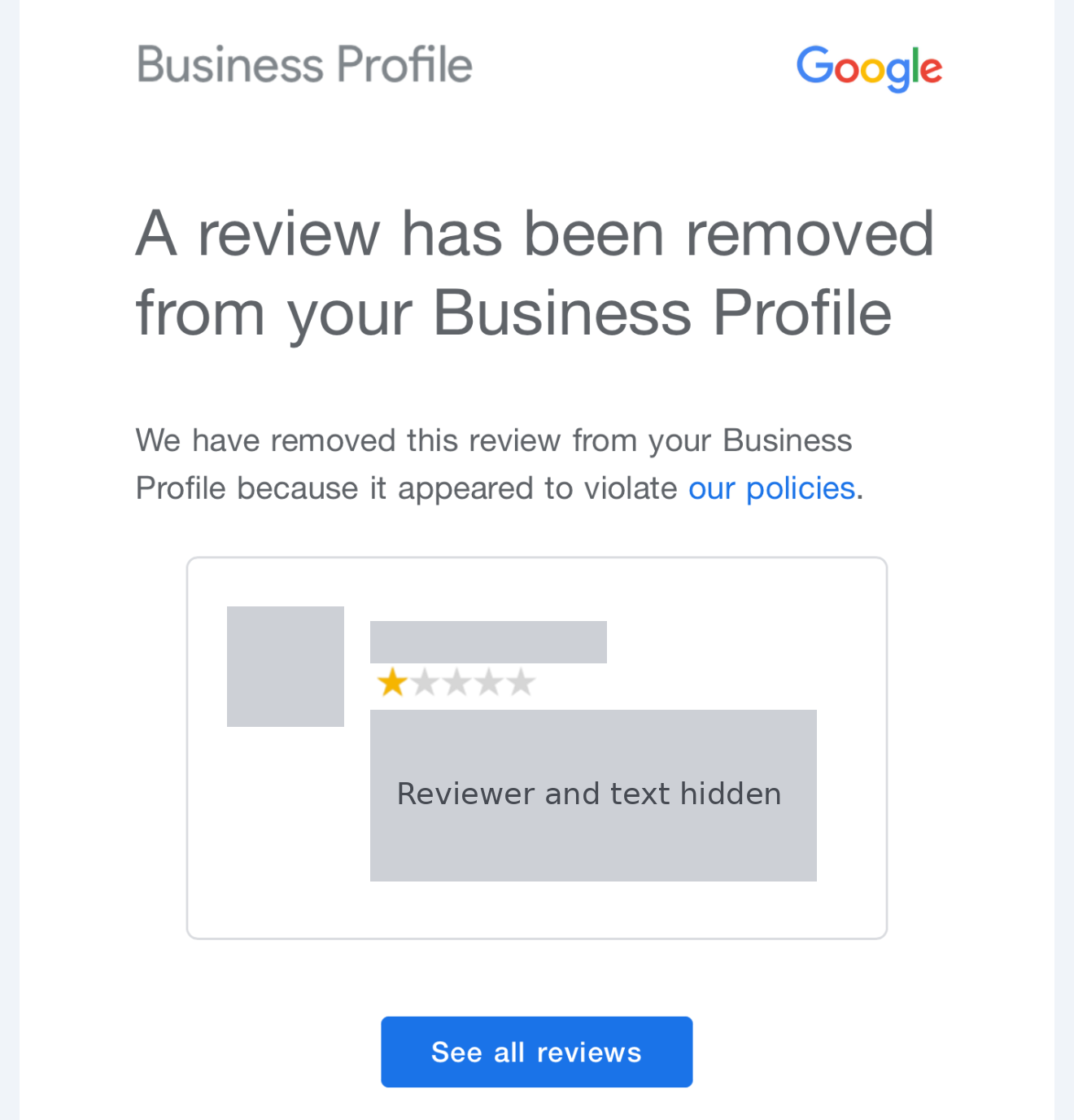
One flag ended a different way: the customer deleted their review after the owner called them and fixed it. Count that as a win too.
Rules your team should never break
- Never promise a client a removal. Say “we report every review that breaks Google’s rules, and many come down.”
- Never pay, offer discounts, or pressure a customer to change or remove a review. Google’s rules forbid it.
- Never post or buy fake reviews, for a client or against a competitor.
- Never try to remove an honest review because it is unflattering.
Don’t sell it alone
We don’t sell review removal as its own product. It is one part of local SEO and map work, which sits inside a monthly retainer with paid ads. The reason is simple: the map, organic search and paid ads feed each other. Removing an unfair review protects conversion on every click you pay for, and more calls mean more chances to earn real reviews. Package it the same way and your clients see the whole result, not a one-off fix.
Want us to look at one of your clients?
Send us one client profile and we’ll show you what we’d fix first: reviews, map rankings and the profile itself. Request a free Quick Audit.
Originally published .
Dennis Yu
Dennis Yu is the CEO of Local Service Spotlight, a platform that amplifies the reputations of contractors and local service businesses using the Content Factory process. He is a former search engine engineer who has spent a billion dollars on Google and Facebook ads for Nike, Quiznos, Ashley Furniture, Red Bull, State Farm, and other brands.
Dennis has achieved 25% of his goal of creating a million digital marketing jobs by partnering with universities, professional organizations, and agencies. Through Local Service Spotlight, he teaches the Dollar a Day strategy and Content Factory training to help local service businesses enhance their existing local reputation and make the phone ring.
Dennis coaches young adult agency owners serving plumbers, AC technicians, landscapers, roofers, electricians, and believes there should be a standard in measuring local marketing efforts, much like doctors and plumbers must be certified. He has appeared on 353 podcasts with 619 credited episodes — see the full list of his podcast appearances.