
 by
by
Most LSA accounts aren’t underperforming because of budget. They’re underperforming because nobody is working them. Leads pile up unrated, photos stay stock, and the one report metric that actually predicts lead volume goes unwatched.
Here’s the full process I use, start to finish.
This assumes your account is already live. If it isn’t, start with setting up Local Service Ads the right way, then come back to managing the leads once they’re flowing.
Start with verification and budget
Before anything else, go to Business Verification on the left-hand side and confirm everything is green. That means billing information set up, proof of insurance uploaded with a note somewhere of when it expires so you can replace it before it lapses, background check passed, Google Business Profile linked, and your budget set.
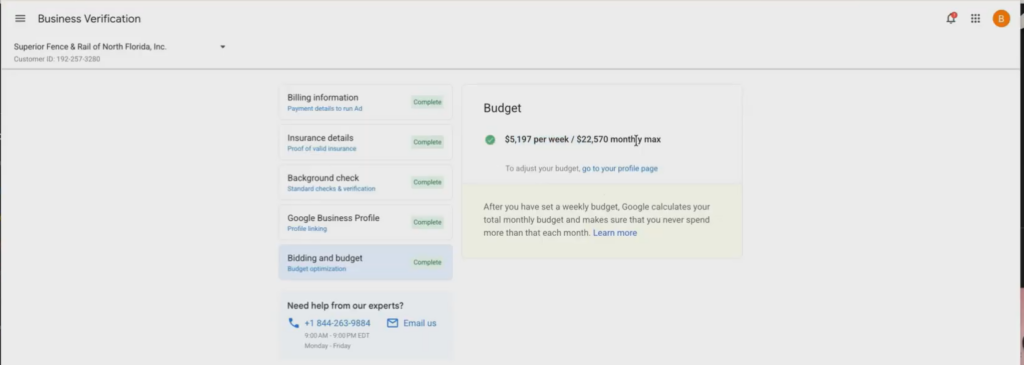
On budget, one thing I’ll tell you: Google is Google. Sometimes you need to put in a higher monthly max and a higher per-week dollar amount than feels comfortable to get the lead volume you’re after. The number you set is a ceiling, not a spend.
Google is looking for reviews from your real customers. That’s the input with the widest downstream effect.
Work your active leads queue to zero
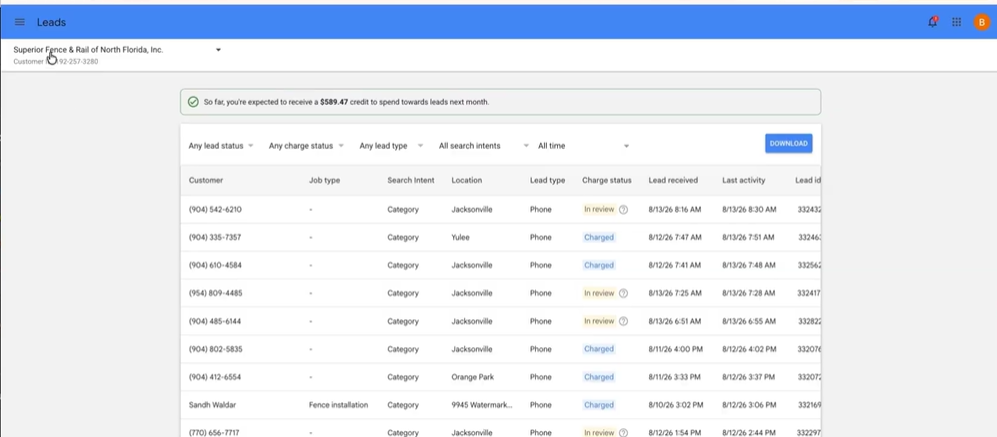
Go to the Leads channel, open Active Leads, and get that queue squared away down to zero. This isn’t housekeeping, it’s the highest-leverage recurring task in the account. The account I’m walking through here was previously in the three thousands, and we got it down to fifty-one.
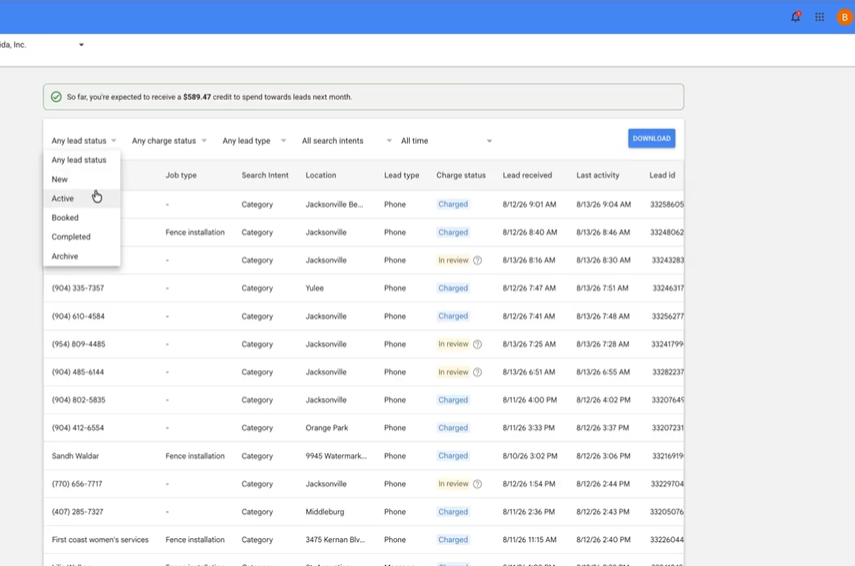
Every lead gets the same treatment. Click into it and listen to the call.
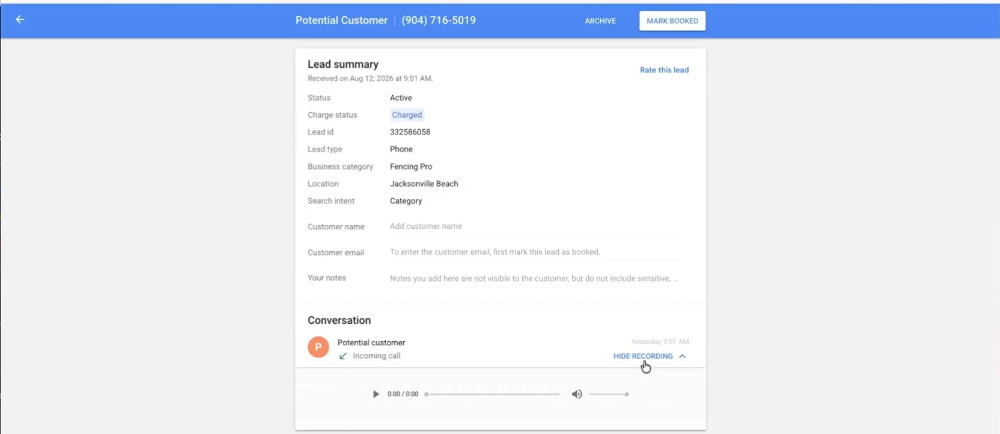
Put in notes on what actually happened, and record the customer’s name if you got it. Rate the lead honestly, satisfied or not, with the reason attached.
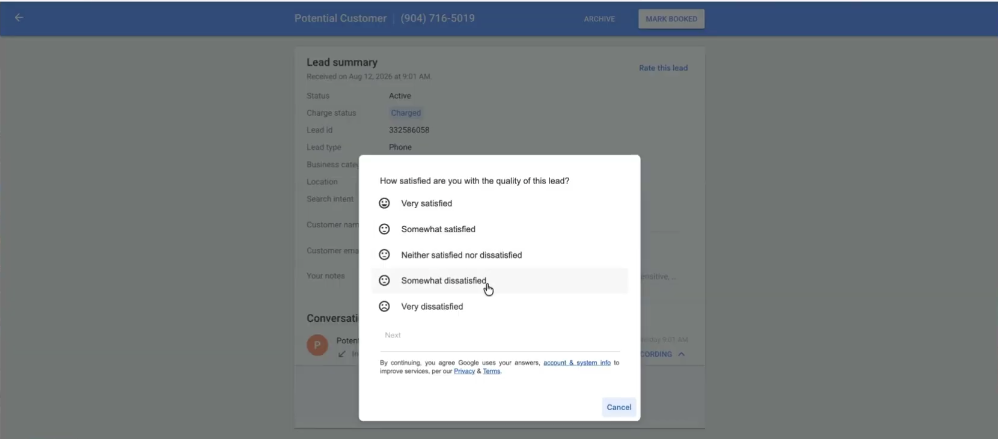

Book it if it booked, archive it if it was a bad lead. Then fill in the meeting info, the job type, and the exact address.

Job type matters more than it looks. It’s how Google learns what work you actually want, which shapes what it sends you next. If you have the ability to put in a price estimate, put it in. I know some people don’t have that number at the time, and that’s fine.
Rate honestly rather than generously. Sometimes Google gives you a credit for a bad lead, sometimes it won’t, but the rating data is training the account either way. Once active is at zero, go back through your other lead statuses and make sure nothing’s stuck.
The report metric almost everyone reads wrong
Open Reports and pull up the previous month. You’ll see phone leads, message leads, and ad impressions, which is the number of times your ad appeared in search results.
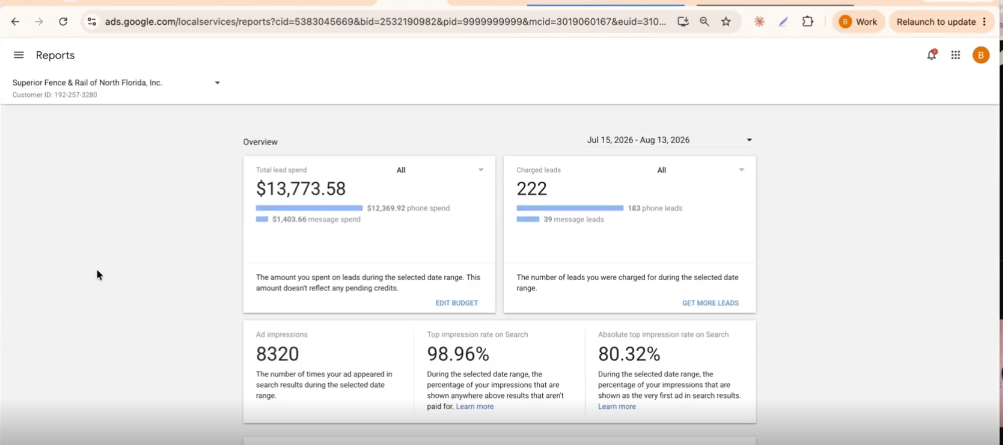
You’ll also see top impression share. On this account it was ninety-nine percent, meaning the ad landed somewhere in the top three results almost every time.
Impressive. Insane. Great. That is not the number I care about.
The one that matters is absolute top impression share, which is how often you are the very first ad in the results. On this same account it was eighty-four percent. Still strong, but it’s a completely different question, and it’s the one tied to lead volume. Ninety-nine percent top-three placement means very little if you’re rarely in position one.
Raising absolute top impression share
So how do we get that number higher?
The most direct lever is increasing your weekly spend.
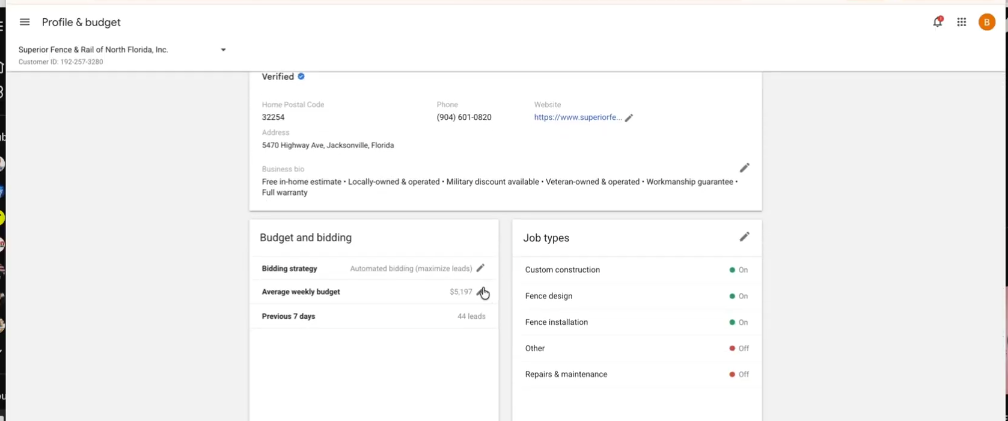
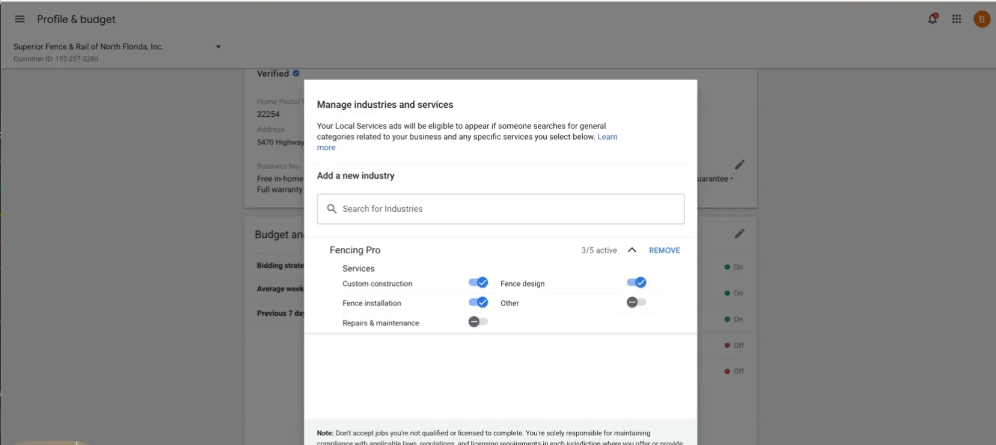
Beyond that, audit your job types. If you’re getting a lot of phone calls about work you don’t want, turn that category off. Turn things off, turn them back on, A/B test it, but don’t set it once and walk away.
Replace your stock photos with real ones. This company had a lot of stock imagery and I’d remove most of it. Show real results, show real things you’ve done. When you click add photo, Google tells you exactly what it wants: team members, your work, your people at work.
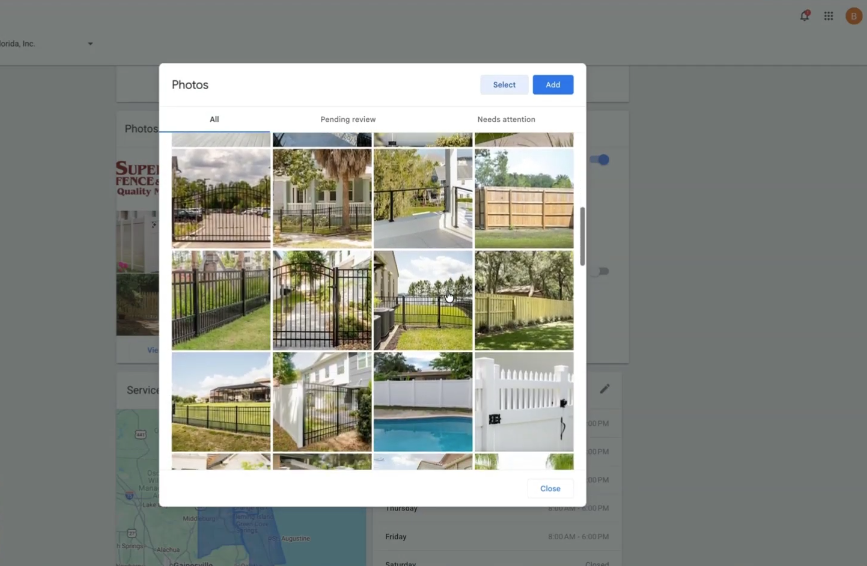
Turn on text leads. This account had email leads on and text leads off, probably without ever deciding to.

And turn off LSA direct business search. If someone’s searching your business by name, they already found you. You don’t want to pay for that lead.
Set business hours around your data
This account runs all day, every day, and if you have the capability to do that, I highly recommend it. Most people just run during business hours because that’s when they’re open, which is fine and safe.

But if you want to be more advanced, go look at your reports. You can see exactly what time your leads come in. Maybe twenty-four seven doesn’t make sense for you. Maybe it does. Only you know once you’ve looked at the report data, your CallRail, and when you’re actually getting called.
Billing and access
Billing is simple and managed through your Google Ads account. You can also edit your business bio from that same screen.
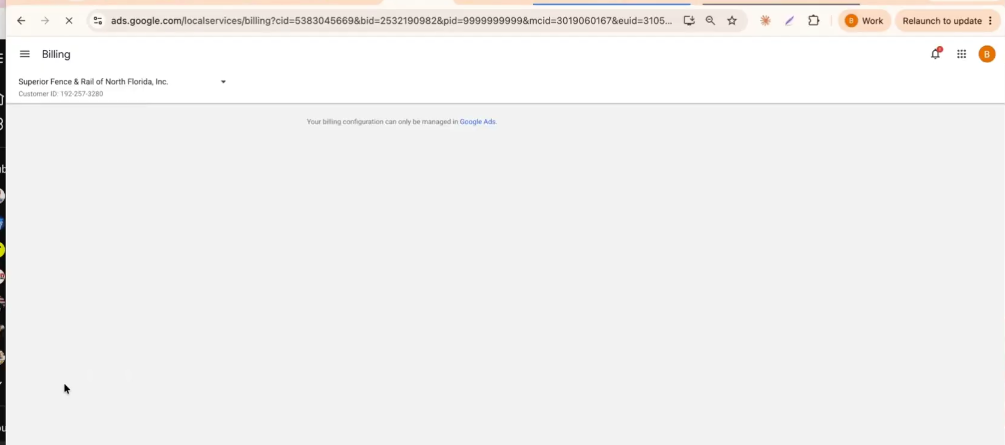
If you need to give other people access, that’s under account access. Worth knowing that admin has the widest permissions, so match the access level to what each person actually needs.
Exclude the areas you don’t serve
If you want this really nailed down, add the areas you don’t want to advertise in. They’ll show up red on the map, and your ads stop running there.
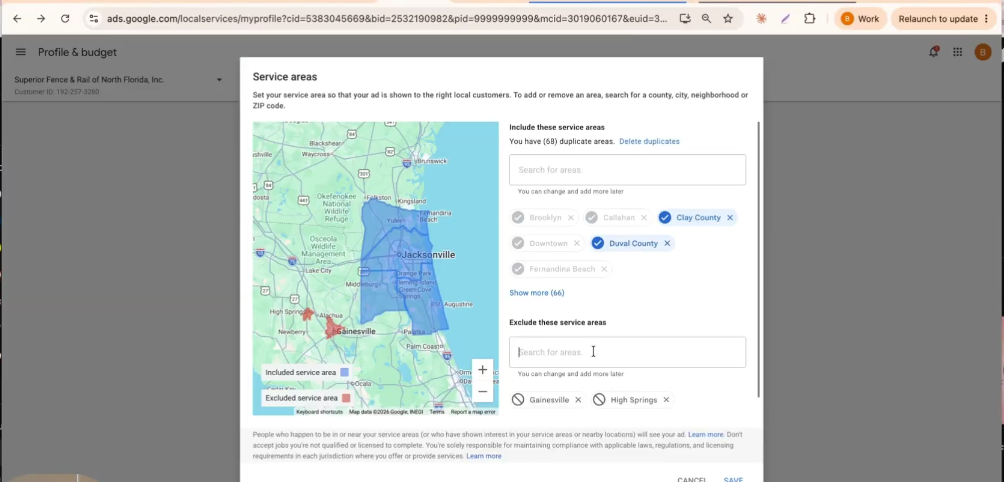
It’s fast, and you can exclude a whole region around you so your spend stays genuinely local to the area you serve. This is one of the easiest wins in the whole account.
Switch to a CallRail number
It’s easy: go in, fill out the form, and swap the number. From that point everything from LSA is trackable. Add a UTM as well so you know when someone is coming to your site from your LSA ad.
The short version
Rate the leads. Book the leads. Listen to the phone calls. Put in the notes. Update your pictures with real pictures, because Google even tells you what it wants to see.
That’s the best LSA breakdown I can give you. It comes down to putting in the work, putting in the effort, and making sure you’re maximizing your leads.
Not sure how your own LSA account stacks up? Get a free Quick Audit and we’ll show you what’s healthy, what’s broken, and what to fix first.
Originally published .
Dennis Yu
Dennis Yu is the CEO of Local Service Spotlight, a platform that amplifies the reputations of contractors and local service businesses using the Content Factory process. He is a former search engine engineer who has spent a billion dollars on Google and Facebook ads for Nike, Quiznos, Ashley Furniture, Red Bull, State Farm, and other brands.
Dennis has achieved 25% of his goal of creating a million digital marketing jobs by partnering with universities, professional organizations, and agencies. Through Local Service Spotlight, he teaches the Dollar a Day strategy and Content Factory training to help local service businesses enhance their existing local reputation and make the phone ring.
Dennis coaches young adult agency owners serving plumbers, AC technicians, landscapers, roofers, electricians, and believes there should be a standard in measuring local marketing efforts, much like doctors and plumbers must be certified. He has appeared on 353 podcasts with 619 credited episodes — see the full list of his podcast appearances.