
Table of Contents
Introduction
One of the most common mistakes in project follow-up is relying only on email or Basecamp messages. While these are great for documentation, they are passive channels — easy to miss, easy to ignore, and low urgency.
This article is part of the Content Factory system.
|
PRODUCE Record • Capture |
➔ |
PROCESS Transcribe • Edit |
➔ |
POST Publish • Link |
➔ |
PROMOTE Ads • Share |
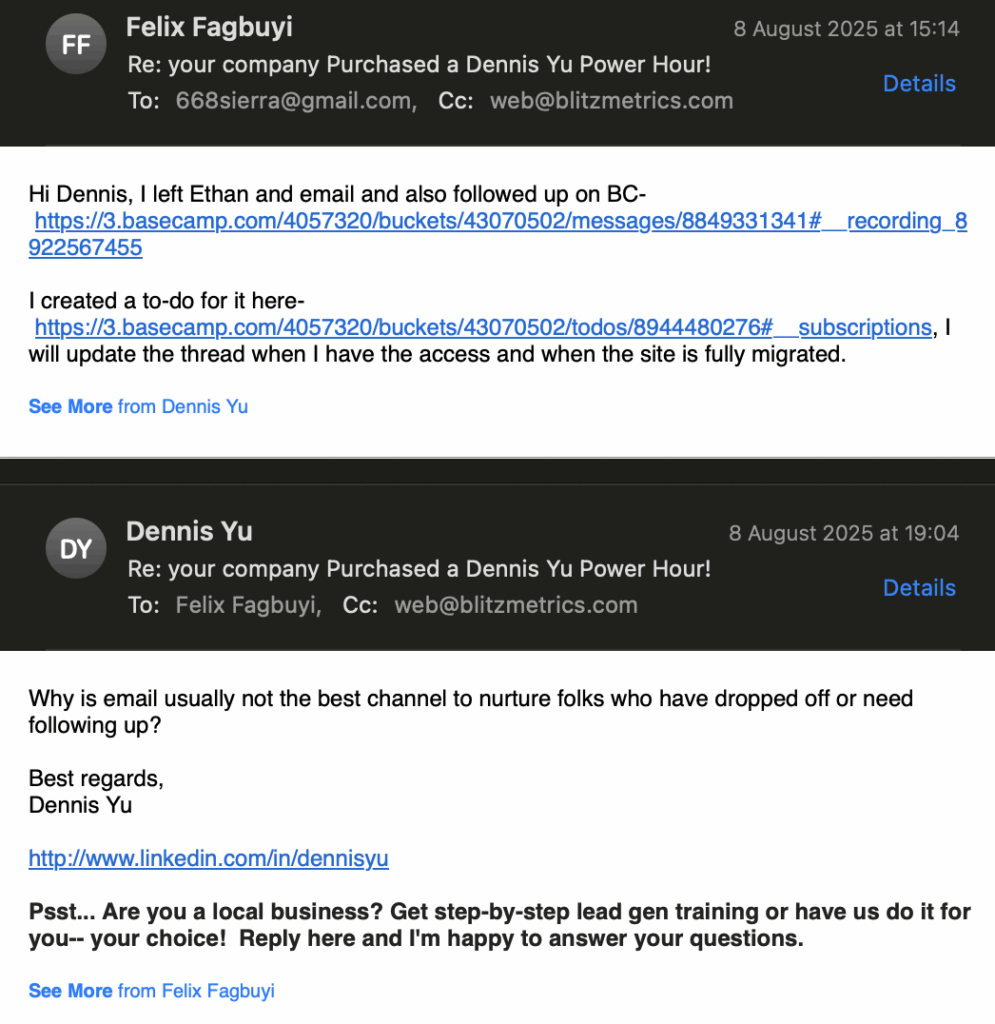
In this guide, I’ll show you how to escalate follow-ups when someone drops off, using the real example of migrating the Louisville Fence Works website to WP Engine. You’ll learn step-by-step how to move beyond the “mental box” of just sending emails and instead take a multi-channel approach that gets results quickly.
Task Checklist
Information you will need:
- Who you need to reach (name, role, relationship to the project).
- What specific information or action you need from them.
- Original contact channel used (Basecamp, email, etc.).
- Any prior communication threads or messages for context.
Tools you will need:
- Basecamp – for initial communication and documentation.
- Email client – for formal follow-ups.
- Social media platforms (Facebook, Instagram, LinkedIn).
- Phone or SMS – for real-time follow-up.
- Screen capture tool (Descript, Loom, Camtasia) – to record outreach steps for training.
- Image editor – for annotating screenshots of communication attempts.
Tips:
- Always escalate to faster, high-touch channels if no response after 24–48 hours.
- Keep messages polite but clear about the action needed.
- Document every attempt so other team members can see progress.
- Avoid “spamming” one channel — diversify where you reach them.
Step-by-Step Process
Step 1 – Identify the Stalled Task and Exact Needs
Before escalating, be crystal clear on what you need from the other person. In my case:
- Website access for https://www.louisvillefenceworks.com/.
- GoDaddy domain registrar access to point DNS.
This ensures your messages are specific and actionable.
Step 2 – Initial Communication (Basecamp + Email)
- Post in Basecamp, tagging the person/client (
@name) so they get a notification. - Send an email summarizing the request.
- Keep both messages short, with a clear ask and next step.
Pro Tip: Mention both the what (task) and why (impact of delay).
Step 3 – Escalate to Social Media Direct Messages
If no response after 24–48 hours:
- Look for their personal Facebook profile.
- If unavailable, message the business page.
- Do the same on Instagram — address the company if unsure who manages the account.
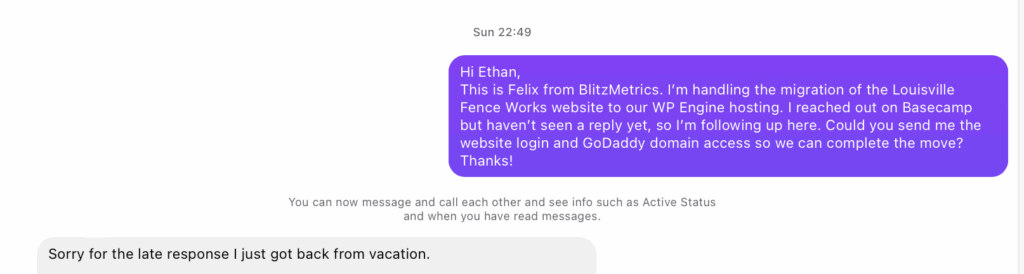
Pro Tip: Social media DMs are often read faster than email because they appear as phone notifications.
Step 4 – Real-Time Channels (SMS, Phone Call, Live Call)
If you have their number:
- Send a short text: “Hi [Name], this is [Your Name] from [Company]. Following up on [task] — can you send me [specific info] so we can wrap it up?”
- Call if the task is urgent and blocking others.
- Join an Office Hours call if they’re scheduled to be there and address it live.
Step 5 – Document Every Attempt
In Basecamp, update the task thread with each outreach method and date or notify a senior team member or even manager. This:
- Keeps the team informed.
- Prevents duplicate follow-ups from other members.
- Shows accountability.
Step 6 – Keep Escalating Until You Get a Response
Persistence matters. You’re not being pushy — you’re keeping the project alive.
In my case, I:
- Posted on Basecamp.
- Sent an email.
- Messaged on personal Facebook.
- Messaged on company Facebook page.
- Messaged on company Instagram.
Potential Sources of Error and How to Avoid Them
- Mistake: Waiting too long before escalating.
- Fix: Move to the next channel within 24–48 hours.
- Mistake: Sending vague requests.
- Fix: Always specify exactly what you need and why.
- Mistake: Using only one channel repeatedly.
- Fix: Spread follow-ups across different platforms.
Successful Outcome Example
When applied correctly, this process ensures you either:
- Get the information needed quickly, OR
- Clearly identify an unresponsive contact so leadership can step in.
Verification Checklist
Before considering your follow-up complete, confirm you have:
- Identified the exact request and why it’s urgent.
- Posted in Basecamp and tagged the person.
- Sent an email.
- Attempted at least two social media DMs.
- Tried SMS or phone call if possible.
- Escalated to senior team member or manager if still no response.