
 by
by
Every week, we send helpful insights, training updates, and reminders to our Home Service Owner community.
But instead of sending one-off messages manually, we built a repeatable process in Keap Classic (Infusionsoft) that lets us design, personalize, and deliver every broadcast efficiently — while keeping the tone warm and human.
Step 1: Accessing the Broadcast Tool
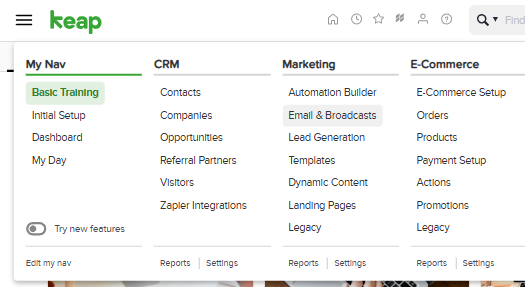
It starts in Keap’s main dashboard.
We go to Marketing → Email & Broadcasts, then click + New Email Broadcast.
This is our control center — where each announcement, promo, or newsletter begins.
No complicated automation here; just a clean, one-time email to a segmented audience.
Step 2: Choose a Template or Start From Scratch
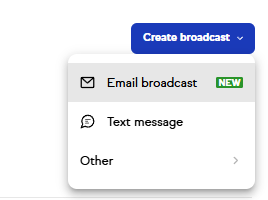
Keap gives you three starting options:
- Use a blank email — start from zero for complete creative control.
- Select a pre-made template — great if you want a professional layout fast.
- Use a recently sent email — ideal if you’re resending to a similar audience.
Step 3: Design Your Email
Inside the drag-and-drop builder, you can:
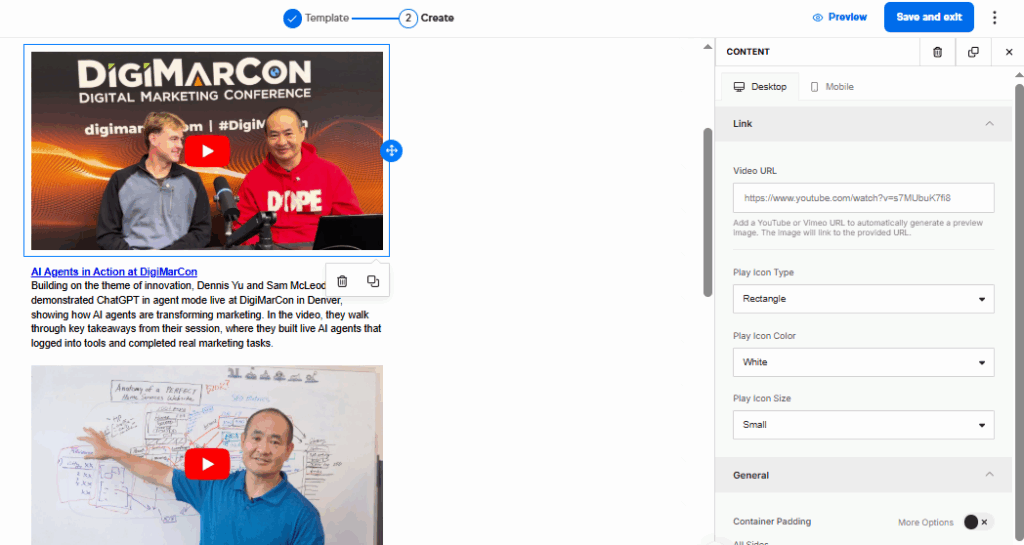
- Add text, images, buttons, and dividers.
- Adjust styles, spacing, and layout.
- Personalize content using merge fields, such as
~Contact.FirstName~.
Example: “Hey ~Contact.FirstName~, we’ve got something exciting to share!”
Step 4: Set Your Subject Line & Pre-header

Your subject and preview text are critical for open rates. Pro Tip:
Keep subject lines under 50 characters
Use the preview to spark curiosity or summarize the email
Step 5: Choose Your Recipients
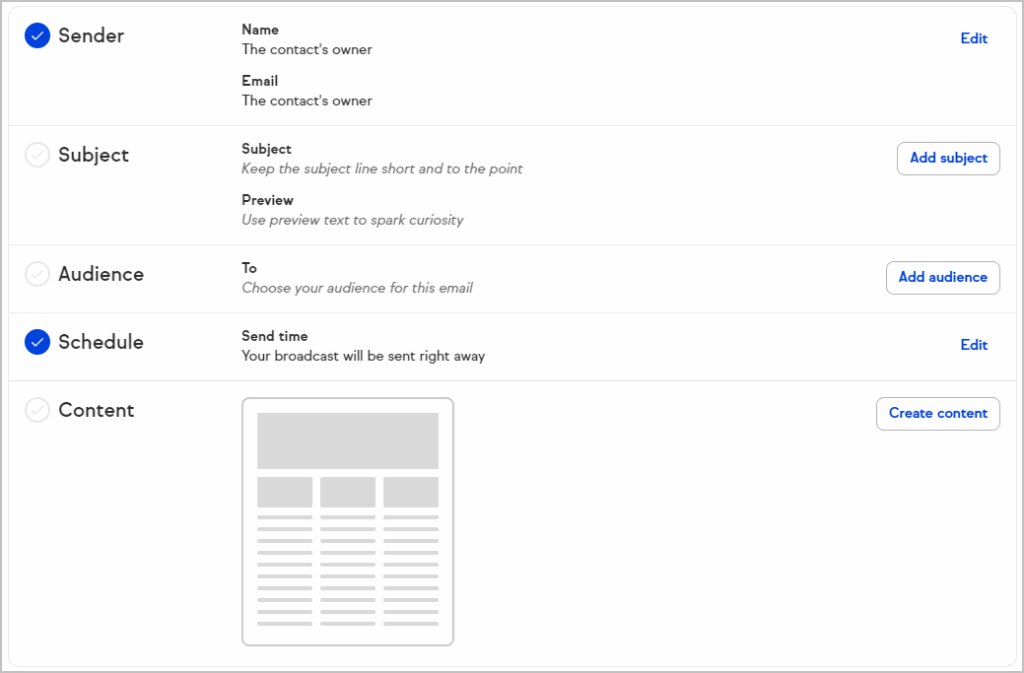
You can send to:
- Tags
- Saved searches
- Individual contacts or lists
Only marketable contacts will receive your email. Avoid sending to unengaged or unverified contacts.
Step 6: Send or Schedule
You’ll get the option to:
- Send immediately
- Schedule for a specific date/time
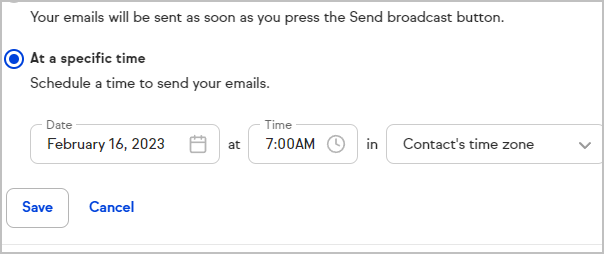
Before sending:
- Preview mobile & desktop
- Test all links
- Review time zone
Final Tips
- Personalize every email with your contact’s name.
- Keep messages short and visually clean.
- Test before sending to catch any issues early.
- Reuse and improve successful templates to save time.
That’s it!
You’ve now learned how to create, schedule, and send a broadcast email in Keap Classic — the same process we use to reach Home Service Owners and other client segments efficiently.
This article connects to BlitzMetrics processes including one-minute video, SEO Tree. Each of these concepts has a definitive article that explains the full framework.
Download the Skill File
This article has a companion Claude skill file that turns the strategy described above into a reusable, automated workflow. After installing the skill, Claude can execute each step on your behalf — building drafts, running audits, and producing deliverables in minutes instead of hours.
Originally published .
Dennis Yu
Dennis Yu is the CEO of Local Service Spotlight, a platform that amplifies the reputations of contractors and local service businesses using the Content Factory process. He is a former search engine engineer who has spent a billion dollars on Google and Facebook ads for Nike, Quiznos, Ashley Furniture, Red Bull, State Farm, and other brands.
Dennis has achieved 25% of his goal of creating a million digital marketing jobs by partnering with universities, professional organizations, and agencies. Through Local Service Spotlight, he teaches the Dollar a Day strategy and Content Factory training to help local service businesses enhance their existing local reputation and make the phone ring.
Dennis coaches young adult agency owners serving plumbers, AC technicians, landscapers, roofers, electricians, and believes there should be a standard in measuring local marketing efforts, much like doctors and plumbers must be certified. He has appeared on 353 podcasts with 619 credited episodes — see the full list of his podcast appearances.