
 by
by
Using personal emails for team functions is one of the most common mistakes I see in agencies and local service businesses.
And it will absolutely crush you when someone leaves.
Think about it. You set up a Zapier automation, a CRM notification, or a client follow-up sequence and plug in someone’s personal work email. Works great. Until that person goes on vacation. Or switches roles. Or leaves.
Now critical alerts are landing in an inbox nobody checks. Client follow-ups get missed. And someone has to manually log into every single tool to swap out the email address.
I’ve seen this kill businesses.
The real cost
When that person’s email gets deactivated, you don’t just lose access to notifications. You lose the entire history of communications that lived in their inbox. Gone. Institutional knowledge disappears with them.
And the handover process is brutal. Someone has to go through dozens of platforms, one by one, updating email addresses. You can’t scale that way. You need a process, not a fire drill every time someone leaves.
The fix is simple
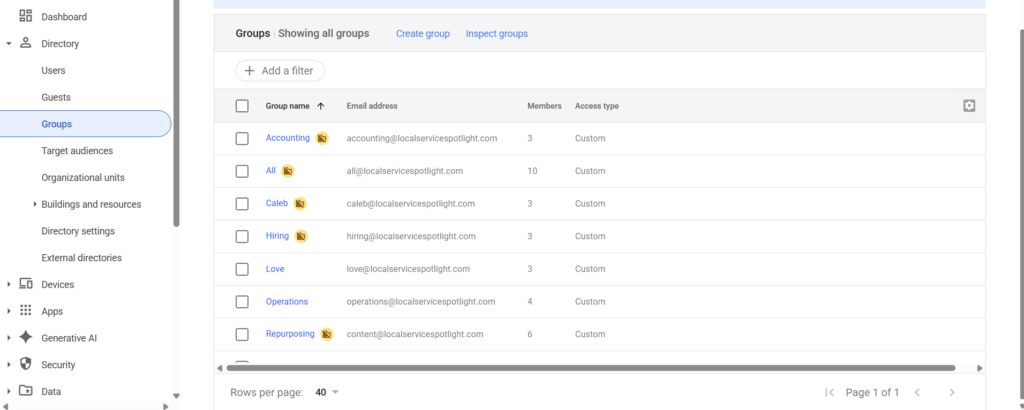
Create Google Groups in Google Workspace with functional addresses. operations@yourcompany.com. intake@yourcompany.com. billing@yourcompany.com.
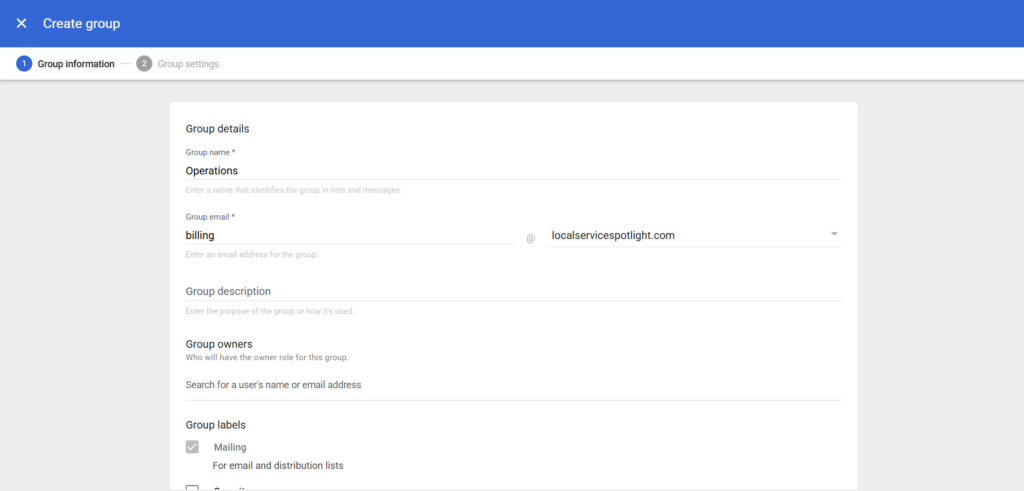
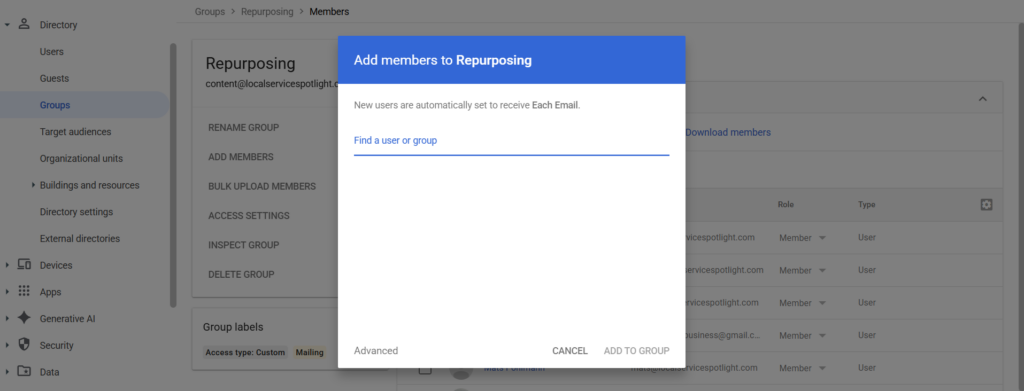
Add your team members’ individual emails to the group. Point all automations, notifications, and external tools to the group email.

The group email never changes.
When someone new joins, add them to the group. When someone leaves, remove them. Your automations keep running. Your tools keep working. Multiple people can monitor the same inbox simultaneously, so nothing slips through.
You also eliminate the need to share passwords during handovers. The communication history stays in the group inbox, accessible to the whole team.
Structure your work into roles, not around people
This is the same principle I teach about building teams. The big mistake is designing work around each person. When people leave or move up, your business gets disrupted and it’s hard to fill that exact position.
Solution: structure all your work into roles, then hire people into those roles. Always ensure you have a backup person for each function, so if you lose one, you don’t get crushed. You slot in the next person who is trained for the role.
Functional emails are the same idea applied to your inbox. The role stays. The people rotate in and out.
Take action
Audit every automation and external tool your team uses right now. Find every place a personal email is being used for a team function and replace it with a Google Group.
It takes 30 minutes and prevents the next staffing change from breaking your workflows.
If you don’t have this in place yet, you’re one resignation away from chaos.
Originally published .
Dennis Yu
Dennis Yu is the CEO of Local Service Spotlight, a platform that amplifies the reputations of contractors and local service businesses using the Content Factory process. He is a former search engine engineer who has spent a billion dollars on Google and Facebook ads for Nike, Quiznos, Ashley Furniture, Red Bull, State Farm, and other brands.
Dennis has achieved 25% of his goal of creating a million digital marketing jobs by partnering with universities, professional organizations, and agencies. Through Local Service Spotlight, he teaches the Dollar a Day strategy and Content Factory training to help local service businesses enhance their existing local reputation and make the phone ring.
Dennis coaches young adult agency owners serving plumbers, AC technicians, landscapers, roofers, electricians, and believes there should be a standard in measuring local marketing efforts, much like doctors and plumbers must be certified. He has appeared on 353 podcasts with 619 credited episodes — see the full list of his podcast appearances.