

Introduction
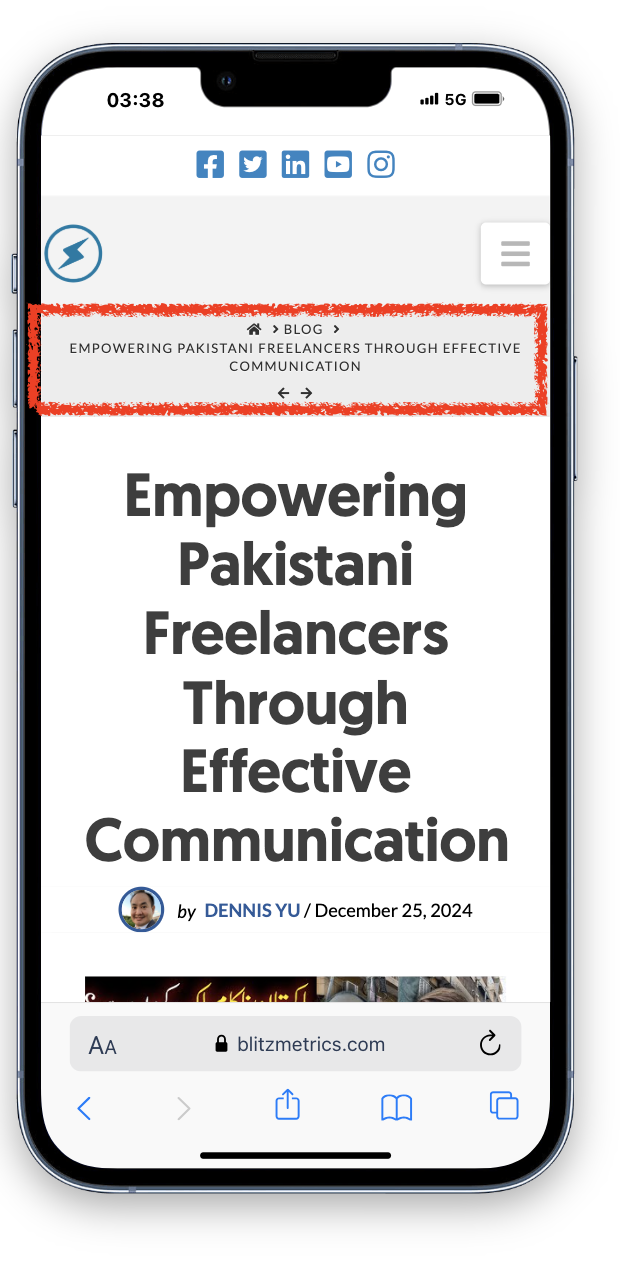
This guide documents the process of resolving blog title size and layout issues in websites using the Wordpress Cornerstone Pro theme. Using Blitzmetrics as a reference site, we identified that blog titles were taking up excessive space on mobile devices, had inconsistent font sizes across devices, and were not bold. The solution involved creating a responsive CSS script to ensure consistent and professional blog title presentation across desktop, tablet, and mobile views. This guide explains the final CSS script in detail, provides before-and-after screenshots, and outlines steps to implement the fix globally.
The Issue
1. Initial Problem:
- On Blitzmetrics.com, blog titles were taking up 40% of the screen on mobile devices, making the layout appear unbalanced.
- Titles were not bold on blog pages, reducing their prominence.
- The issue was traced back to the Cornerstone Pro theme, which had limitations in adjusting blog title headings.
- Crumbs were also taking spacing at the top.
2. Additional Findings:
- The fix initially applied to mobile devices inadvertently made titles too small on desktop views.
- The theme had inconsistent behavior across different screen sizes (e.g., tablets, iPads).
The Investigation
1. Initial Analysis:
- The issue was identified as a combination of theme limitations and CSS styling.
- Testing on Blitzmetrics.com revealed that the theme's default settings did not adapt well to smaller screens.
2. Comparison with News Sites:
- Major news sites were analyzed to understand best practices for blog title presentation.
- Shorter titles were common, but layout and styling were the primary factors.
- Titles were bold and prominently displayed across all devices.
The Solution
The final solution involved creating a responsive CSS script to address the issues across all devices.

Below is the script, followed by a detailed explanation of each section:
```css
.quick-view-link.wrap,
.full-view-link.wrap,
.full-view-inner-short-bio,
.full-view-categories,
.full-view-social-media,
.btn-directory-quick-view-wrap {
text-align: left;
}
.x-text-content-text-primary {
font-size: 34px !important;
}
/* Default Styles (for Desktop) */
.entry-wrap {
display: row;
flex-direction: row;
align-items: center;
}
.entry-featured {
width: 50%;
}
.entry-thumb img {
width: 100%;
height: auto;
display: block;
}
.entry-content {
font-size: 18px;
padding: 10px;
}
.entry-title {
font-size: 24px;
font-weight: bold;
text-align: center; /* Ensures title is left-aligned */
}
/* Ensure Blog Archive Featured Image Stays Intact */
.blog .entry-featured {
width: auto;
}
/* Tablet and Larger Tablets (up to 1366px) */
@media (max-width: 1366px) {
.entry-wrap {
flex-direction: column;
}
.entry-featured {
order: -1;
width: 100%;
}
.entry-content {
font-size: 16px;
padding: 15px;
}
.entry-title {
font-size: 15px;
text-align: center; /* Keep title left-aligned on tablet */
}
}
/* Regular Tablets (up to 1024px) */
@media (max-width: 1024px) {
.entry-wrap {
text-align: center;
}
.entry-content {
font-size: 15px;
padding: 10px;
}
.entry-title {
font-size: 16px;
text-align: center; /* Keep title left-aligned */
}
.entry-featured {
margin-bottom: 10px;
}
}
/* Mobile Screens (up to 768px) */
@media (max-width: 768px) {
.entry-wrap {
text-align: center;
}
.entry-content {
font-size: 14px;
padding: 4px;
}
.entry-title {
font-size: 15px;
line-height: 1.3;
text-align: center; /* Center title on mobile for better readability */
}
}
```
Explanation of the CSS Script
1. Global Text Alignment:
- The first block ensures that specific elements (e.g., quick-view links, social media sections) are left-aligned for consistency.
2. Title Font Size:
- `.x-text-content-text-primary` sets the blog title font size to **34px** for desktop views.
3. Default Styles (Desktop):
- `.entry-wrap` arranges blog content in a row with a 50% width for the featured image.
- `.entry-title` ensures titles are bold, centered, and set to **24px** for desktop views.
4. Responsive Design (Tablets and Mobile):
- Media queries adjust the layout for different screen sizes:
- Tablets (up to 1366px): Titles are reduced to 15px, and content is stacked vertically.
- Regular Tablets (up to 1024px): Titles are set to 16px, and padding is adjusted for better readability.
- Mobile (up to 768px): Titles are set to 15px, and content is centered for optimal mobile viewing.
Before and After Screenshots
1. Desktop View:
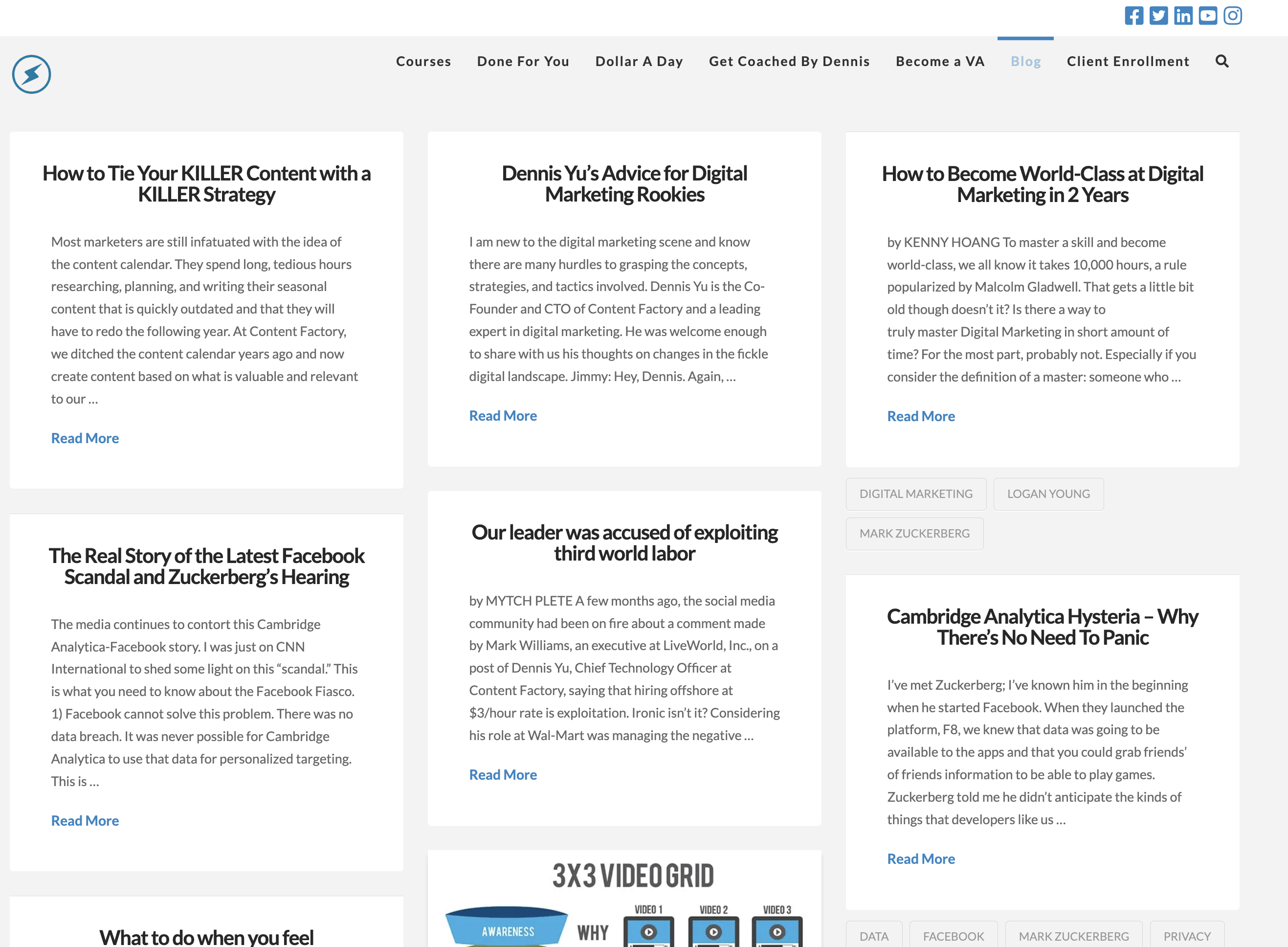
- Before- Blog titles were too small and not bold.

- After: Blog titles are bold, centered, increased in size:
2. Mobile View:
- Before:

- After:

Challenges Encountered
1. Inconsistent Behavior Across Devices:
- The theme's default settings did not adapt well to smaller screens, requiring extensive testing and adjustments.
2. Global Implementation:
- Ensuring the fix was applied to all sites using the **Cornerstone Pro theme** required manual updates and thorough testing.
Lessons Learned
1. Responsive Design is Key:
- Always test layouts on multiple devices to ensure consistency.
2. Documentation Saves Time:
- Documenting fixes and sharing them prevents future issues and ensures scalability.
Steps to Prevent Future Issues
1. Test Thoroughly:
- Test all theme updates on multiple devices and screen sizes before deployment.
2. Document Everything:
- Publish articles and training materials to share lessons learned and best practices with the team and community.
Conclusion
By addressing the blog title size and layout issues on Blitzmetrics.com and applying the fixes globally, we ensured a consistent and professional experience for all sites using the Cornerstone Pro theme. This experience highlights the importance of responsive design, thorough testing, and teamwork in delivering high-quality websites.
This article is part of the Content Factory system.
|
PRODUCE Record • Capture |
➔ |
PROCESS Transcribe • Edit |
➔ |
POST Publish • Link |
➔ |
PROMOTE Ads • Share |