
 by
by
When a team member leaves, Operations removes their access from every system we use. This happens within 24 hours of the decision, following the checklist below. Operations owns the task. Our AI agents run the same checklist on behalf of Operations, so anyone on the team, human or agent, can execute it the same way.
Before you start
- Pull the team member’s name, email, and role from the Team Roster.
- Transfer their Google Drive files to the Old Team folder and import their emails to your account. Do this first. Once the account is deleted, the files are gone.
- Download their final TimeCamp report.
- Reassign their Basecamp tasks.
Where to deboard and how
Shared Google Drive
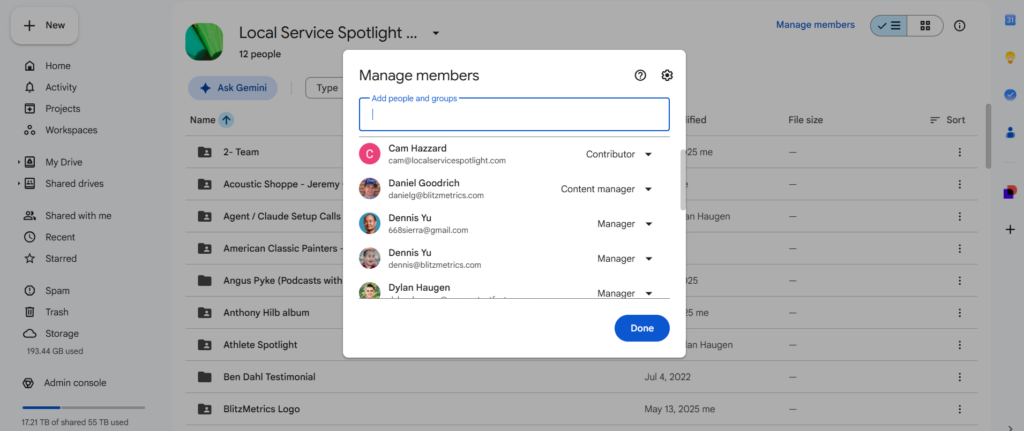
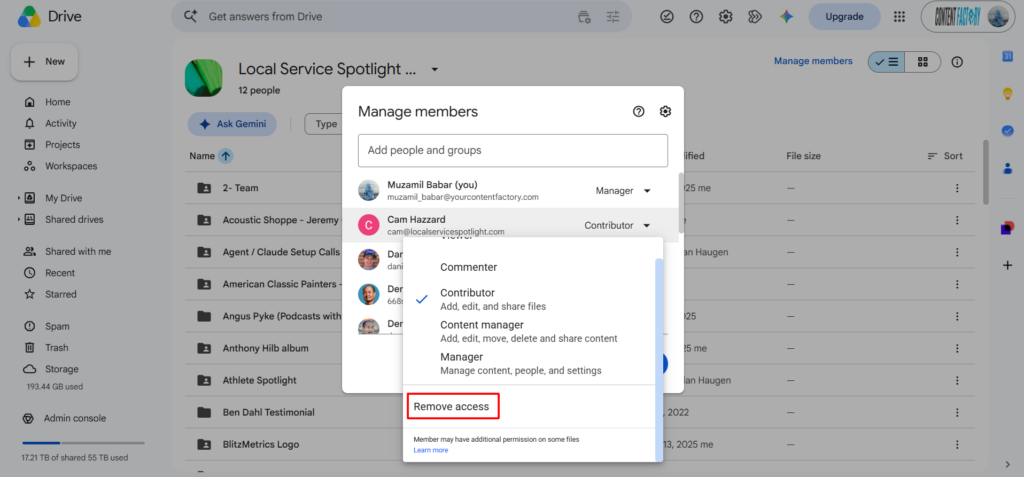
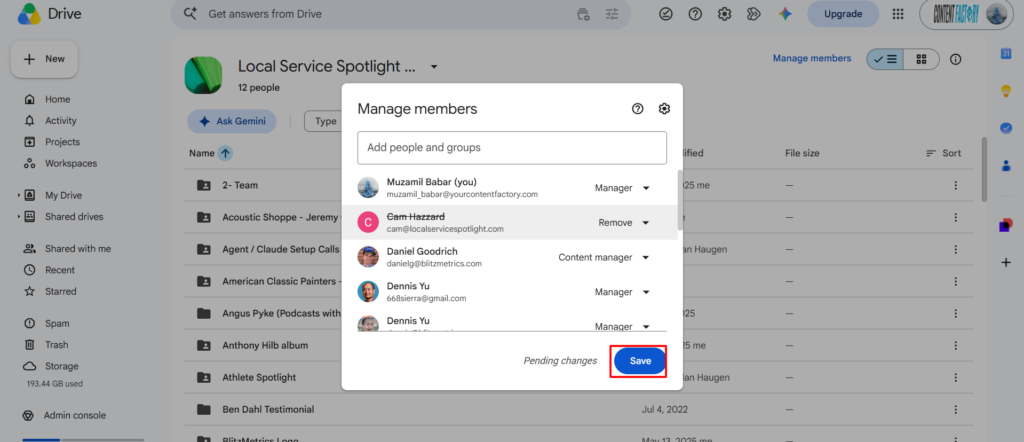
Open the shared drive, go to Manage members, remove the team member.
BlitzMetrics.com and DennisYu.com
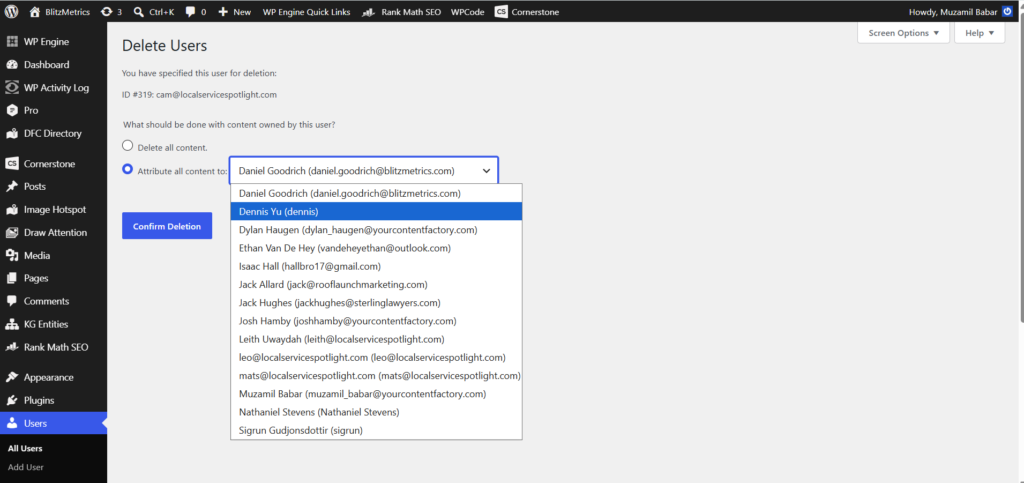
WordPress admin, Users, delete the user and assign their posts to me.


Internal and client websites
Remove the user in each CMS or hosting panel. On client sites, assign their content to the client.
Basecamp
Adminland, Manage people, remove the person.


TimeCamp
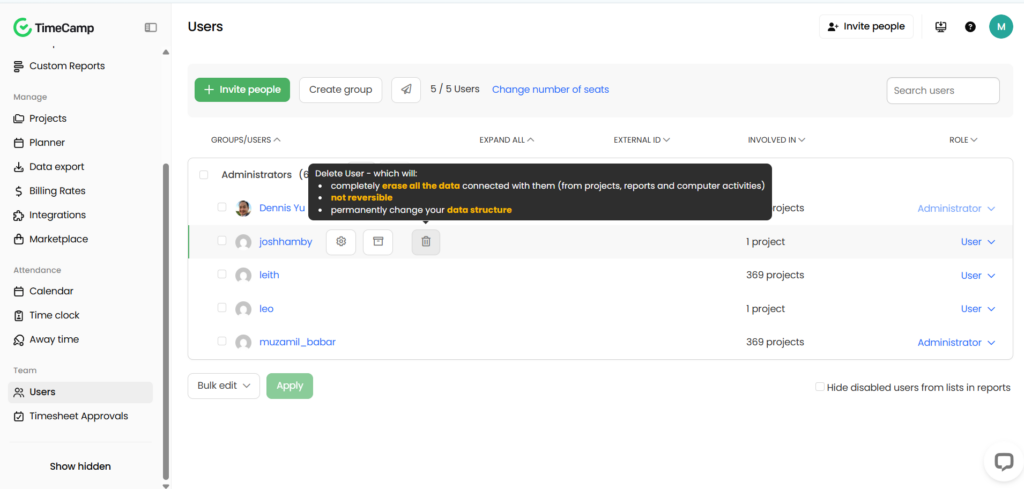
Settings, Users, deactivate the user.
Facebook Business Manager
Business Settings, People, remove the person. Also check Partners if they were added under another business.

Team Roster
Move their row to the Former Team tab. Add the deboarding date.
Academy
Admin, Members, remove their account.

Keap
Admin, Users, remove the user.

YouTube channels
YouTube Studio, Settings, Permissions, remove them from every channel they were on.

Office Hours Facebook group
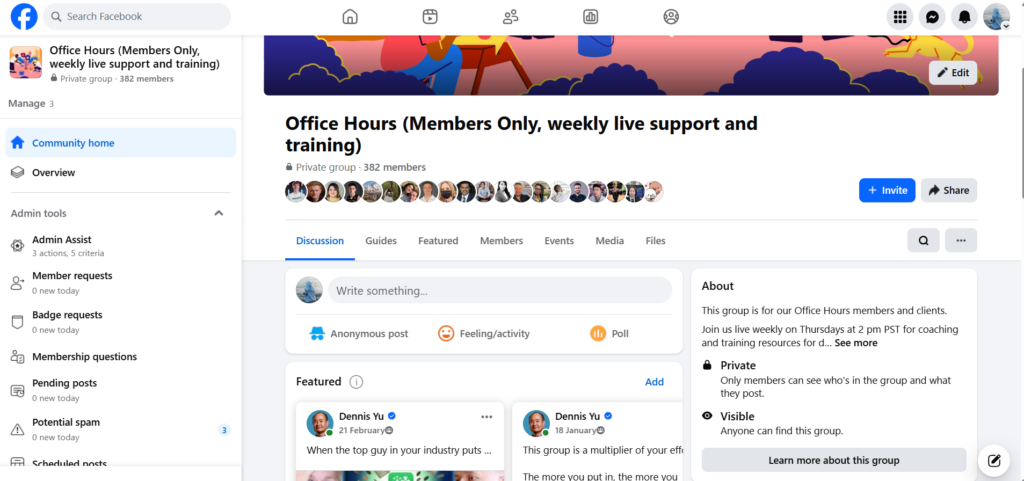
Group members, remove member.
Calendly
Admin, Users, remove the user. Reassign any event types they owned.
Zoom
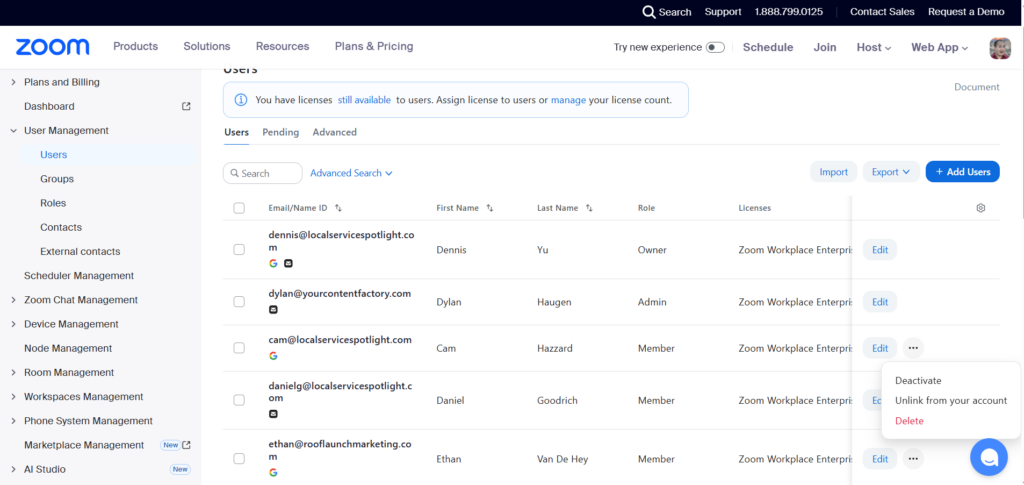
Admin, User Management, delete the user. Transfer their recordings first if needed.
GitHub
Organization settings, People, remove from organization. Check each repository’s collaborators as well and remove them there.
Google Workspace
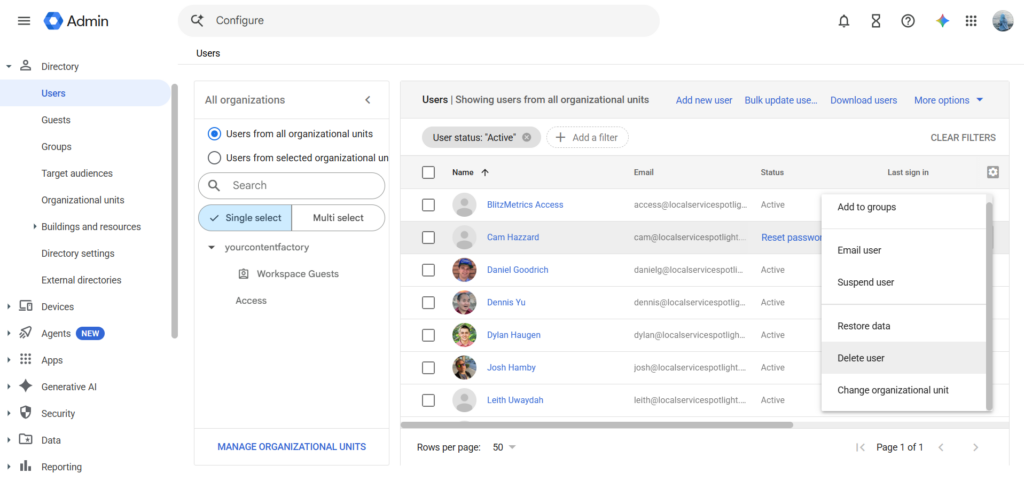
Last step. Google Admin, Users, delete the account.
For AI agents
Agents working for Operations run this list exactly as written. They complete every step that has an API or admin login available to them, log the result for each system, and flag anything they can’t reach for a human. The agent posts the completed checklist to the thread the same way a human would.
Originally published .
Dennis Yu
Dennis Yu is the CEO of Local Service Spotlight, a platform that amplifies the reputations of contractors and local service businesses using the Content Factory process. He is a former search engine engineer who has spent a billion dollars on Google and Facebook ads for Nike, Quiznos, Ashley Furniture, Red Bull, State Farm, and other brands.
Dennis has achieved 25% of his goal of creating a million digital marketing jobs by partnering with universities, professional organizations, and agencies. Through Local Service Spotlight, he teaches the Dollar a Day strategy and Content Factory training to help local service businesses enhance their existing local reputation and make the phone ring.
Dennis coaches young adult agency owners serving plumbers, AC technicians, landscapers, roofers, electricians, and believes there should be a standard in measuring local marketing efforts, much like doctors and plumbers must be certified. He has appeared on 353 podcasts with 619 credited episodes — see the full list of his podcast appearances.